
Disk Sensei 1.6.3
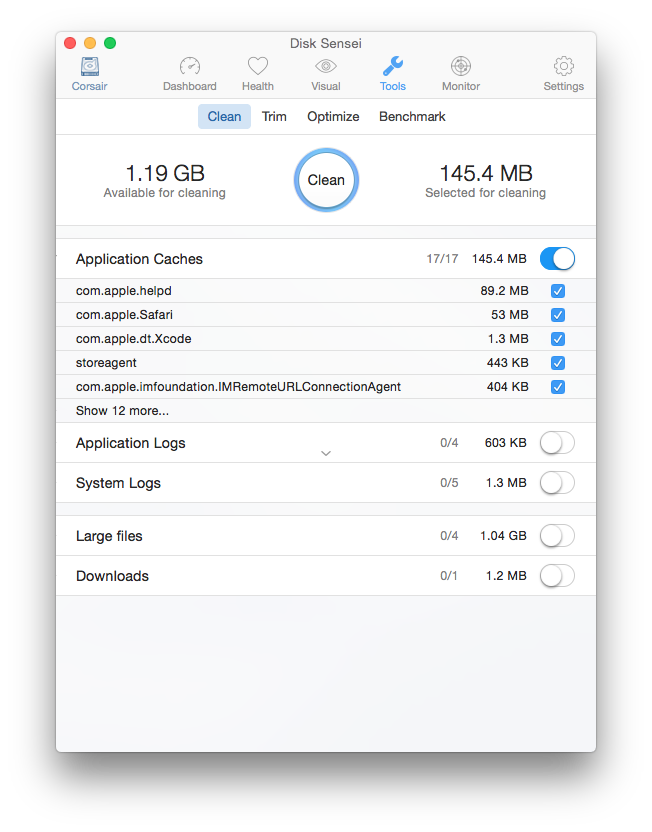
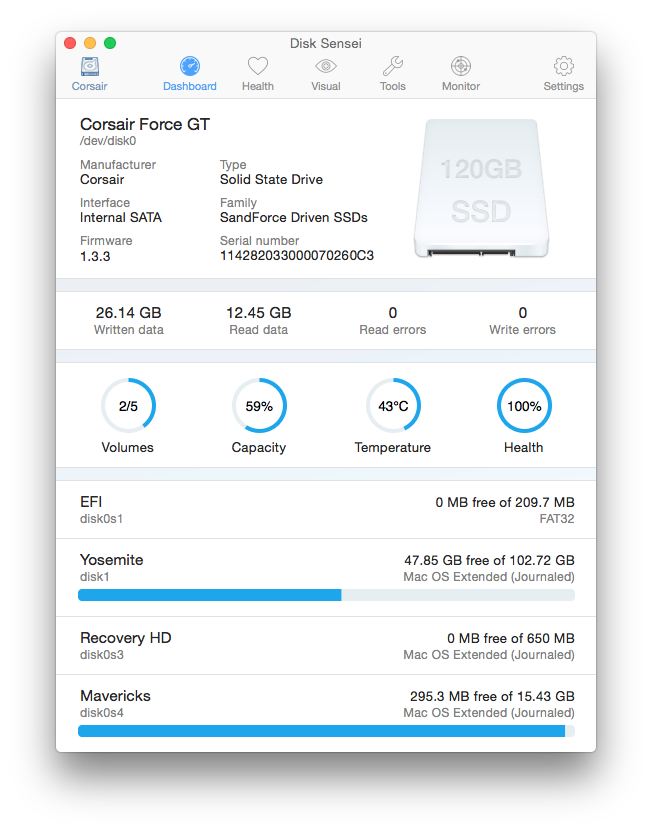
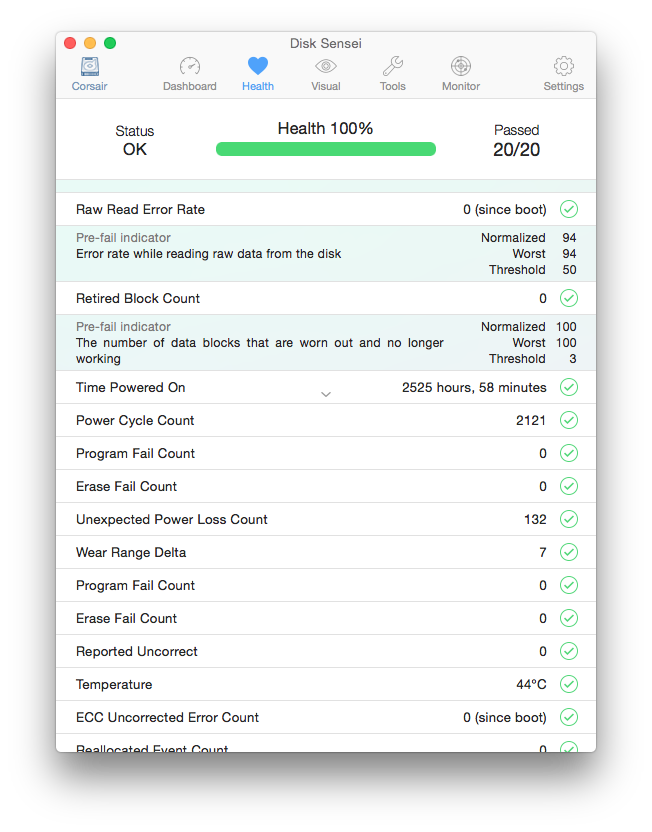
Meet Disk Sensei, the most advanced disk performance tool for Mac. We have created a Swiss-Army knife for your Mac, with powerful features to monitor, maintain, and enhance storage performance and utilization. Disk Sensei is the world's first software of its kind. With a strong focus on clean design and easy-to-use features, it is an advanced disk performance tool that you don’t have to be a computer professional to understand.
Disk Sensei provides features to:
- Monitor drive usage and statistics
- Analyze and explain drive health
- Visualize drive content to help users understand and maintain their file system
- Clean out space-hogging caches, logs, and other large files
- Optimize drive performance and free up space through advanced OS X tweaks
- Enable Trim for solid-state drives
- First software to offer manual trim for solid state drives
- Benchmark drives and compare their performance
Version 1.6:
- Fixes issues with incorrect or missing S.M.A.R.T values
- Improved S.M.A.R.T analysis for new drives
- Drive Vendors is now working properly again
Frequently asked questions
How do I install the app?
Mount the image, drag the app into the "Applications" folder and launch it. If the system blocks the launch, allow it in "System Settings → Privacy & Security".
The app is damaged or won't launch
Reinstalling from a fresh image usually helps. Make sure your macOS version matches the one listed in the compatibility specs.
How do I update?
Download the new version from the site and install it over the current one — your settings will be preserved.
The download link doesn't work
Try a mirror or a download manager. For large files the browser often drops the connection.
How do I completely remove the app?
Use an uninstaller utility — it cleans up the service files that remain after moving the app to the trash.
VersionDisk Sensei 1.6.3
DeveloperCindori AB
CompatibilityOS X 10.9 or later, 64-bit processor
LanguageEnglish
IncludesK'ed by TNT


Information
Visitors in the group Guests cannot leave comments on this publication.
Choose a download source
Disk Sensei 1.6.3 · 15.22 MB