Trim Enabler 4.2
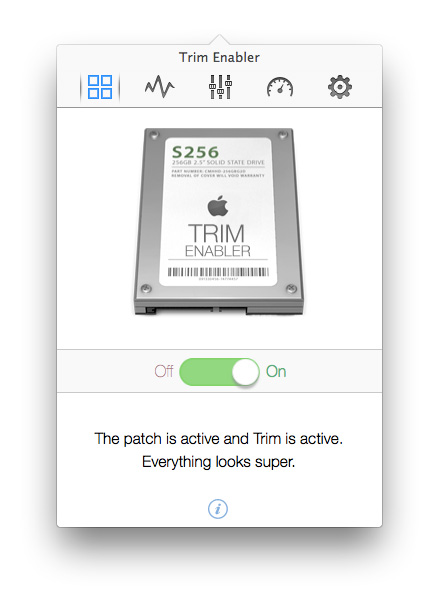
With Trim Enabler, you can bring trim to any solid state drive. Trim is must-have feature for most SSDs. It not only increases data writing speeds, but it increases the lifetime of the SSD itself. It's as easy as flipping a switch.
Enhance your SSD
Trim is must-have feature for most Solid State Drives. It not only increases data writing speeds, but it increases the lifetime of the SSD itself. With Trim Enabler, you can bring that feature to Mac OSX.
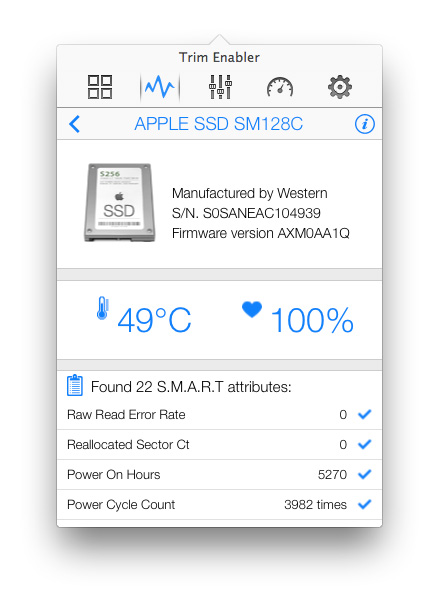
Monitor your disks
The detailed S.M.A.R.T monitor will provide performance and health relevant statistics and reports about your disks
Advanced Tweaks
Access advanced OS X tweaks to improve your SSD’s performance or free up to several gigabytes of disk space – it’s as easy as flipping a switch.
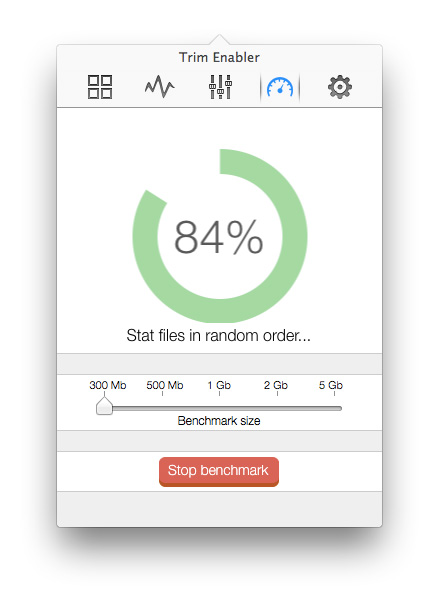
Benchmark Feature
Measure SSD or hard drive speeds and filesystem performance with the super easy benchmark feature
Version 4.2:
- Release notes were unavailable when this listing was updated.
Frequently asked questions
How do I install the app?
Mount the image, drag the app into the "Applications" folder and launch it. If the system blocks the launch, allow it in "System Settings → Privacy & Security".
The app is damaged or won't launch
Reinstalling from a fresh image usually helps. Make sure your macOS version matches the one listed in the compatibility specs.
How do I update?
Download the new version from the site and install it over the current one — your settings will be preserved.
The download link doesn't work
Try a mirror or a download manager. For large files the browser often drops the connection.
How do I completely remove the app?
Use an uninstaller utility — it cleans up the service files that remain after moving the app to the trash.
VersionTrim Enabler 4.2
DeveloperOskar Groth
CompatibilityOS X 10.9 or later, 64-bit processor
LanguageEnglish
IncludesK'ed by TNT


Information
Visitors in the group Guests cannot leave comments on this publication.
Choose a download source
Trim Enabler 4.2 · 20.45 MB
Previous versions
Trim Enabler 4.2
Previous versions are available to registered users.