
CalendarMenu 3.3.2
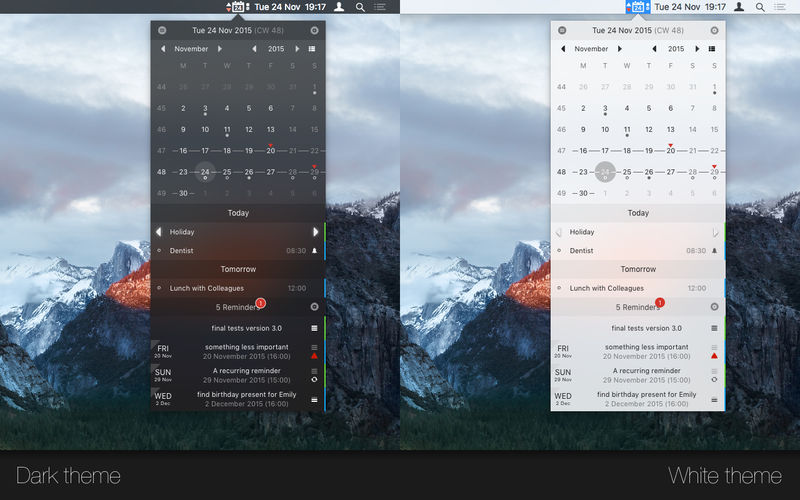
CalendarMenu is a OS X menu bar application, which provides a small calendar showing all informations you need to keep track of all upcoming appointments, birthdays and reminders in the blink of an eye.
CalendarMenu is highly configurable and allows you to specify exactly what you want CalendarMenu to show. It can also (optionally) ensure that your calendar subscriptions are updated regularly by keeping iCal launched in the background.
Calendar features:
- shows all iCal calendar events
- calendars can be selected individually
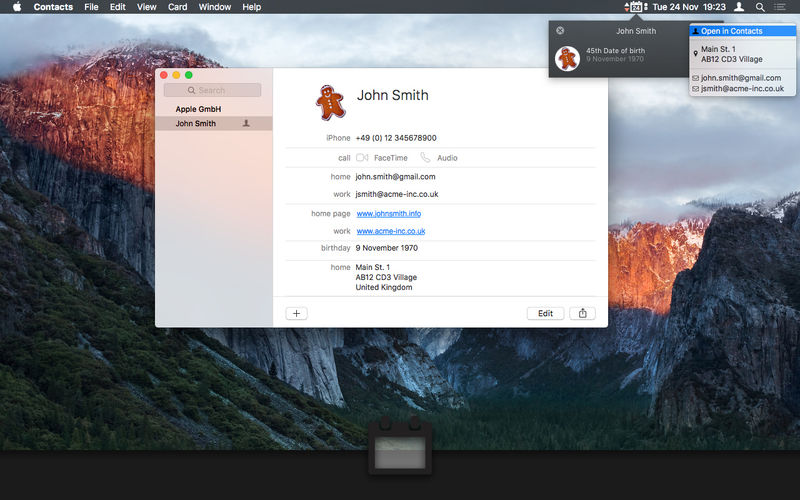
- highlights birthdays read directly from OS X Contacts (Address Book)
- differentiates between normal and all-day events
- individually highlights events spanning multiple days
- can indivually hide normal events and/or events spanning multiple days
- provides daily and weekly overviews showing all calendar events and reminders (with due date) of the selected day or week
- shows calendar weeks and first weekday according to your current system configuration
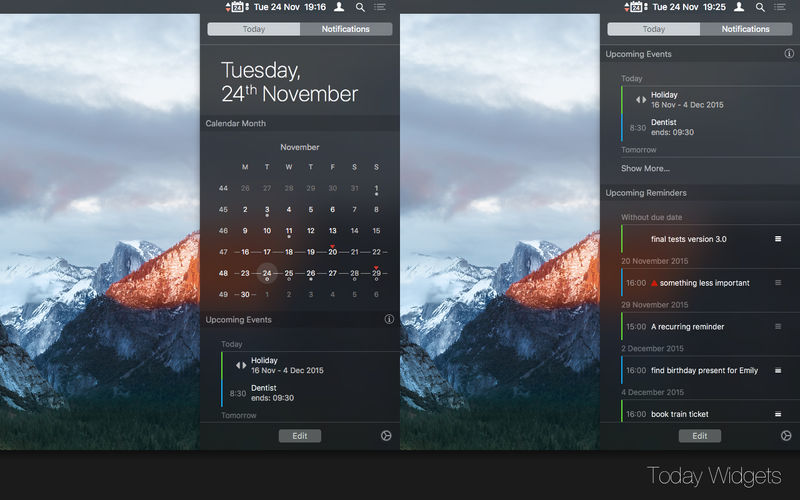
- includes a Today Extension for OS X Yosemite showing the current month
Reminders features:
- reminders with a due date set are highlighted in the calendar
- allows to quickly mark reminders as finished or pending without leaving CalendarMenu
- you can individually (de)select reminder lists
- reminders can be sorted by their title, by due date, priority or calendar name (either ascending or descending)
- reminders without due date can be hidden
- reminders listed on the main window can be limited to a due date within the next X days
Version 3.3.2
- the calendar grid now highlights the current calendar week
- other minor bugfixes and improvements
Frequently asked questions
How do I install the app?
Mount the image, drag the app into the "Applications" folder and launch it. If the system blocks the launch, allow it in "System Settings → Privacy & Security".
The app is damaged or won't launch
Reinstalling from a fresh image usually helps. Make sure your macOS version matches the one listed in the compatibility specs.
How do I update?
Download the new version from the site and install it over the current one — your settings will be preserved.
The download link doesn't work
Try a mirror or a download manager. For large files the browser often drops the connection.
How do I completely remove the app?
Use an uninstaller utility — it cleans up the service files that remain after moving the app to the trash.
VersionCalendarMenu 3.3.2
DeveloperAlexander Lindenstruth
CompatibilityOS X 10.10 or later, 64-bit processor
LanguageEnglish, French, German
IncludesK'ed by TNT




Information
Visitors in the group Guests cannot leave comments on this publication.
Choose a download source
CalendarMenu 3.3.2 · 5.45 MB