The Archive Browser 1.11.2
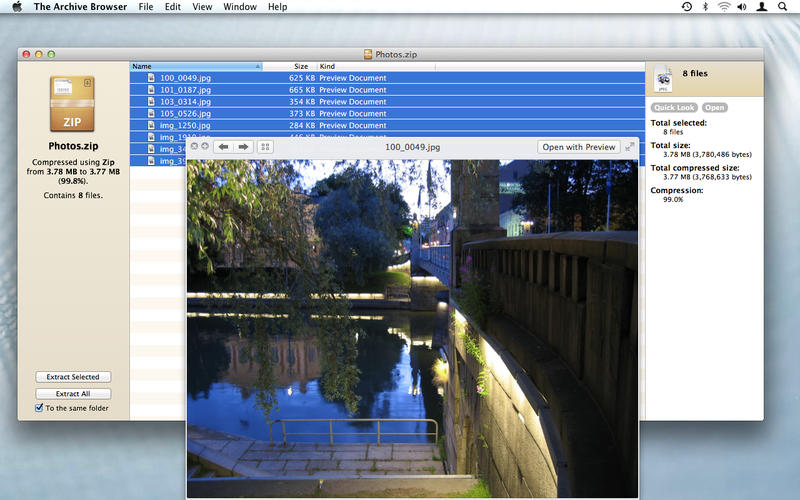

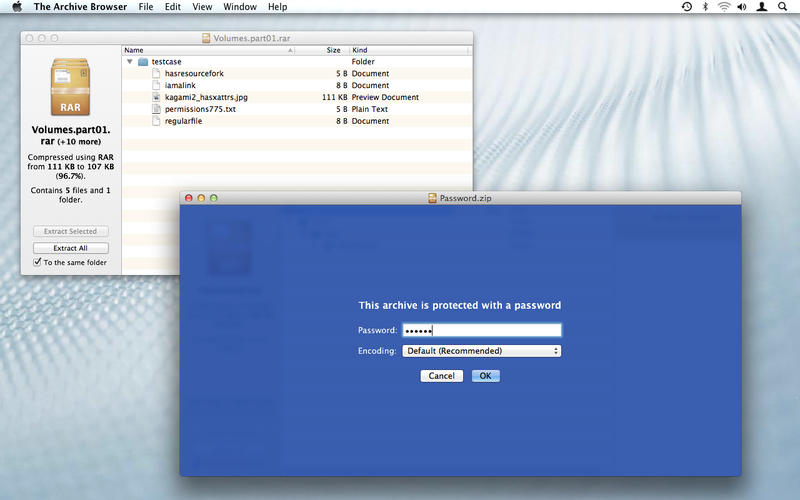
The Archive Browser is a program that lets you browse the contents of archives, as well as extract them. It will let you open files from inside archives, and lets you preview them using Quick Look.
It is based on The Unarchiver, which means it can handle a large number of different archive formats: It can handle common formats like Zip, RAR, 7-zip, Tar, Gzip and Bzip2, as well as older formats like StuffIt, DiskDoubler, LZH, ARJ and ARC. It can also handle other kinds of formats, like CD and DVD images such as ISO, BIN, MDF, NRG and CDI, many Windows self-extracting EXE files, and can even extract media from Flash SWF files. It will also handle different filename encodings gracefully.
For the curious, it will also show you a lot of information about the archives and their contents.
Version 1.11.2:
- Minor bugs fixed.
Frequently asked questions
How do I install the app?
Mount the image, drag the app into the "Applications" folder and launch it. If the system blocks the launch, allow it in "System Settings → Privacy & Security".
The app is damaged or won't launch
Reinstalling from a fresh image usually helps. Make sure your macOS version matches the one listed in the compatibility specs.
How do I update?
Download the new version from the site and install it over the current one — your settings will be preserved.
The download link doesn't work
Try a mirror or a download manager. For large files the browser often drops the connection.
How do I completely remove the app?
Use an uninstaller utility — it cleans up the service files that remain after moving the app to the trash.
VersionThe Archive Browser 1.11.2
DeveloperDag Agren
CompatibilityOS X 10.6 or later
LanguageEnglish
IncludesPre-K'ed




Information
Visitors in the group Guests cannot leave comments on this publication.
Choose a download source
The Archive Browser 1.11.2 · 8.24 MB