
Archiver 3.0.9
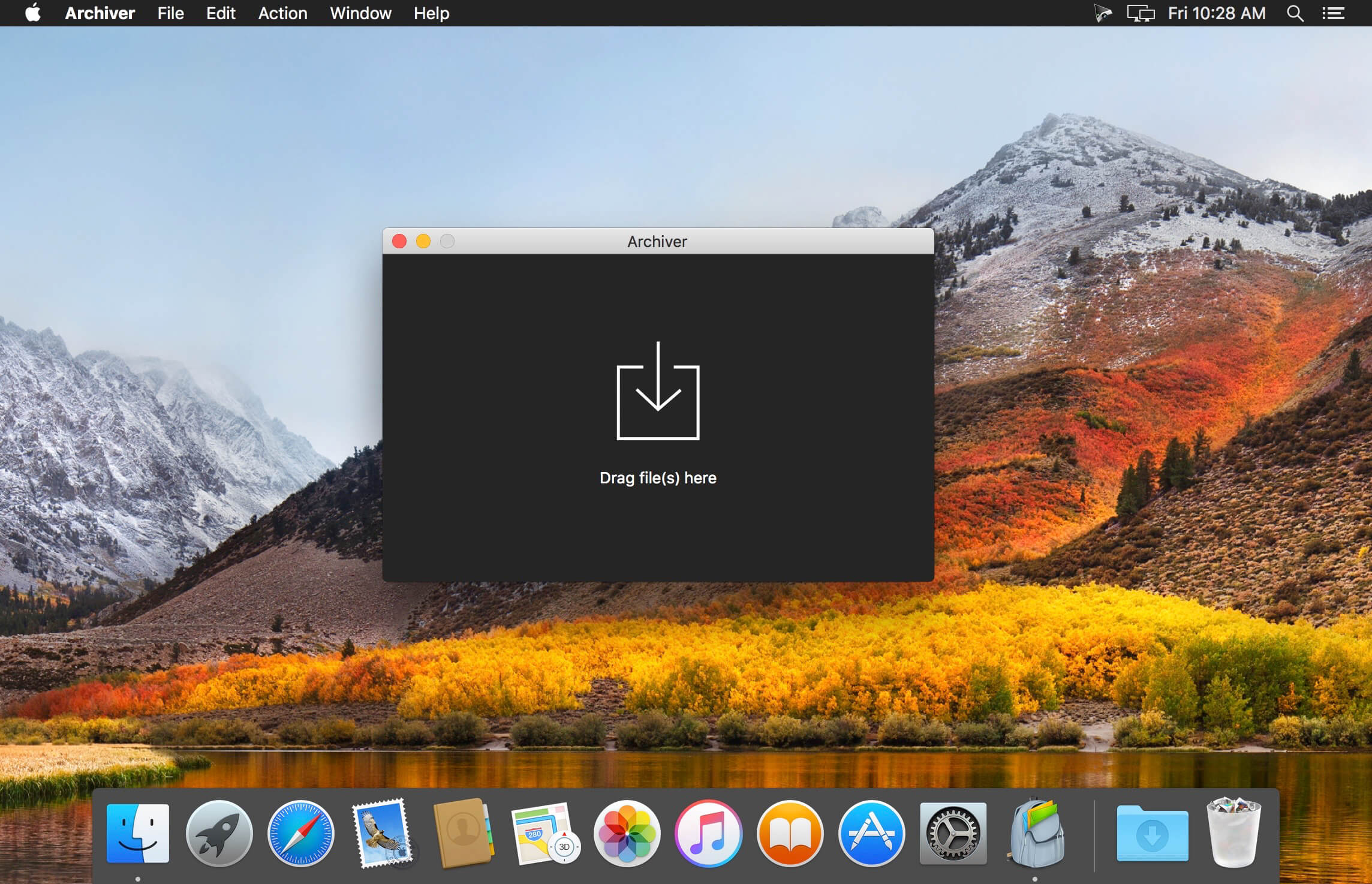

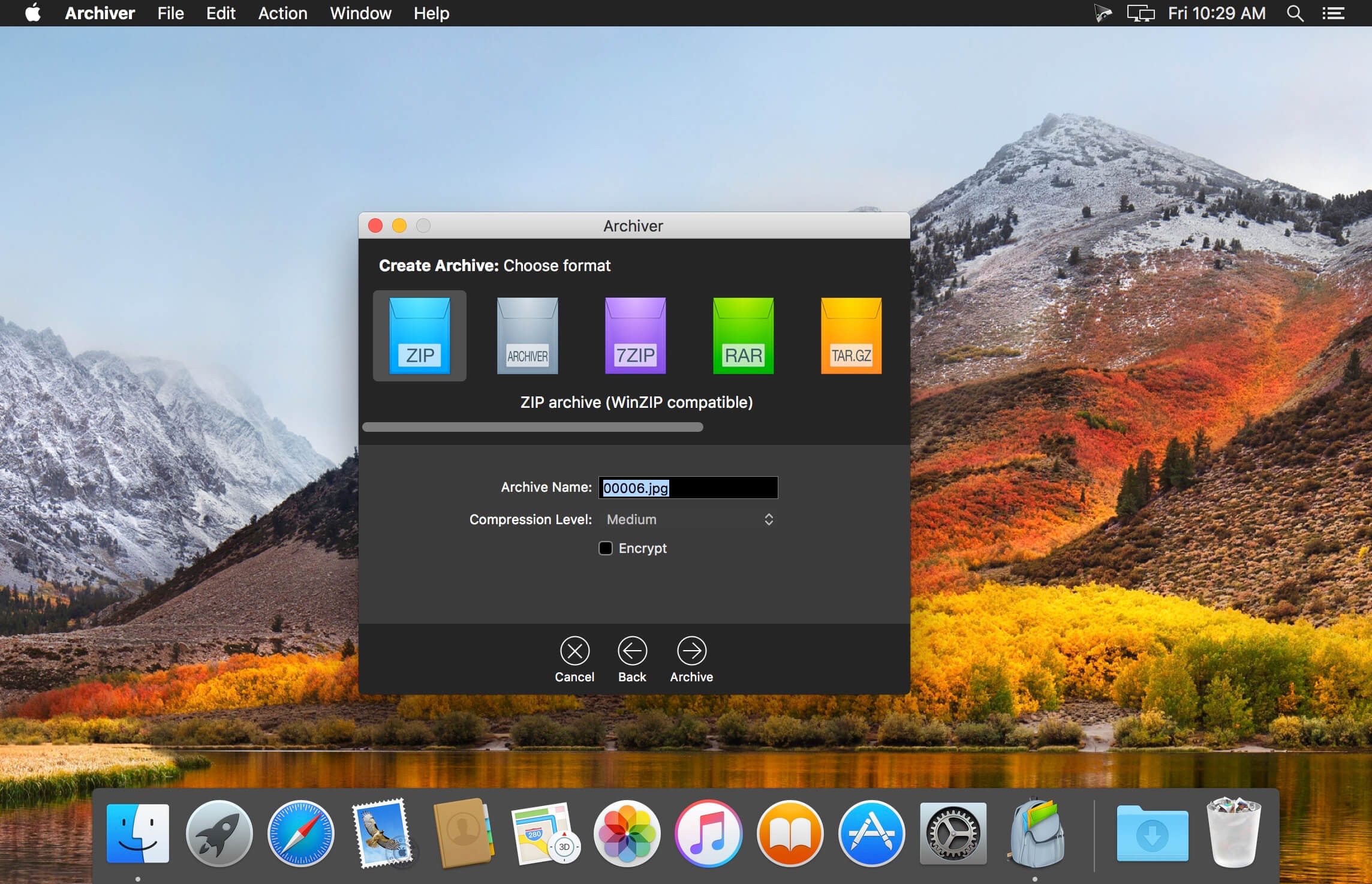
Archiver makes reducing file size, extracting archives and splitting files fun and easy!
Features
- Archives as Easy as Pie - Archiver made working with archives easy. But we knew there was room for improvement, so we stepped up our efforts a gear to make working with archives even easier for you. Archiver 2 brings you a fresh interface, a blazing fast workflow and a quick preview.
- Take a Quick Look - Say goodbye to extracting all files in an archive just to see what's inside! With Archiver 2 you can take a sneak peak and preview archives. And it gets better: Archiver lets you extract only the files you really need. It's all just a drag and a drop away.
- Drag and Drop Delight - Never worry about archive formats again -- Archiver's drag-and-drop capability is back and smarter than ever! Just drag your files into the app and watch Archiver take care of the rest.
- Shrink ‘Em Images and Music Files - Have you ever tried to send an image only to be told that the file is too large? Do your file uploads seem to take forever? Enter Archiver 2's own compression format, with which you can truly shrink image and audio files.
- MultiTask - Archiver 2 is geared to take full advantage of your Mac, allowing you to do a whole lot more at the same time. And it's remarkably easy to do! By simply dragging in more archives, Archiver will extract them for you side-by-side all at once.
- It's a Secret to Everybody - Keep your data private, keep it secure! With Archiver 2 you can protect your sensitive files by packing them in encrypted, password-protected archives by entering the password you wish to use.
- Split and Combine - Got a file too large for a disk or email? Archiver has always been great at splitting and combining files. With Archiver 2, you can now also create split archives. All you need to do is specify the size of each chunk, and you're good to go!
- Zip
- RAR (rar, r00, r01, r02, …) [read only]
- 7zip (7z, 7z.001, 7z.002, …)
- Tar
- Tar Gzip (tar.gz, tgz)
- Tar Bzip2 (tar.bz2, tbz)
- Tar Z (tar.Z)
- CPIO (cpio)
- ARJ [read only]
- CAB [read only]
- LhA (lha, lzh) [read only]
- StuffIt (sit) [read only]
- StuffIt Expander Archive (sea) [read only]
- BinHex (hqx) [read only]
- MacBinary (bin, macbin) [read only]
- Linux RPM (rpm) [read only]
- PAX [read only]
- Amiga disk file (adf) [read only]
- Compressed Amiga disk file (adz, ADZ) [read only]
- Amiga DMS disk archive (dms, DMS) [read only]
- Amiga LhF (f, F) [read only]
- Amiga LZX (lzx) [read only]
- Amiga DCS disk archive (dcs) [read only]
- Amiga PackDev (pkd) [read only]
- Amiga xMash disk archive (xms) [read only]
- Amiga Zoom disk archive (zom) [read only]
- HA archive [read only]
Version 3.0.9:
- This update fixes issues with archive compatibility and stability. It's recommended that all users update
Frequently asked questions
How do I install the app?
Mount the image, drag the app into the "Applications" folder and launch it. If the system blocks the launch, allow it in "System Settings → Privacy & Security".
The app is damaged or won't launch
Reinstalling from a fresh image usually helps. Make sure your macOS version matches the one listed in the compatibility specs.
How do I update?
Download the new version from the site and install it over the current one — your settings will be preserved.
The download link doesn't work
Try a mirror or a download manager. For large files the browser often drops the connection.
How do I completely remove the app?
Use an uninstaller utility — it cleans up the service files that remain after moving the app to the trash.
VersionArchiver 3.0.9 (30900)
DeveloperIncredible Bee Ltd.
CompatibilityOS X 10.11 or later, 64-bit processor
LanguageMultilangual
IncludesSerial (block outbound connections)




Information
Visitors in the group Guests cannot leave comments on this publication.
Choose a download source
Archiver 3.0.9 · 17.04 MB
Previous versions
Archiver 3.0.9
Previous versions are available to registered users.