

Smart Zipper Pro 4.2.0
Peek inside any archive before you unzip a thing
Screenshots
Click to enlarge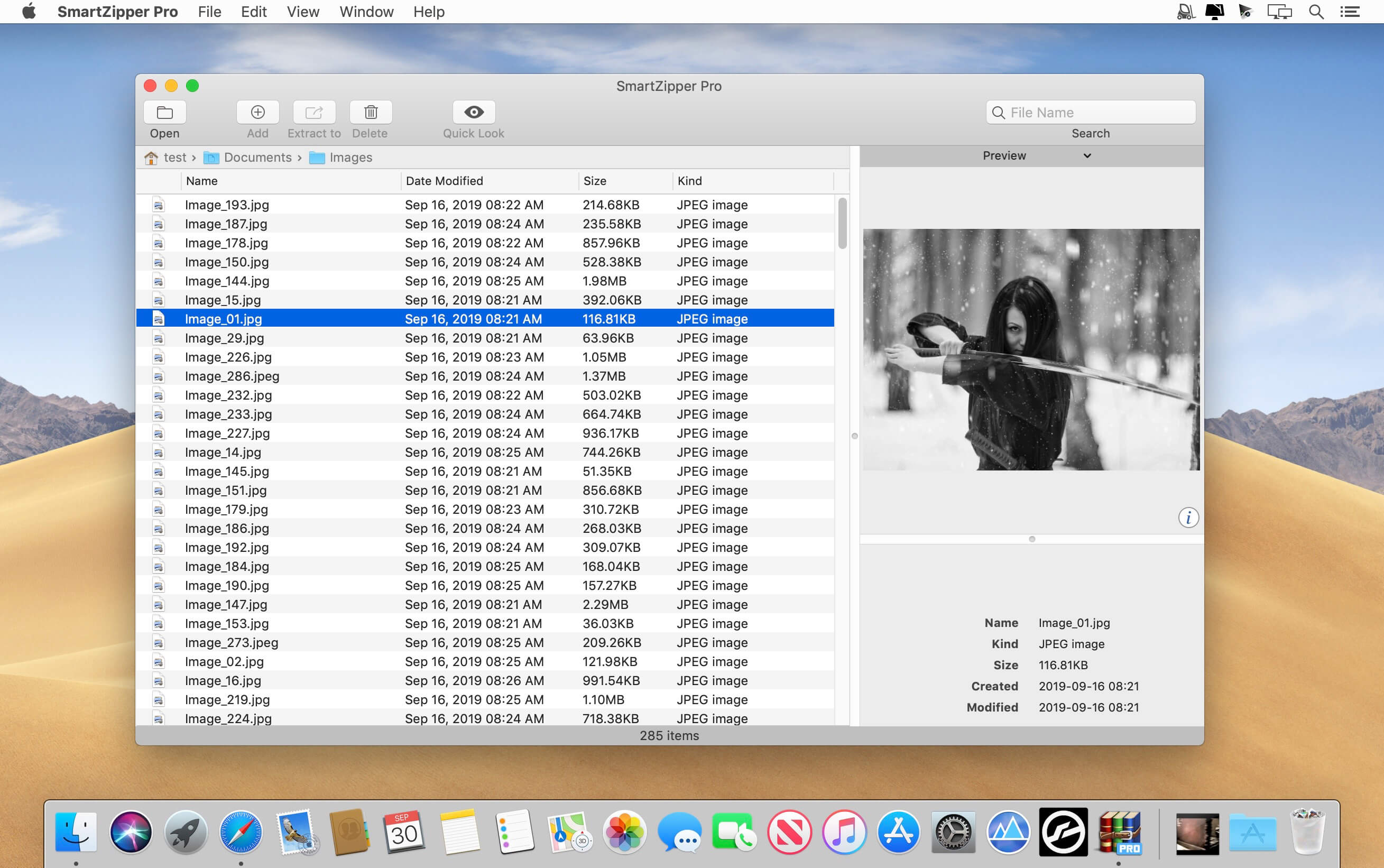


Smart Zipper Pro opens, creates, edits, splits and protects archives in one place. Extract over 30 formats, from RAR and 7z to ISO and StuffIt, and keep confidential files safe with strong AES-256 encryption.
Open almost anything
RAR, RAR5, 7z, Zip, ISO, CAB, StuffIt, Tar, Gzip, Bzip2 and many more. Whatever lands in your Downloads folder, Smart Zipper Pro can unpack it.
Look inside before you extract
Browse the contents of an archive, flip through images and preview files without unpacking anything. Check EXIF details of photos and detailed information about audio and video files right in the archive view.
Edit archives without unpacking
Add, remove or update files in an existing archive directly. Edit a file and put it back into the archive in a few clicks.
Keep private files private
Protect your archives with AES-256 encryption. Even files protected with different passwords inside the same archive can be extracted individually.
Works the way your Mac does
Drag files from the list view straight to Finder to decompress them, or use shortcuts in Finder's context menu to compress and extract without opening the app.
Key features
- Extract 30+ formats: RAR, RAR5, 7z, ISO, CAB, Zip, StuffIt, Lzma, Tar, Gzip, Bzip2, PAX, MSI, Arj, Z and more.
- Create archives: make 7z, Zip, Gzip, Tar and Bzip2 archives in seconds.
- Edit without extracting: modify existing archives directly.
- AES-256 encryption: protect sensitive data with strong passwords.
- Multiple passwords: extract files with different passwords from the same archive.
- Preview and browse: view images and preview files inside an archive without unpacking.
- Split archives: divide large archives into several smaller parts.
- File filtering: leave out unnecessary files.
- Drag and drop: drag files from the list view to Finder to decompress them.
- Finder integration: quick shortcuts in Finder's context menu.
- Media details: see EXIF data of images and detailed info on audio and video files.
- Quick editing: edit files and add them to an archive in a few clicks.
Version 4.2.0
- Improved convenience for previewing Office documents.
- Improved convenience for previewing video and audio files.
Comments
No comments yet. Be the first.