
macshot 4.4.0
Mac screenshot tool with annotation and screen recording
Screenshots
Click to enlarge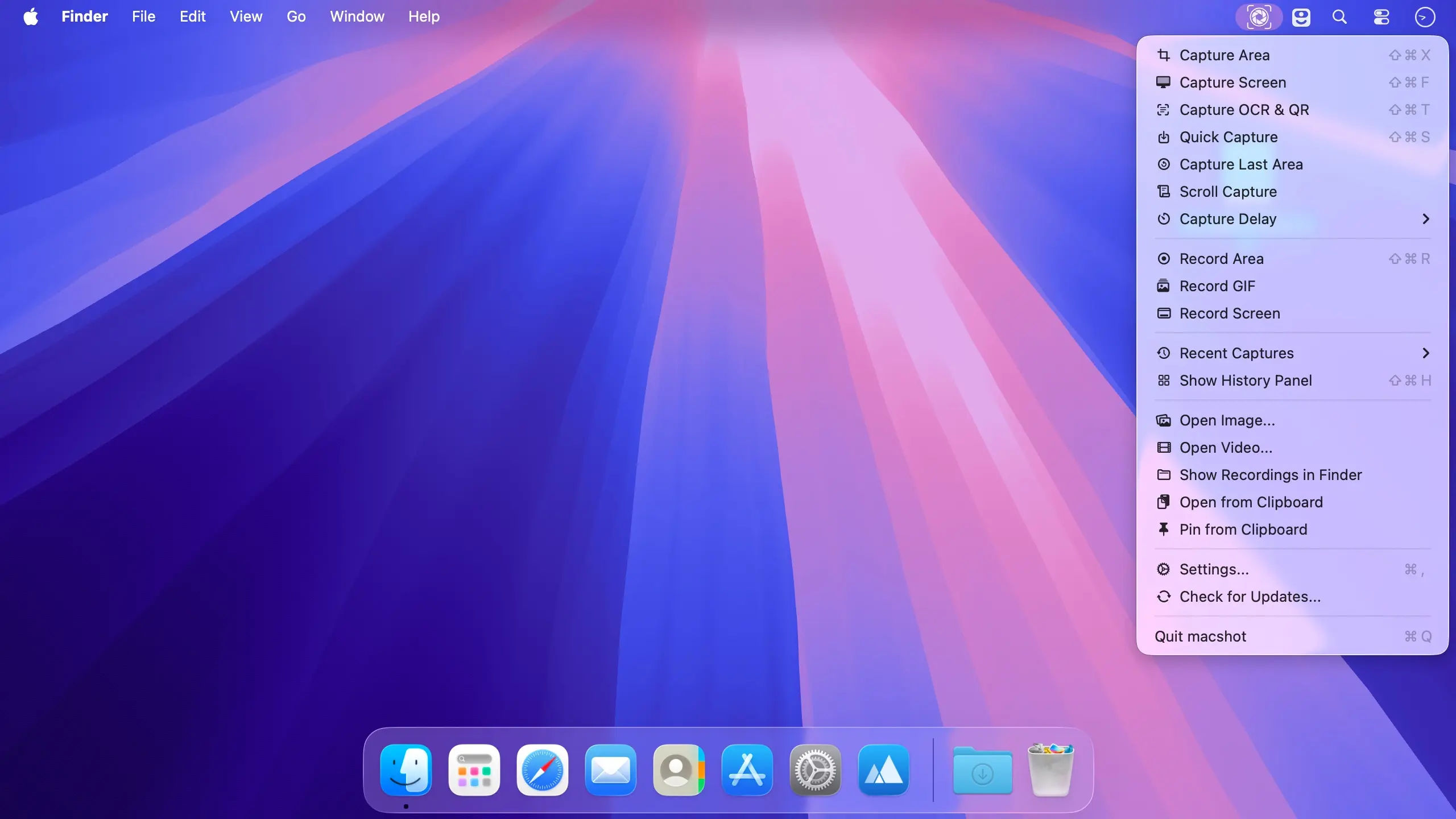
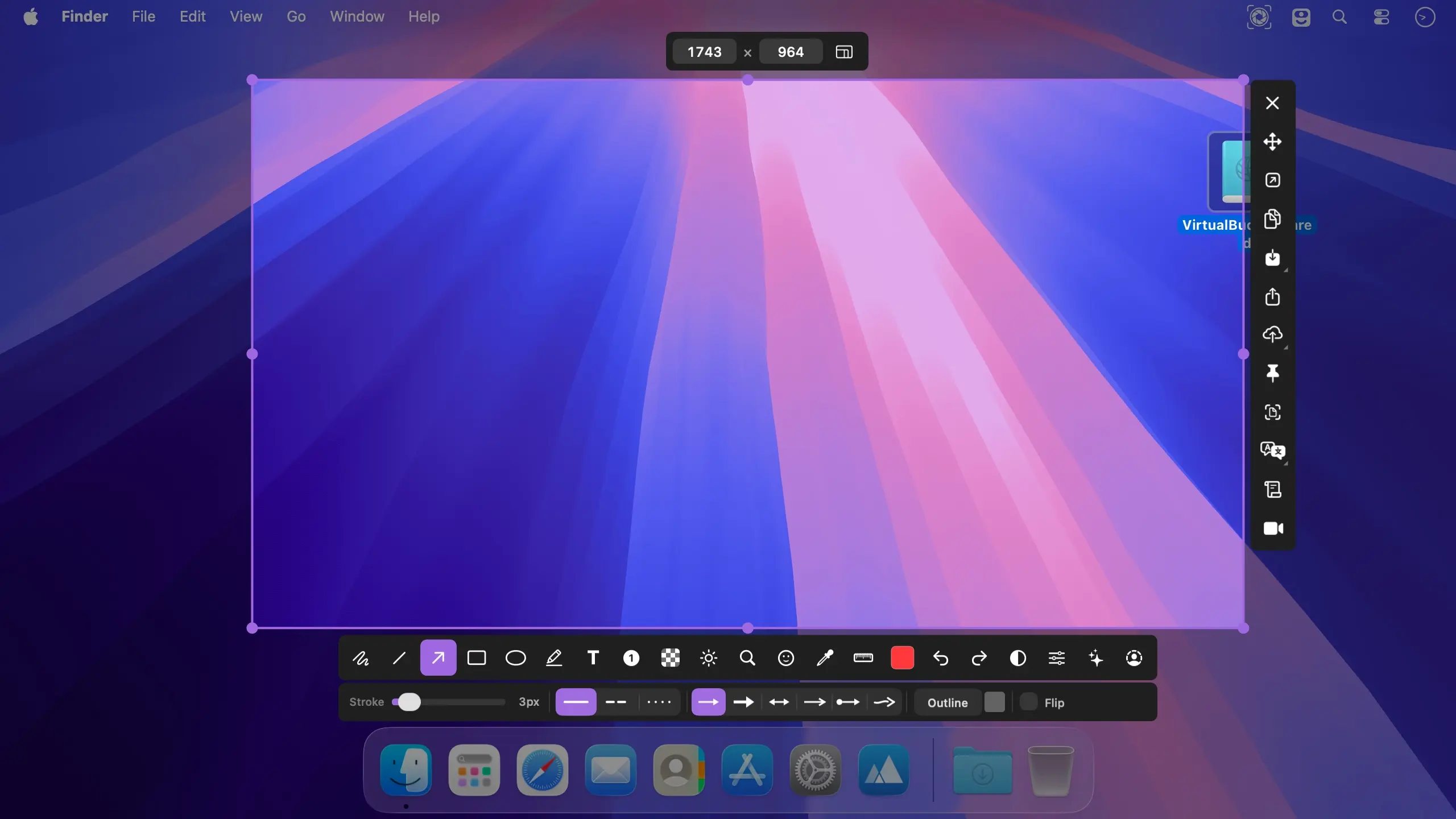
macshot is a native macOS screenshot and screen recording app that lets you capture, annotate, and share in one flow. Press a global hotkey, select what you need, mark it up, and copy it to the clipboard. It is open source, has no subscription, and is built with Swift and AppKit rather than Electron.
Capture and annotate
The global hotkey freezes your screen so you can select any region, snap to a window, or capture the full screen. Multi-monitor setups are supported, including cross-screen stitching.
- Instant capture: select a region, snap to windows, or capture the full screen with one hotkey.
- Click-to-edit annotations: choose from 19+ annotation tools, then click any annotation to change its stroke, style, color, and fill in real time.
- Full editing control: undo and redo changes, and rotate, resize, or reposition annotations without switching tools.
- Scroll capture: select a region and scroll, and macshot stitches the result into one tall or wide image using Apple Vision, with a live preview.
Record your screen
Record any area or the full screen without leaving the app.
- Video and GIF: save recordings as MP4 at up to 120fps, or as GIF.
- Audio and cursor: include system audio, microphone input, and mouse highlights.
- Audio merge: adjust the volume of each audio track in the merge dialog.
- Built-in editor: trim and export your recording in the same app.
Protect and polish your screenshots
Hide sensitive details and present your captures cleanly before you share them.
- Smart censor: pixelate, blur, fill, or erase parts of an image. Erase mode matches the surrounding colors.
- Auto-redact: detect and hide PII such as emails, phone numbers, and API keys, and detect faces and people.
- Beautify: choose from 30 gradient backgrounds, including mesh gradients, and add a macOS window frame with traffic lights, shadow, adjustable padding, and corner radius.
Extract text and share
Turn screenshots into text and send them where you need them.
- OCR: extract text with Apple Vision, with automatic language detection.
- Translate and search: copy recognized text to the clipboard, translate it into 30+ languages, or search with Google AI.
- One-click upload: send captures to Google Drive, imgbb, or any S3-compatible service such as Cloudflare R2, AWS S3, or MinIO. The link is copied to your clipboard instantly.
Lightweight and native
macshot lives quietly in your menu bar. It is pure Swift and AppKit, with no Electron and no web views. The interface is available in 40 languages, including English, 中文, 日本語, 한국어, Deutsch, Français, Español, Italiano, Português, العربية, and हिन्दी, and it auto-detects your system language.
Download macshot and bring capture, annotation, recording, and sharing into one native Mac app.
Version 4.4.0
Before you update
- macshot has a new developer signature, so macOS may ask you to allow Screen Recording again, and Accessibility or Input Monitoring if you use them.
- If macshot looks enabled in System Settings but capture fails, remove it with the minus button (−) and add it back from Applications with the plus button (+). Your settings, history and recordings are kept.
New
- Studio, a redesigned video editor: a sidebar for background, pointer, zoom, keystrokes, camera and captions; a multi-lane timeline with thumbnails, waveform and snapping; undo/redo; and autosaved projects.
- Editable pointer and Auto Zoom: restyle, resize, smooth or hide the cursor and its click effects after recording. Auto Zoom generates zooms from your clicks and typing that follow the pointer.
- Backgrounds and framing: use gradients, macOS wallpapers, colors or your own image, with padding, rounded corners, shadow and aspect ratio presets.
- Webcam as its own track: move and resize it while recording, then change its shape, size and position afterwards.
- Captions and keystroke labels: transcribed on your Mac and exportable as SRT.
- Record GIF from the menu or with its own hotkey. Press the hotkey again to stop.
- Every emoji in the stamp tool, with search by name.
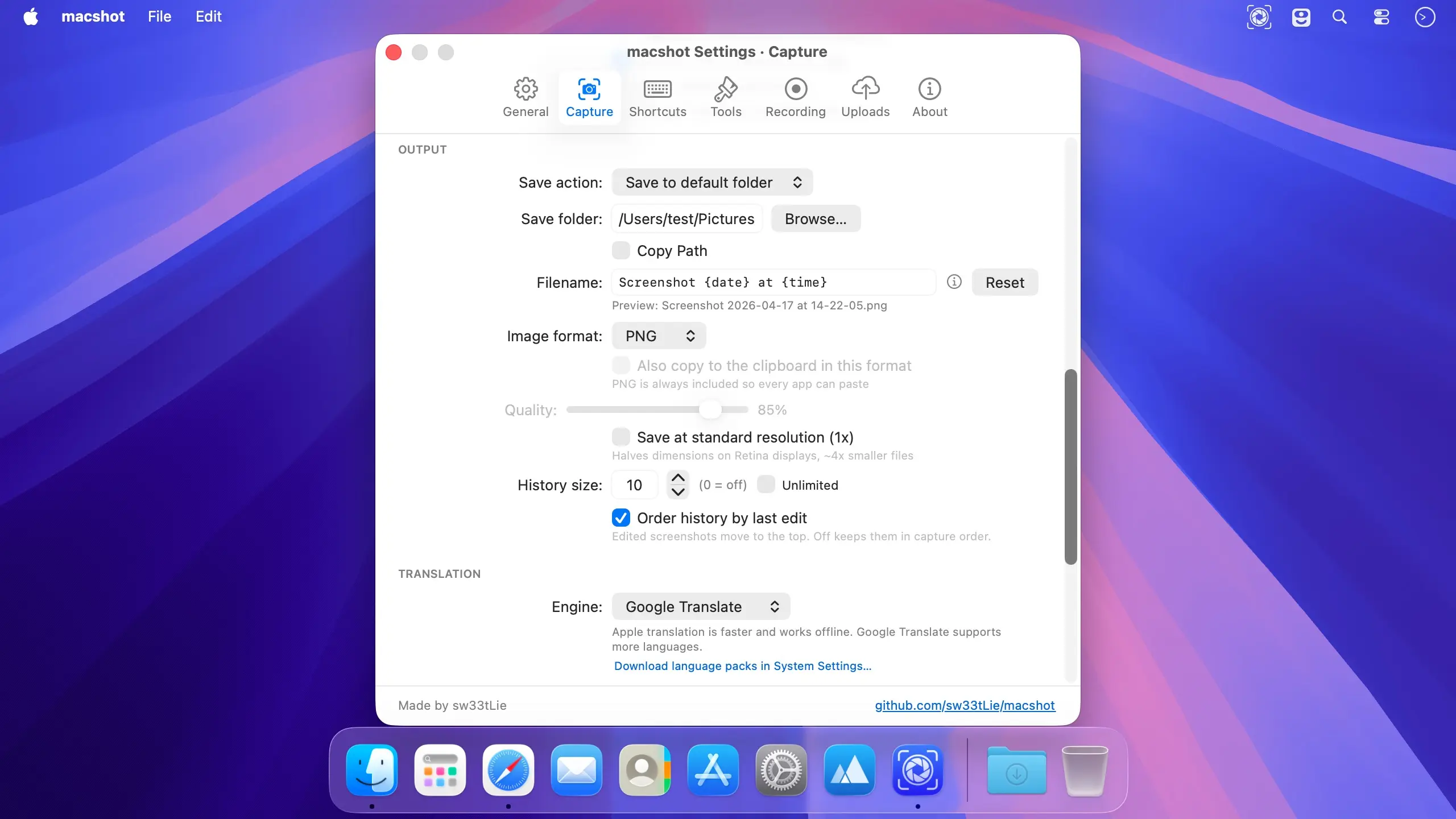
- Filename tokens and date folders: use
{app},{yyyy},{MM},{dd}and more to organize files into subfolders. - Press R on the capture screen to bring back the last area.
- Smaller additions: open the Editor right after selecting; copy screenshots in your image format as well as PNG; use date folders for S3 uploads; and open videos in macshot from Finder’s “Open With” menu.
Improved
- Much faster capture on multiple displays: down from 4.2 seconds to 0.2 seconds on four displays.
- Scroll capture rebuilt: translucent navbars, sticky sidebars, cookie banners and pinned boxes appear once instead of repeating. Videos stay whole, mouse wheels no longer lose content, and ⌘C or Return finishes the capture.
- macOS 27: OCR no longer hangs, and the capture and record menu items keep their icons.
- Exported MP4s start playing before they have fully downloaded, and recordings play in Telegram and FFmpeg-based players.
- The text tool’s icon is a plain “T” in every language.
Fixed
- Recordings with system audio stopping with “Audio encoding could not keep up.”
- OCR garbling Chinese, Japanese and other non-Latin text on lines that also contain English.
- A trackpad double-tap drag copying the capture instead of drawing.
- Captures confirming themselves when another app sent ⌘C after a drag.
- Screenshots appearing twice in clipboard managers.
- Global hotkeys silently doing nothing when two actions shared a shortcut.
- Capture OCR doing nothing after right-click or F or R selection.
- macshot missing from the Screen Recording list on first launch.
- macshot freezing for seconds when confirming a capture with a slow audio device.
- Microphone recordings failing after a restart because a stale default microphone had been saved.
Comments
No comments yet. Be the first.