
Metadatics 1.8.0
Audio metadata editor for Mac with powerful batch tag editing
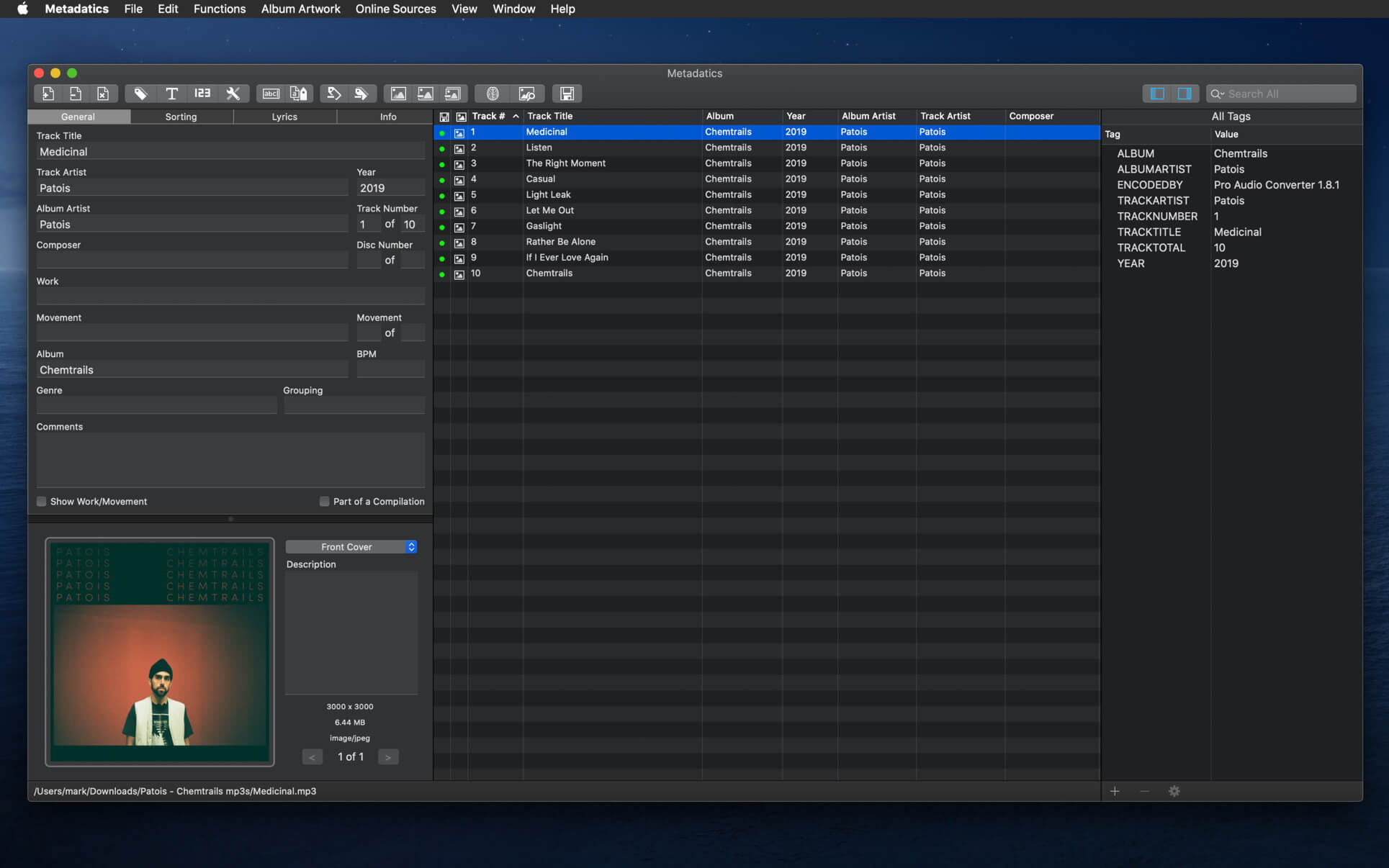
Take control of your music library with Metadatics, the fast, native audio metadata editor for Mac.
Whether you're fixing a single track or cleaning up thousands of files, Metadatics gives you the speed of batch editing and the precision of fine-grained control. Edit tags, fetch missing info online, add album artwork, and rename files automatically, all in one beautifully simple app.
Batch edit everything
- Edit hundreds or thousands of files at once
- Apply any change across your entire selection in a single step
- Full undo and redo, so you can experiment freely
Powerful built-in functions
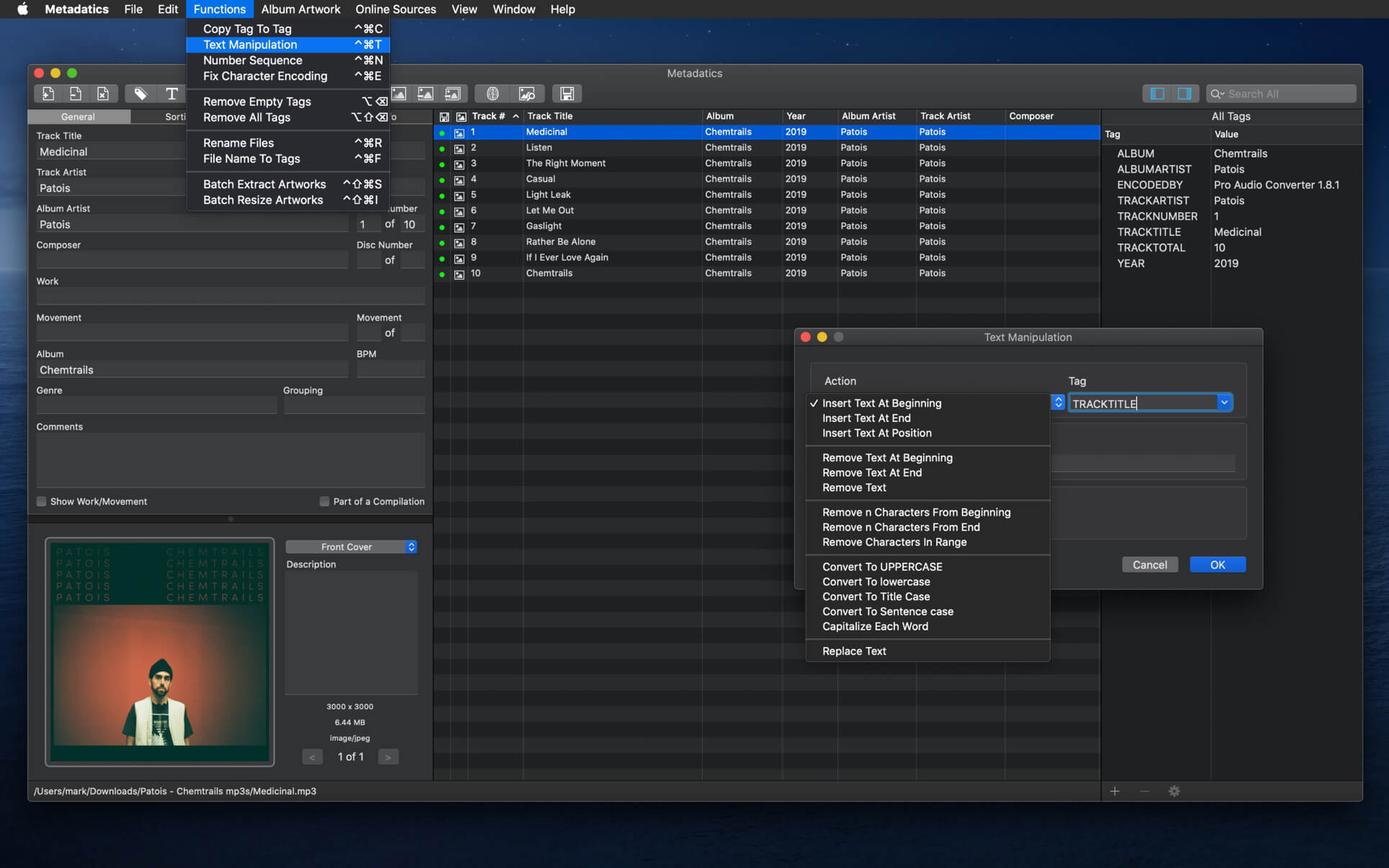
- Find and replace text across tags
- Trim characters, generate numbered sequences, and copy values between tags
- Convert text encodings and much more
- Preview every change before you apply it
Online lookup
- Get complete track and album details from MusicBrainz
- Find high-resolution album artwork from iTunes and Discogs
Beautiful album artwork
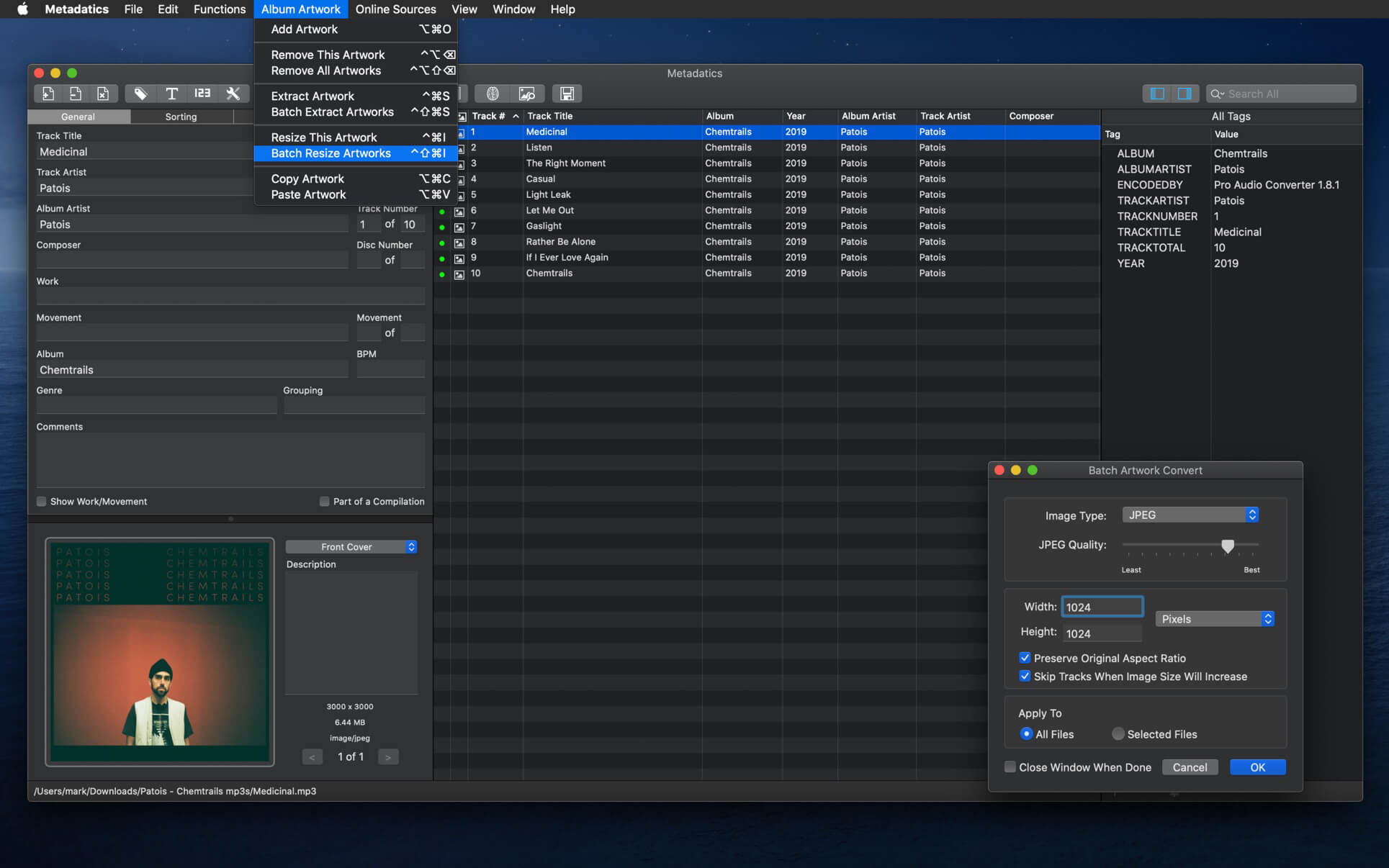
- Store multiple images per file, with all standard artwork types
- Add, extract, resize, and convert artwork one by one or in batch
Smart file renaming
- Rename files and build organized folders automatically from tags
- Work in reverse and create tags from existing file names
Complete tag control
- Inspect and edit every tag in the All Tags panel, including ones other editors hide
- Multiple values per field
- Edit lyrics, sort fields, and the full set of standard tags
- Import and export metadata as CSV or XML
Every major format
MP3, M4A/MP4, AIFF, WAV, FLAC, Ogg (Vorbis, Opus, Speex), APE, WavPack, Musepack, DSD, and WMA. Full read and write support for ID3v1, ID3v2, MP4, Vorbis, APE, and ASF tags.
Your music deserves perfect metadata. Download Metadatics and get your library in order today.
Updates: official site does not provide any info about changes in this version
Frequently asked questions
How do I install the app?
Mount the image, drag the app into the "Applications" folder and launch it. If the system blocks the launch, allow it in "System Settings → Privacy & Security".
The app is damaged or won't launch
Reinstalling from a fresh image usually helps. Make sure your macOS version matches the one listed in the compatibility specs.
How do I update?
Download the new version from the site and install it over the current one — your settings will be preserved.
The download link doesn't work
Try a mirror or a download manager. For large files the browser often drops the connection.
How do I completely remove the app?
Use an uninstaller utility — it cleans up the service files that remain after moving the app to the trash.


Choose a download source
Metadatics 1.8.0 · 17.81 MB
Previous versions
Metadatics 1.8.0
Previous versions are available to registered users.