
Float 6.0

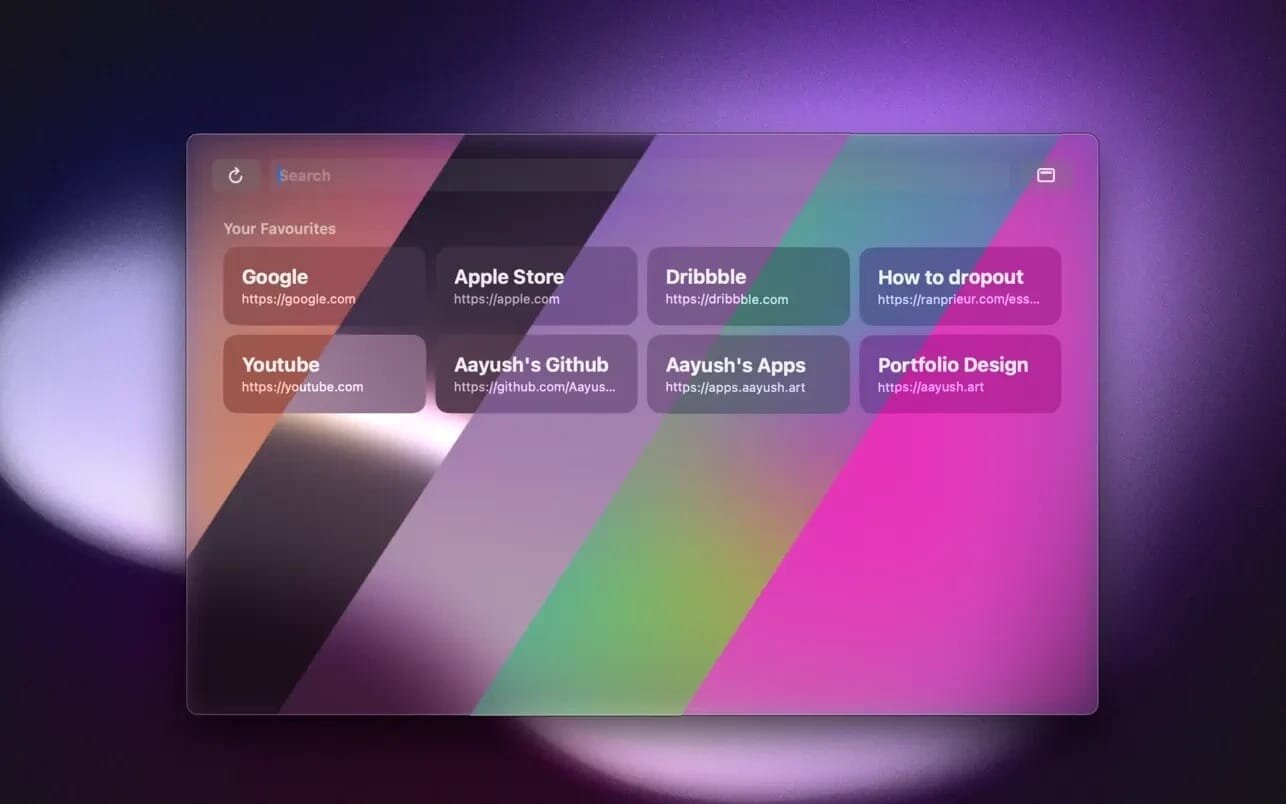

Float is a lightweight web browser that stays on top of your apps.
Open websites instantly without switching spaces or juggling windows—Float “floats” above everything else (even other browsers).
Float is a handy always-on-top browser for macOS—perfect for keeping reference pages, chats, dashboards, docs, or quick searches visible while you work. No more constant app switching: your web is always within reach.
Fast AF (fully native)
Float is built as a native macOS app, designed to be fast, lightweight, and efficient.
Privacy-first by design
Float doesn’t explicitly collect usage analytics, doesn’t track you, and your data stays on your device. (Apple may still collect certain device analytics depending on your settings.)
Customizable to your workflow
Tweak the look and feel—theme, window border, and more—so Float fits right into your setup.
Built-in blocking
Float blocks ads and cookies by default and ignores caches to keep things clean and minimal.
Frequently asked questions
How do I install the app?
Mount the image, drag the app into the "Applications" folder and launch it. If the system blocks the launch, allow it in "System Settings → Privacy & Security".
The app is damaged or won't launch
Reinstalling from a fresh image usually helps. Make sure your macOS version matches the one listed in the compatibility specs.
How do I update?
Download the new version from the site and install it over the current one — your settings will be preserved.
The download link doesn't work
Try a mirror or a download manager. For large files the browser often drops the connection.
How do I completely remove the app?
Use an uninstaller utility — it cleans up the service files that remain after moving the app to the trash.





Choose a download source
Float 6.0 · 4.74 MB