
xScope 4.7.2 - Accurate measurement tool for graphic designers.
Created specifically for designers & developers, xScope is a powerful set of tools that are ideal for measuring, inspecting & testing on-screen graphics and layouts. xScope’s tools float above your desktop windows and can be accessed via a toolbar, menubar and/or hot keys.
The ten tools that will help you do your job faster and more accurately include:
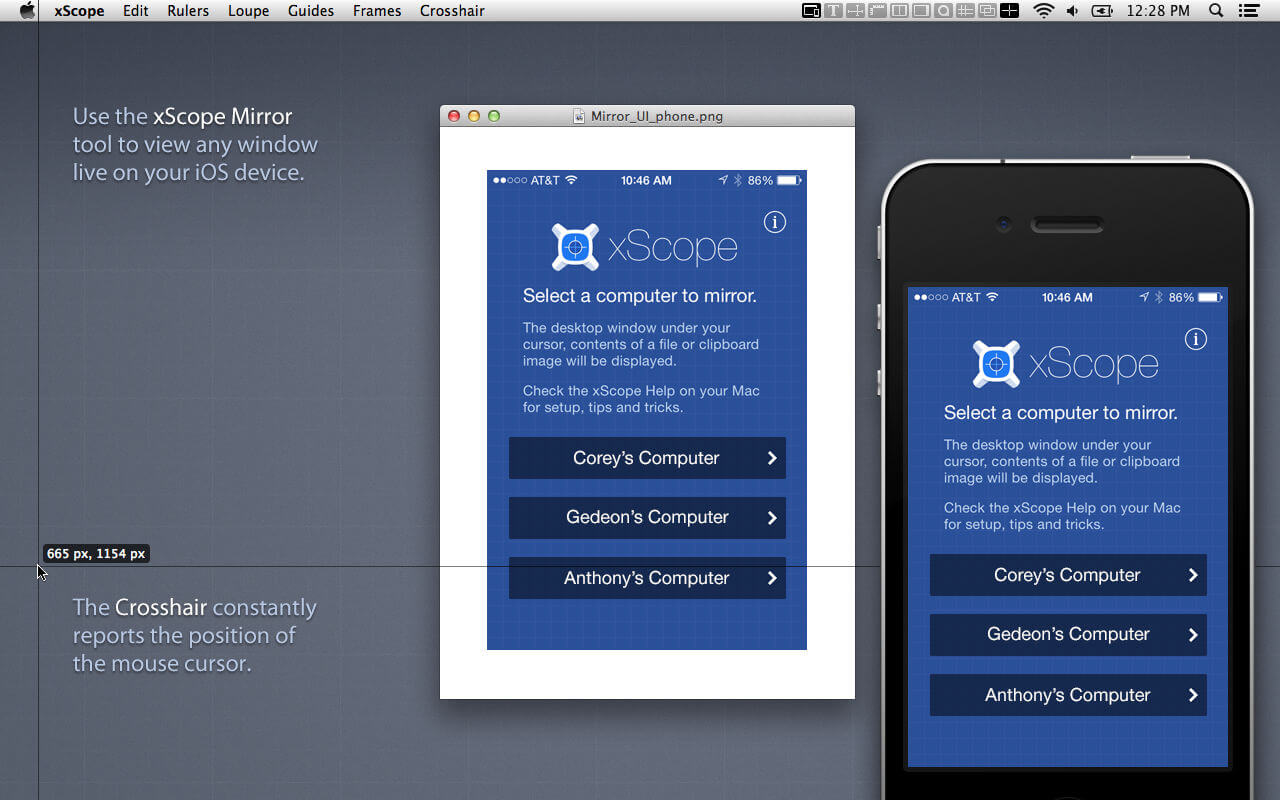
Mirror
- Remote Viewing – Easily view Photoshop, files or windows on your iOS device, AirPlay, or your wrist.
- Templates - Automatically shows icon or wallpaper mockup on iOS
- Chromeless UI – No overlaid chrome to get in the way while you work
- Security – Toggle user authentication requests on/off via Preferences
- Download the xScope Mirror App for iOS at http://xscopeapp.com/ios
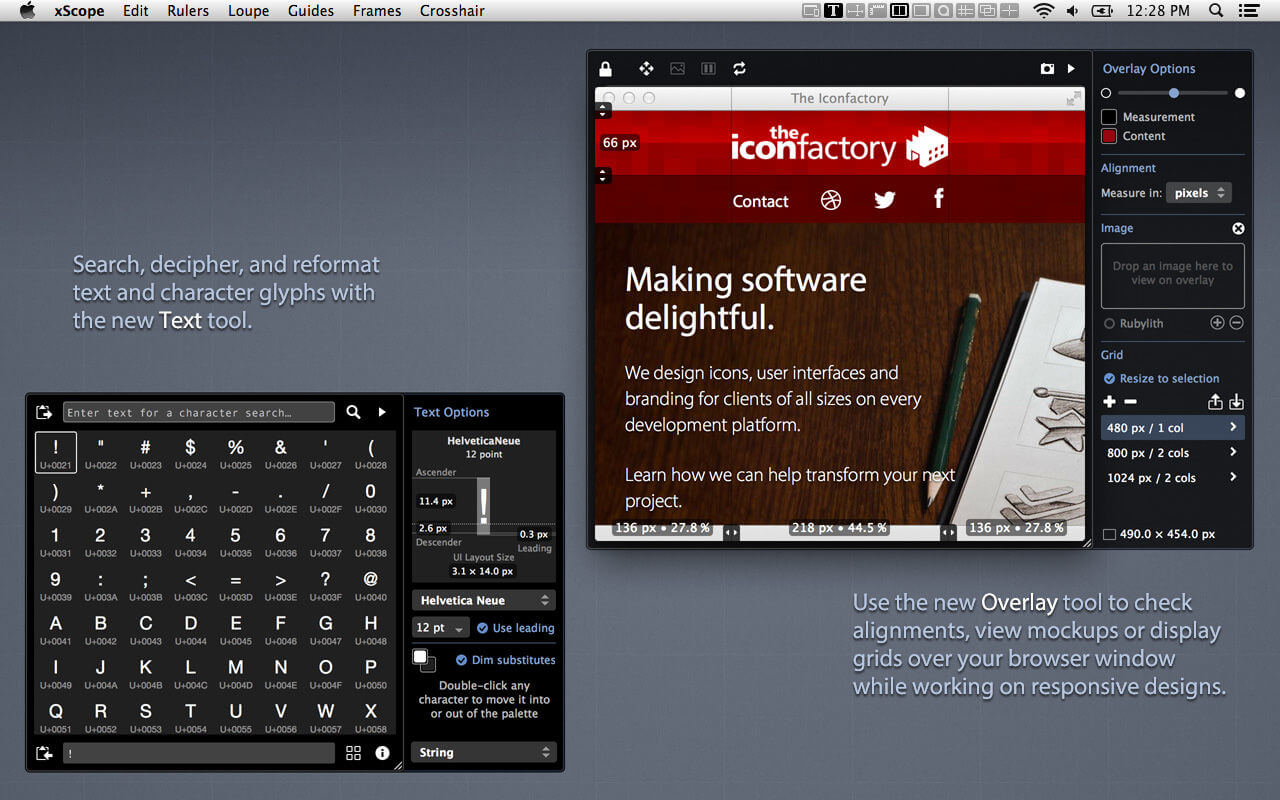
Text - New!
- Powerful Search – For name or tag in any of the 100,000+ Unicode characters
- Decipher Text – Deciphers text entities, encodings, constants, and more!
- Convert Format – Output text as a string, entities, URL encoding, and more!
- Measure Glyphs – Shows line, character or web layout: including font metrics & CSS
- Character Palette – A handy place to collect commonly used Unicode characters
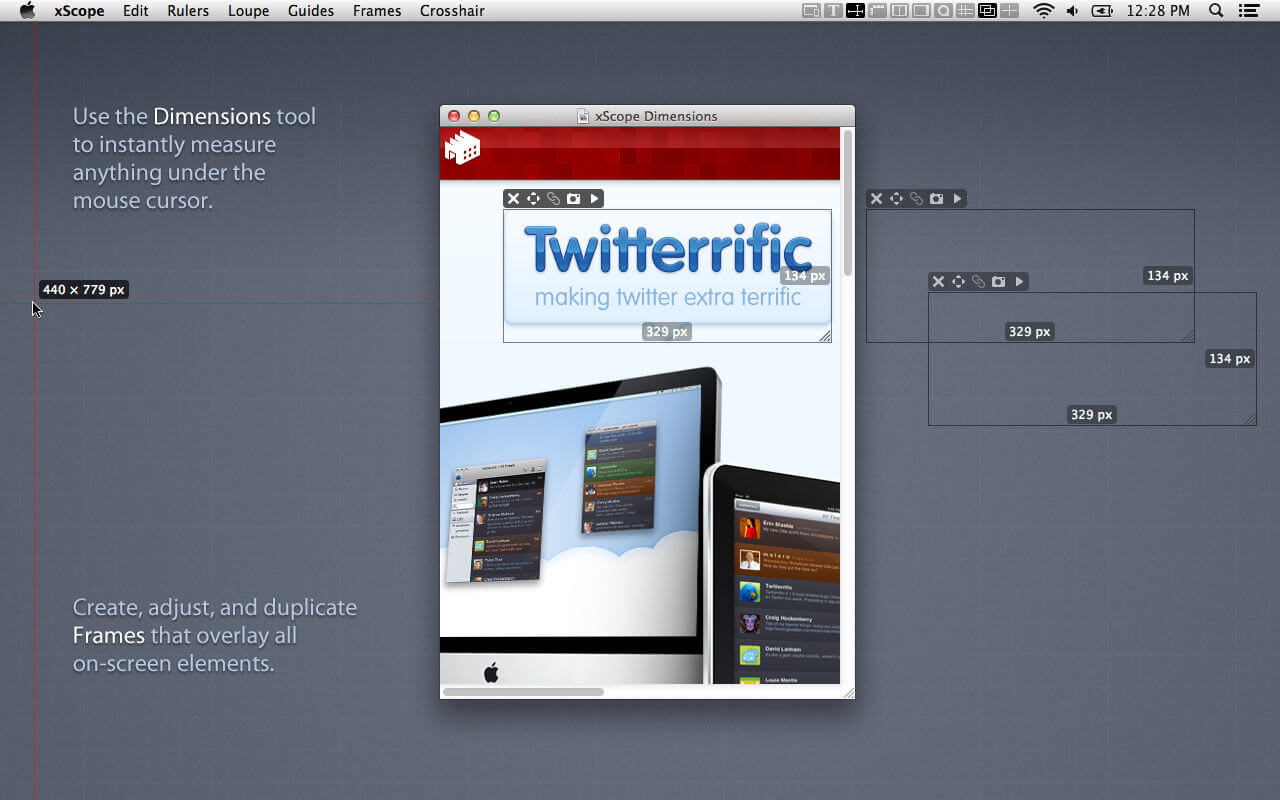
Dimensions
- Find the dimensions of anything on screen instantly
- Find distance between objects quickly & easily
- Create screen shots of any measured element
Rulers
- Powerful on-screen rulers for pixel measurements
- Two rulers with synchronization for easy on-screen comparison
- Hold down control to snap to edges of onscreen content
- Fully adjustable horizontal & vertical lengths
- Full 360 degree rotation range
- Displays deltas for rotated rulers
Overlay - New!
- Enhances Your Web Browser – Attaches to window to make development easier
- Alignment Marks – Check positioning & distances in px/em/pt and percentages
- Mockup Image – A transparent design comp over your HTML and CSS code
- Grids with Breakpoints – Grid systems that stay in sync with your media queries
- Cycle Breakpoints – Quickly check your design at all sizes used in your CSS
- Full-page Screenshot – Get a picture of your whole web page
- Works with iOS Simulator – Great for testing in Safari or developing native apps
Screens
- Easily see the usable real estate for any screen size
- Organized by platform including iOS, Android, Mac, Windows & TV
- Pre-defined screen templates or create your own
- Displays title and game safe areas for 4:3 and 16:9 aspect ratio TVs.
- Simulate user vision problems including color blindness & presbyopia (old age)
- De-retinizer to simulate normal display when using Retina display
- Define custom area settings for any OS or browser
Loupe
- Magnify any portion of the screen under your mouse
- Displays color under your cursor in RGB, HSB, HEX, CSS3 rgb() & HTML
- Quick measurement of magnified image using Dimensions
- Reference color format: work with a hex color while viewing RGB format
- Collect a running list of color swatches with Shift-Cmd-C
- Save out or import .ACO color swatch files for easy reference
- Simulate user vision problems including color blindness & presbyopia (old age)
- Displays co-ordinates of mouse cursor for reference
- The content of the window or the mouse position can be locked
Guides
- Vertical & horizontal guides that float on top of all else on the screen
- Displays guide position in pixels when placed
- Displays distance between guides in pixels
- Save & load guide positions for later reference
- Supports multiple monitors
Frames
- Adjustable marker boxes float on top of the screen
- Hold down control to snap to edges of onscreen content
- Cmd-Shift-5 to shrink a selection around on screen content & create a frame
- Display preset grids to help compose frame layouts
- Create, move, duplicate & edit frames at will
- Save & load frame positions for later reference
Crosshair
- Reports the coordinate position of the mouse cursor
- Change origin from the upper-left (design work) to lower-left (development work)
Version 4.7
Modernized and improved performance with Loupe, Dimensions, Guides, and Crosshair. Full support for the latest version of macOS.
NEW FEATURES
Internal changes for capturing screen:
- Implemented with modern framework that's faster and more reliable
- Increased the refresh rate of the Loupe, Dimensions, and Screens
- Better performance of automatic contrast adjustment at crosshairs
- Screen recording indicator in Sonoma will appear when in use
Clear Guides at Mouse:
- Hover over a guide and remove it with Shift-Cmd-D [Yay Adrianna!]
- Add new guides with Shift-Cmd-H & V respectively
- Works best with "Create new guides at current mouse position" setting
- Use shortcut at guide intersection to clear both horizontal & vertical
Added options for reticles on Loupe centerline:
- Open Settings to add tick marks or grid crosses at 10 or 8 unit intervals
- Spacing matches display measurement setting (points or pixels)
- Use for quick alignment or spacing checks
IMPROVEMENTS
Improved detection with Dimensions tool:
- Works better on subtle patterns, gradients, and materials
- Separate detection for solid colors, gradients, and photos
- New controls in Settings to adjust sensitivity of detected background types
- Lets you sample your design and adjust accuracy of measurement
- Shrinking a frame via Dimensions uses gradient sensitivity
Better support for Dark Mode with settings adapting for:
- Default colors for Guides, Frames, and Overlay
- Overlay for creating frames interactively (e.g. shrinking a frame)
- Crosshair cursor for maximum contrast
BUG FIXES
- Fixed a bug in Loupe that degraded contrast detection in some cases
- Fixed a bug that ignored setting for dark icon in Dock
- Updated labels in color space menus
Frequently asked questions
How do I install the app?
Mount the image, drag the app into the "Applications" folder and launch it. If the system blocks the launch, allow it in "System Settings → Privacy & Security".
The app is damaged or won't launch
Reinstalling from a fresh image usually helps. Make sure your macOS version matches the one listed in the compatibility specs.
How do I update?
Download the new version from the site and install it over the current one — your settings will be preserved.
The download link doesn't work
Try a mirror or a download manager. For large files the browser often drops the connection.
How do I completely remove the app?
Use an uninstaller utility — it cleans up the service files that remain after moving the app to the trash.



Choose a download source
xScope 4.7.2 - Accurate measurement tool for graphic designers. · 33.7 MB
Previous versions
xScope 4.7.2 - Accurate measurement tool for graphic designers.
Previous versions are available to registered users.
Comments 2