

TopFolder 2.1.1
Screenshots
Click to enlarge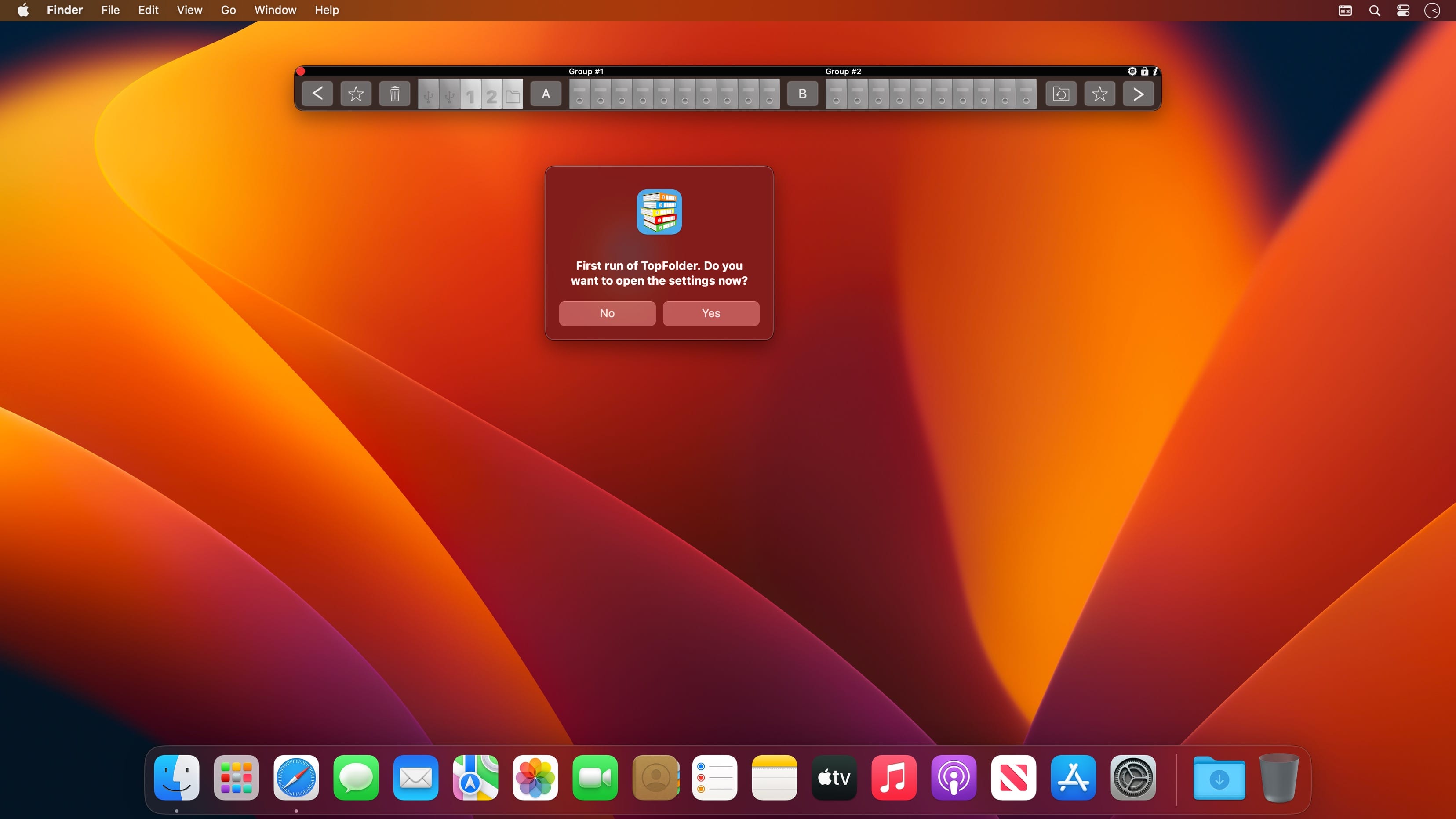
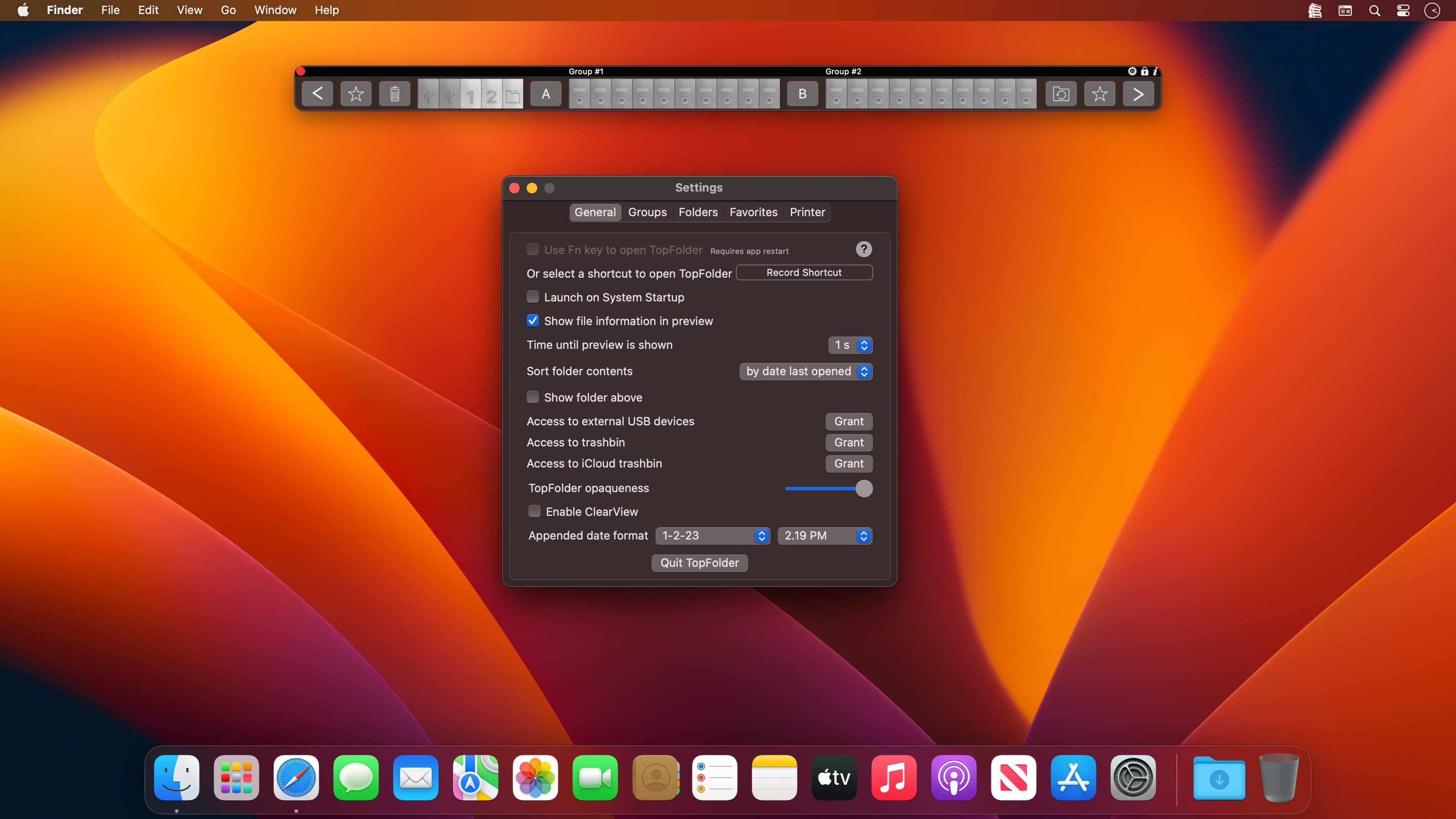
Your folders always float in the foreground. Drag & Drop and access to your external USB devices has never been so easy and so fast.
TOPFOLDER
TopFolder puts you in reach of your data much faster than ever before, greatly enhancing your workflow. Whatever you’re currently working on, TopFolder will always stay on top, giving you instant, direct access to all your data. To close the top folder, move the mouse from the left or right outside into the program.
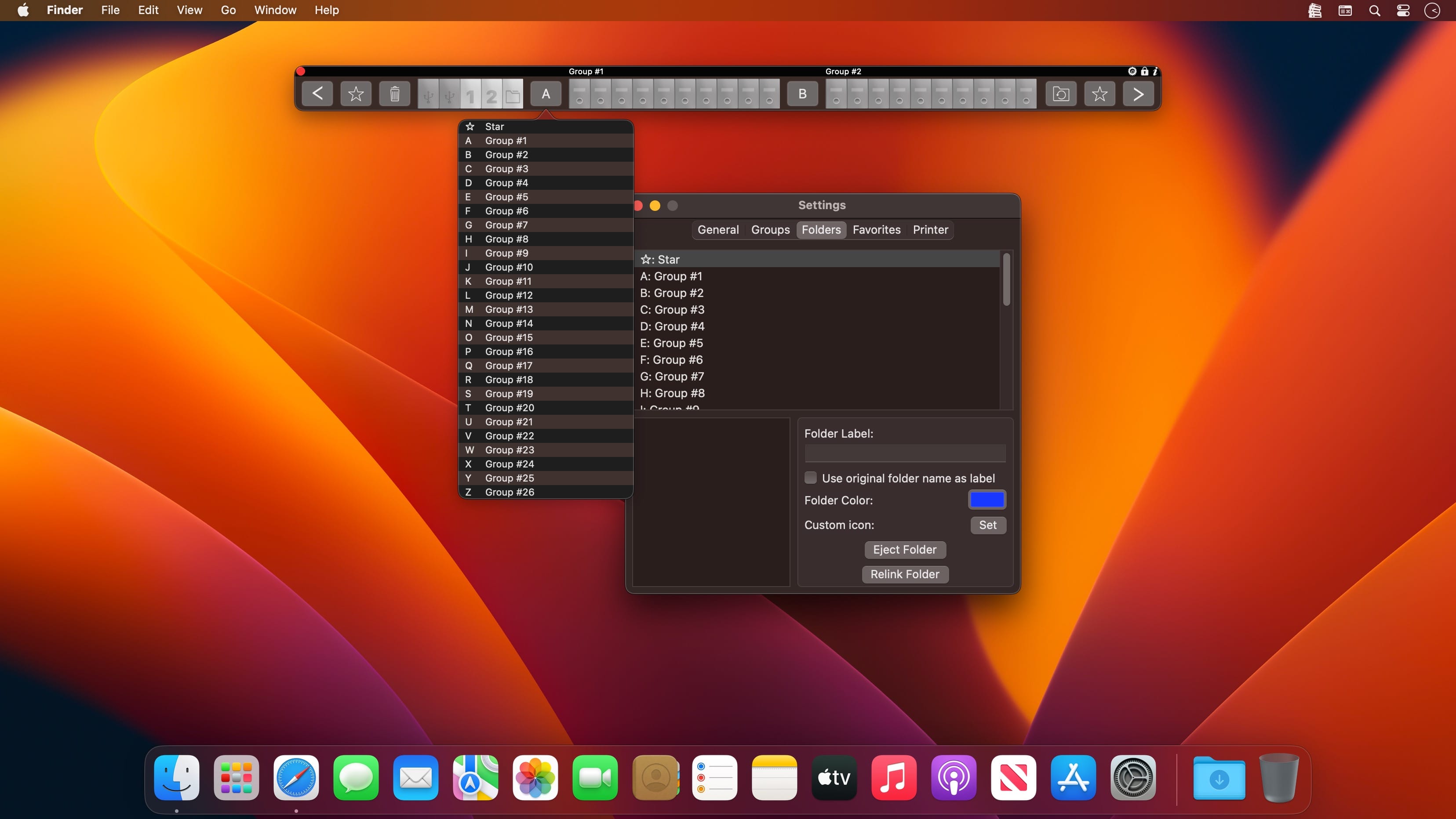
26 GROUPS FROM A TO Z
Our 26 groups of folders are labelled A to Z. Each of these 26 groups contains ten folders. To make things even easier, the name of each group is shown above your folders. To jump to a particular group, hold ctrl and press a letter between A and Z. You can even drag network folders into a vacant TopFolder position!
NEW FOLDERS AS IF BY MAGIC
Just drag one or more files over an empty greyed-out folder and drop them. A new TopFolder will be created automatically – as if by magic!
SHIFTING PROGRAM WINDOWS IS A THING OF THE PAST
Thanks to TopFolder, you no longer have to move open programs to one side to access external hard disks or other USB devices.
INTERIM STORAGE WITH T&T
T&T is located on the left, next to the disk folder in the toolbar. It’s ideal for ‘this and that’ – absolutely anything you want to store for later.
Version 2.1.1
- Fix a bug with the prepend/append date function
- New app icon
Comments
No comments yet. Be the first.