LookAway 2.4.8
LookAway: break reminder app for healthier screen time
Spending hours in front of a computer monitor every day can take its toll on your eyes, which aren’t really built for it. Taking regular breaks is recommended, but it’s also something you easily forget when you’re concentrating on your work or having fun.
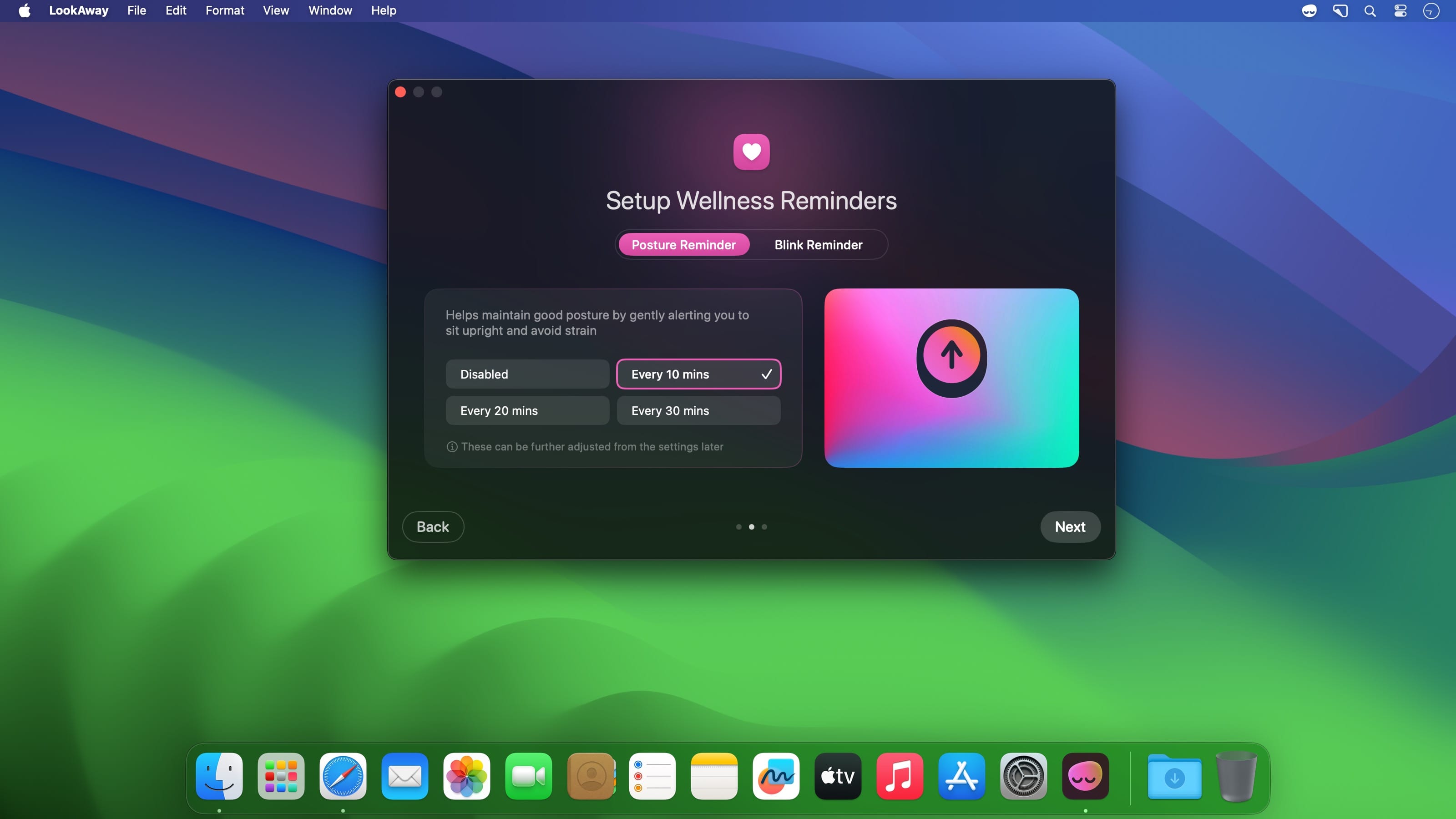
LookAway is a break reminder similar to many others, but it’s a bit more approachable, customizable, and easier to live with. It allows you more flexibility when it comes to taking your breaks, and it even gives you a heads-up so you can finish anything important.
Set up your break schedule and keep on working
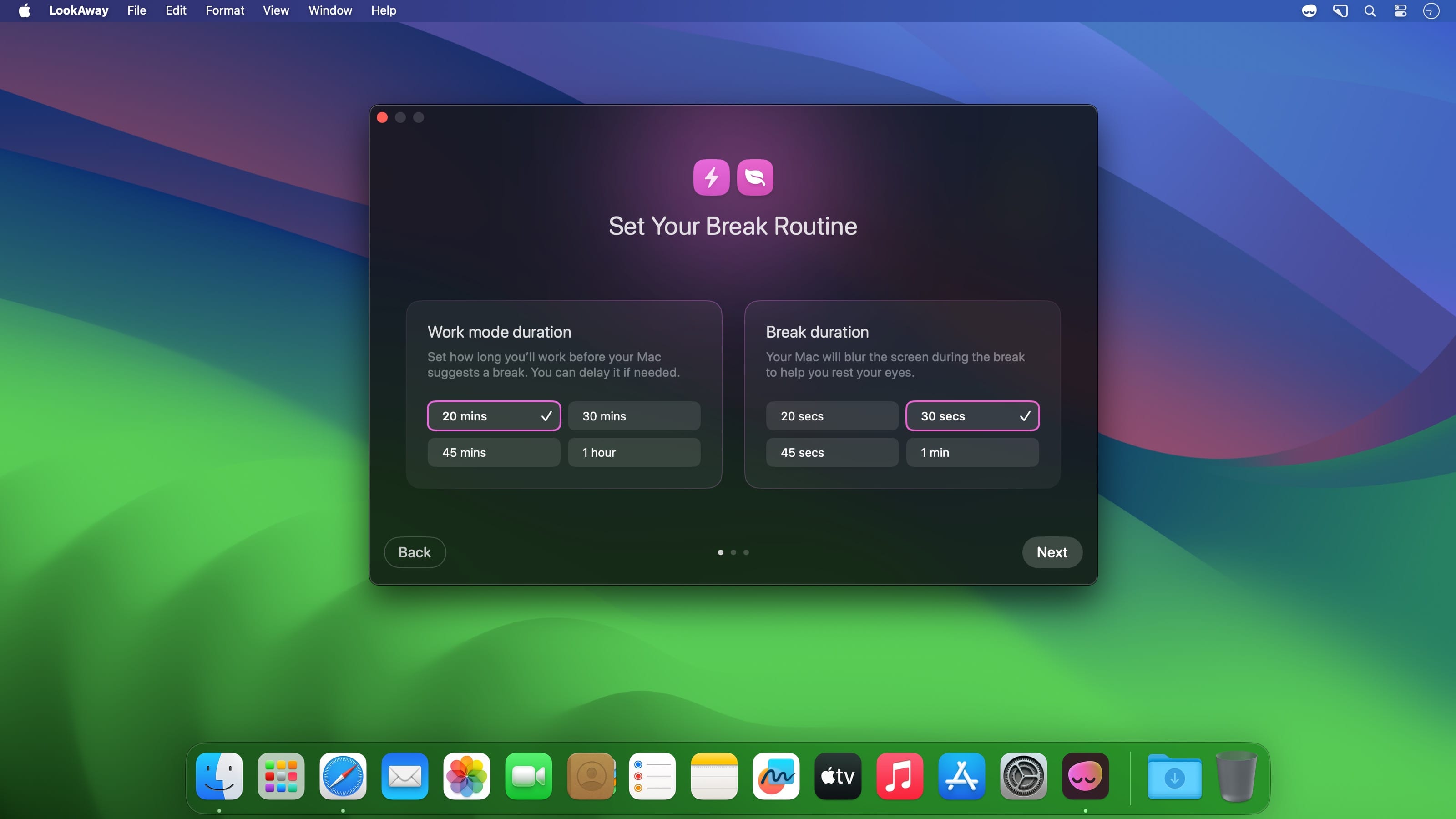
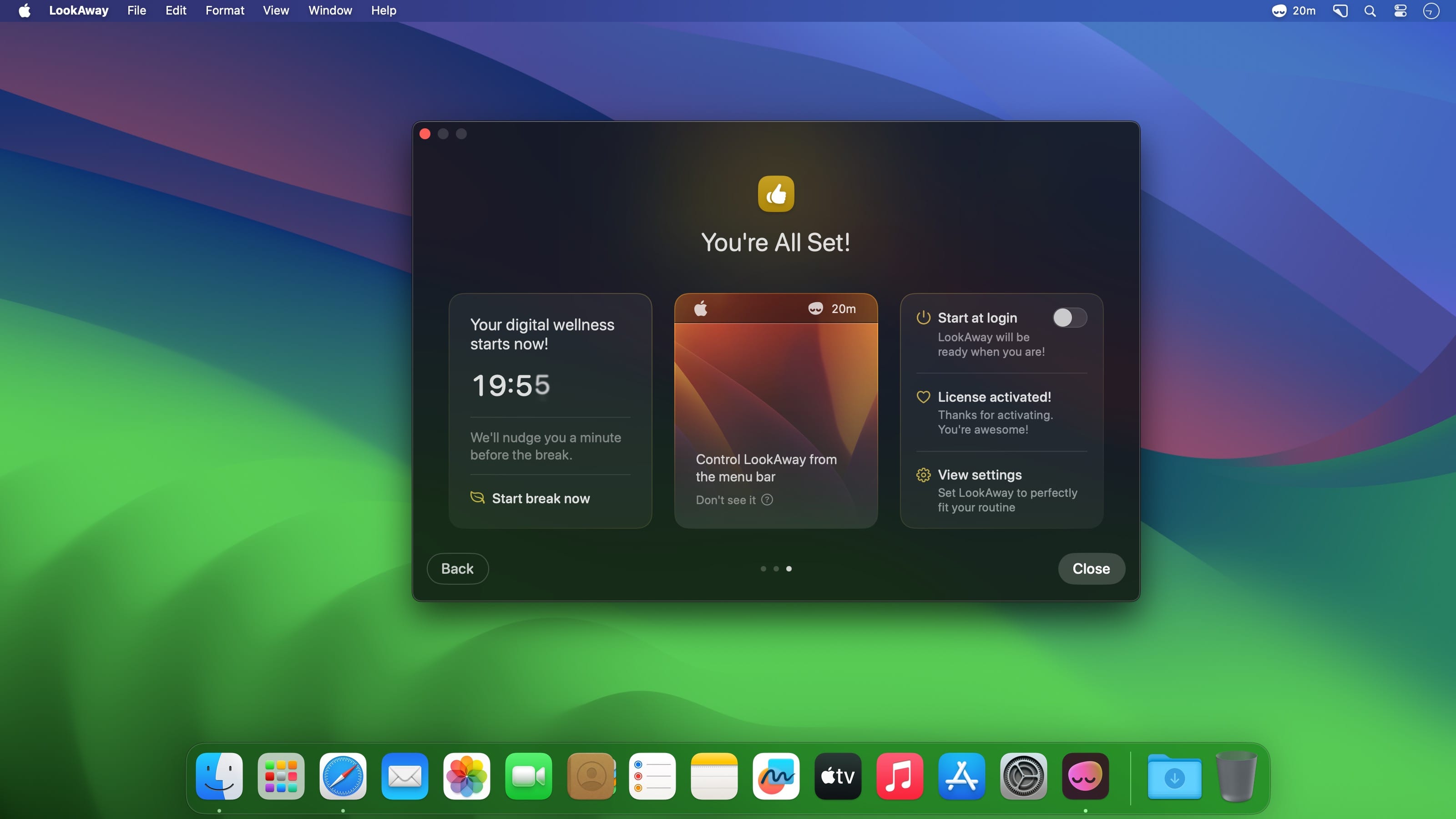
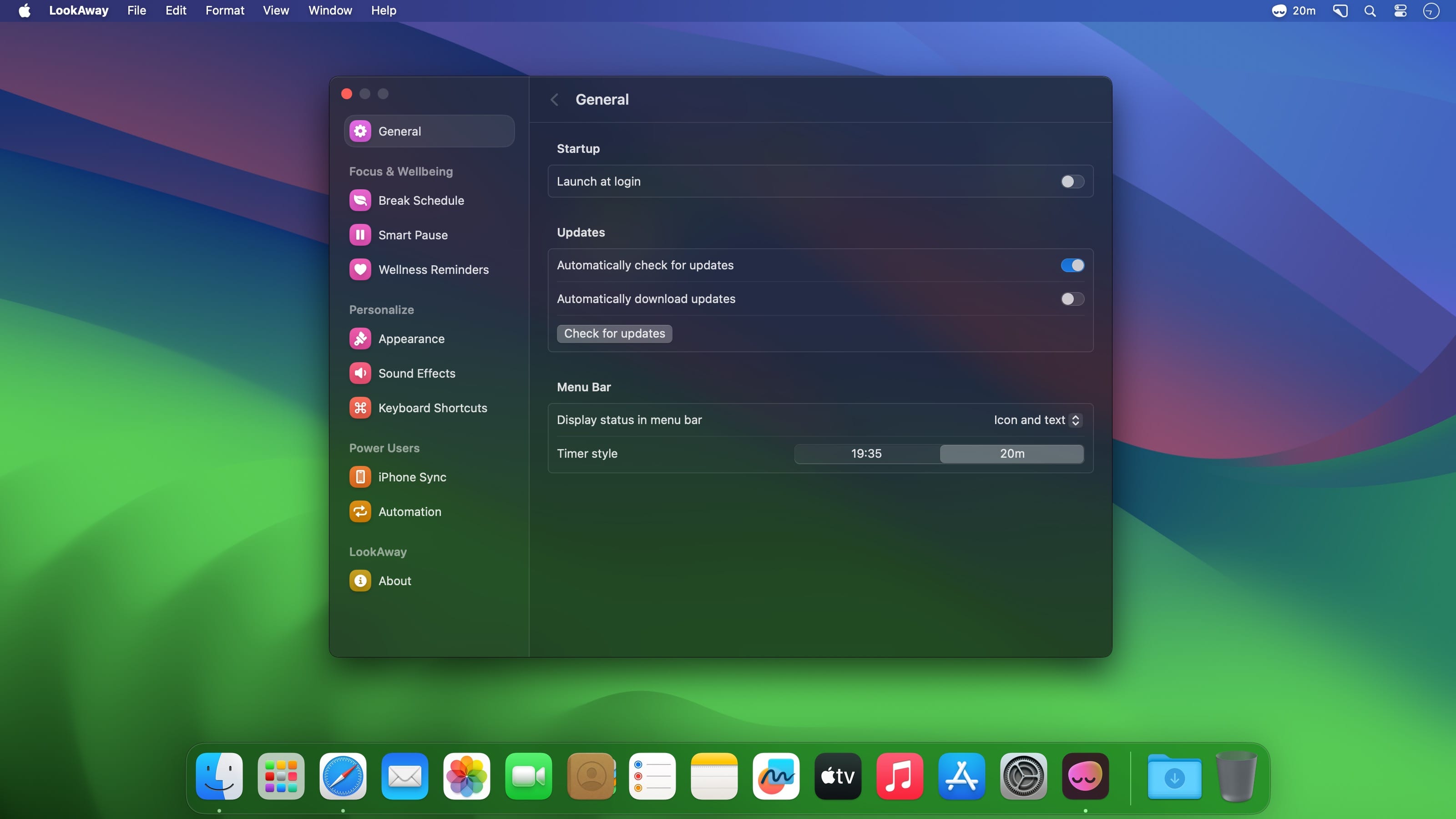
At first launch, you’ll have to set the length of your focus and break periods, which can be customized later. The focus timer will begin, and the app will be sent to the menu bar, where you can check on it and change your settings.
When a break is due, a message will pop up on your screen and cover your desktop. You’ll be prompted to look away and rest your eyes for a bit, but you can also just skip the break if you wish. Optionally, a notification can alert you that a break is coming up to make sure it doesn’t interrupt anything.
Lots of quality-of-life features that make it easier to integrate into your workflow
When the break ends, the app can play a soft chime to let you know, which is useful if you’ve gotten up from your desk.
If you’re idle for more than one minute, the timer will be paused. If idle time exceeds five minutes, the timer is completely reset, and you’ll start a new focus period when you get back to work.
Finally, if you’re in a meeting or call, the app will be paused completely, as you wouldn’t want an important meeting to be interrupted at any point.
It just blends in perfectly and never gets in your way
There are many break reminders out there, and they can all fall into the trap of either being too intrusive or not intrusive enough. I think LookAway toes the like perfectly, as it gives you a gentle nudge when a break is required without actually forcing it on you. It’s also very intuitive, and every aspect of its functionality can be tweaked to your liking.
LookAway 2.4.8
This update contains the following improvements:
- Fixed an issue where a break could start immediately after a long dictation session
- Added an option to show app and website usage together in a single list, sorted by time spent
Frequently asked questions
How do I install the app?
Mount the image, drag the app into the "Applications" folder and launch it. If the system blocks the launch, allow it in "System Settings → Privacy & Security".
The app is damaged or won't launch
Reinstalling from a fresh image usually helps. Make sure your macOS version matches the one listed in the compatibility specs.
How do I update?
Download the new version from the site and install it over the current one — your settings will be preserved.
The download link doesn't work
Try a mirror or a download manager. For large files the browser often drops the connection.
How do I completely remove the app?
Use an uninstaller utility — it cleans up the service files that remain after moving the app to the trash.

Choose a download source
LookAway 2.4.8 · 29.56 MB
Previous versions
LookAway 2.4.8
Previous versions are available to registered users.