
Tomato One 1.0.6
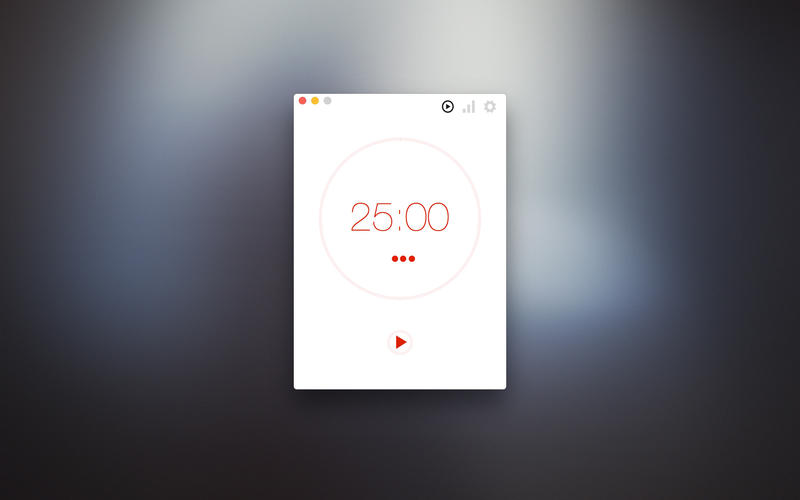
Tomato One is a simple application for increasing personal productivity. Work for 25 minutes, then take a 5 minute break and repeat.
This application has all the basics and nothing else:
- Short & long focus sessions
- Breaks
- Charts with 2 weeks history
- Configuration for hiding dock icon, interrupting user and showing timer in the menubar
- AppleScript support. Commands are "start", "stop" and "start break".
Version 1.0.6
- Fixing bug that prevented window from being closed by cmd-W shortcut
Frequently asked questions
How do I install the app?
Mount the image, drag the app into the "Applications" folder and launch it. If the system blocks the launch, allow it in "System Settings → Privacy & Security".
The app is damaged or won't launch
Reinstalling from a fresh image usually helps. Make sure your macOS version matches the one listed in the compatibility specs.
How do I update?
Download the new version from the site and install it over the current one — your settings will be preserved.
The download link doesn't work
Try a mirror or a download manager. For large files the browser often drops the connection.
How do I completely remove the app?
Use an uninstaller utility — it cleans up the service files that remain after moving the app to the trash.




Choose a download source
Tomato One 1.0.6 · 3.48 MB