
Rectangle 2.0.2
Rectangle, the macOS window manager for effortless window snapping
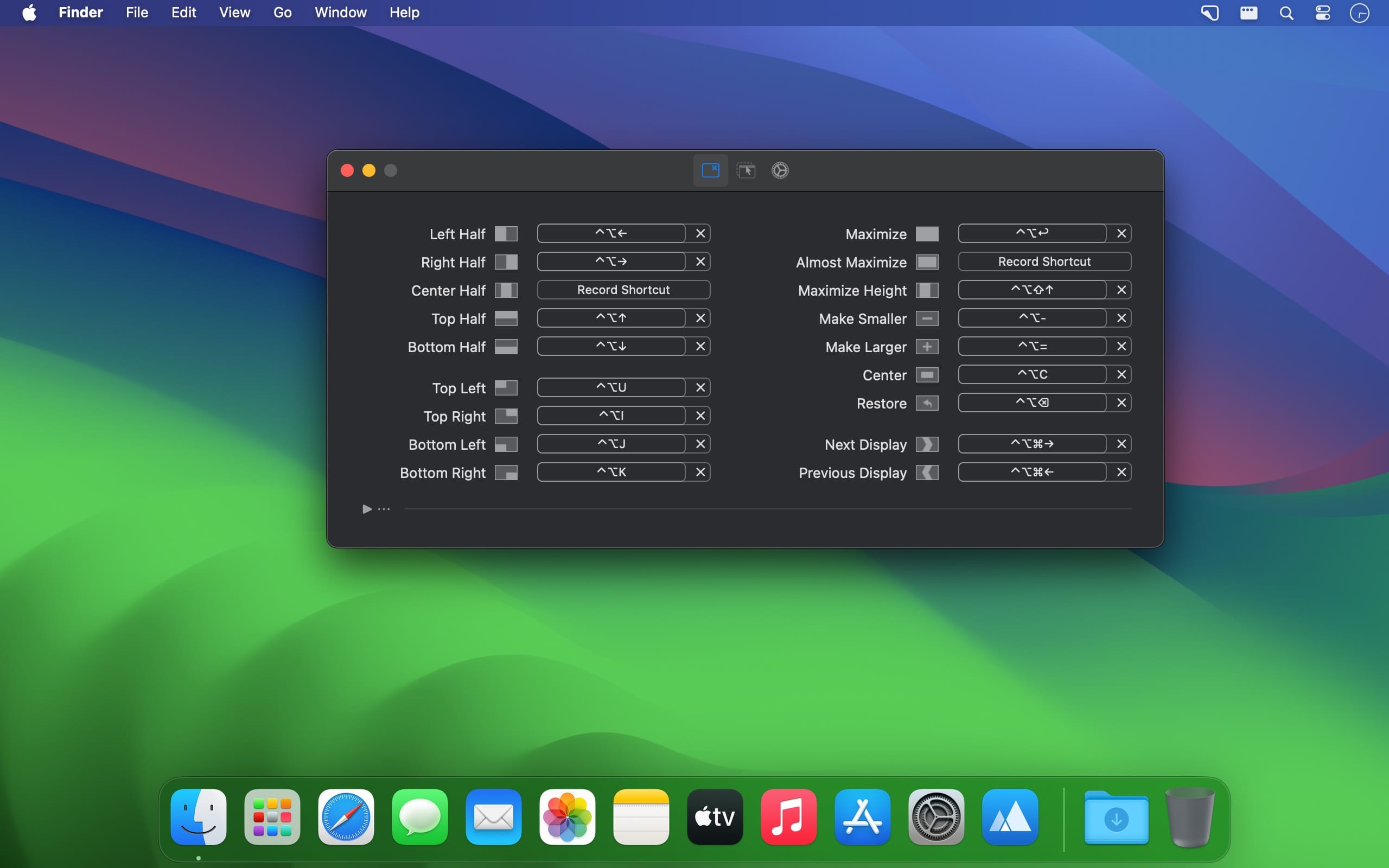


Rectangle makes window management on macOS faster, more intuitive, and highly customizable. Inspired by the convenient window-snapping features found in Windows, it lets you arrange windows using keyboard shortcuts or simple drag-and-drop gestures.
Move windows to the left or right half of the screen, place them in corners, resize them to one-third or two-thirds of the display, maximize them, transfer them to another monitor, and more. Every shortcut can be customized, making it easy to create a setup that fits your workflow. You can also view all available commands from Rectangle’s menu bar icon.
Rectangle’s snap-assist feature lets you drag a window to an edge or corner of the screen to automatically reposition and resize it. Dragging a window to the top maximizes it, while moving it to a corner or side places it into a predefined layout. Once you release a snapped window, it can return to its previous size and position, or you can restore it with a keyboard shortcut.
Built as a modern successor to Spectacle, Rectangle offers a powerful set of window-management tools while remaining open source and free to use. After incorporating it into your workflow, managing windows on a Mac becomes considerably quicker and more efficient.
Version 2.0.2
- Fixes a crash when footprint blur is enabled on macOS < 26
Frequently asked questions
How do I install the app?
Mount the image, drag the app into the "Applications" folder and launch it. If the system blocks the launch, allow it in "System Settings → Privacy & Security".
The app is damaged or won't launch
Reinstalling from a fresh image usually helps. Make sure your macOS version matches the one listed in the compatibility specs.
How do I update?
Download the new version from the site and install it over the current one — your settings will be preserved.
The download link doesn't work
Try a mirror or a download manager. For large files the browser often drops the connection.
How do I completely remove the app?
Use an uninstaller utility — it cleans up the service files that remain after moving the app to the trash.

Choose a download source
Rectangle 2.0.2 · 4.46 MB
Previous versions
Rectangle 2.0.2
Previous versions are available to registered users.