
iKuka 1.7
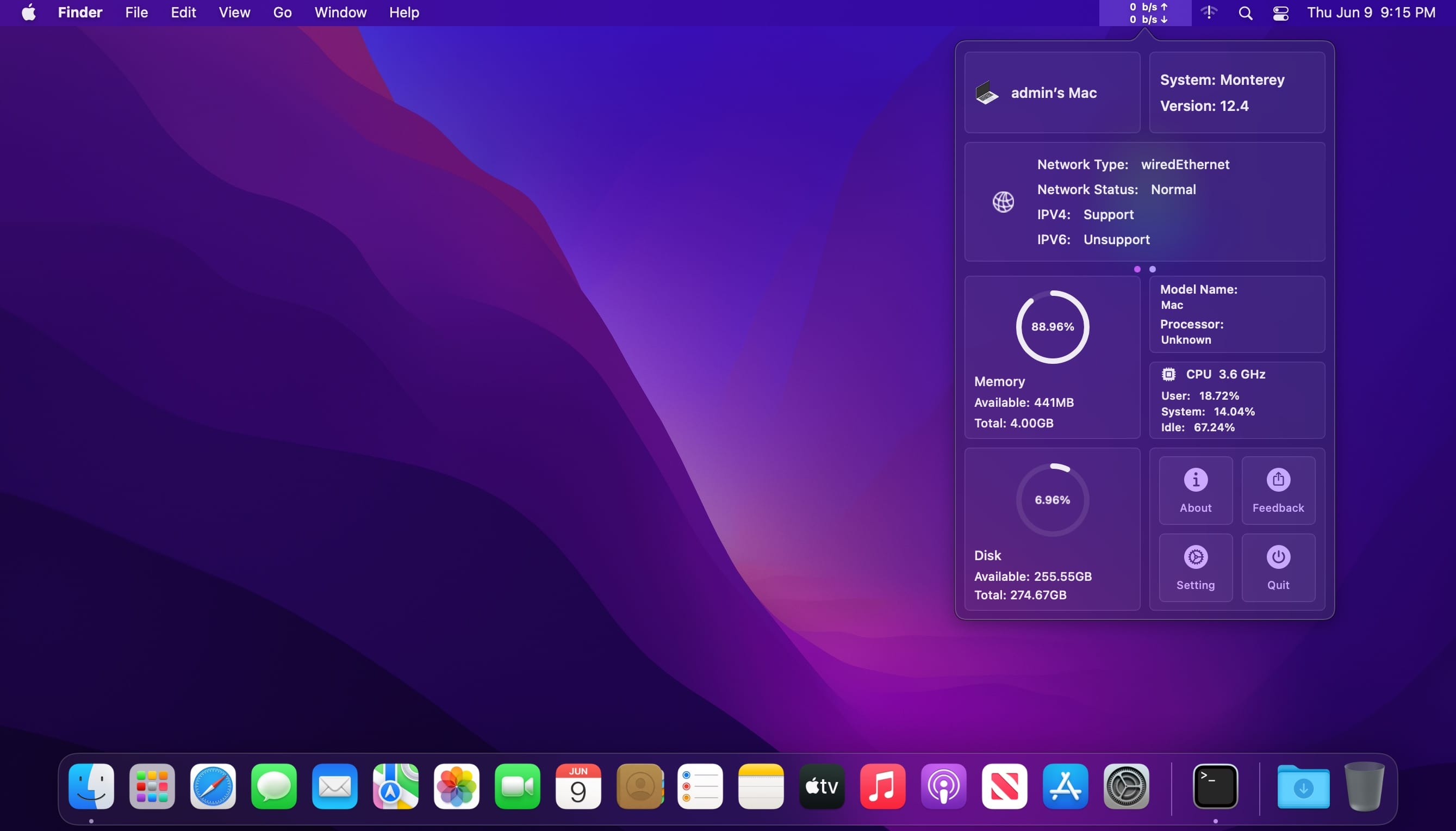
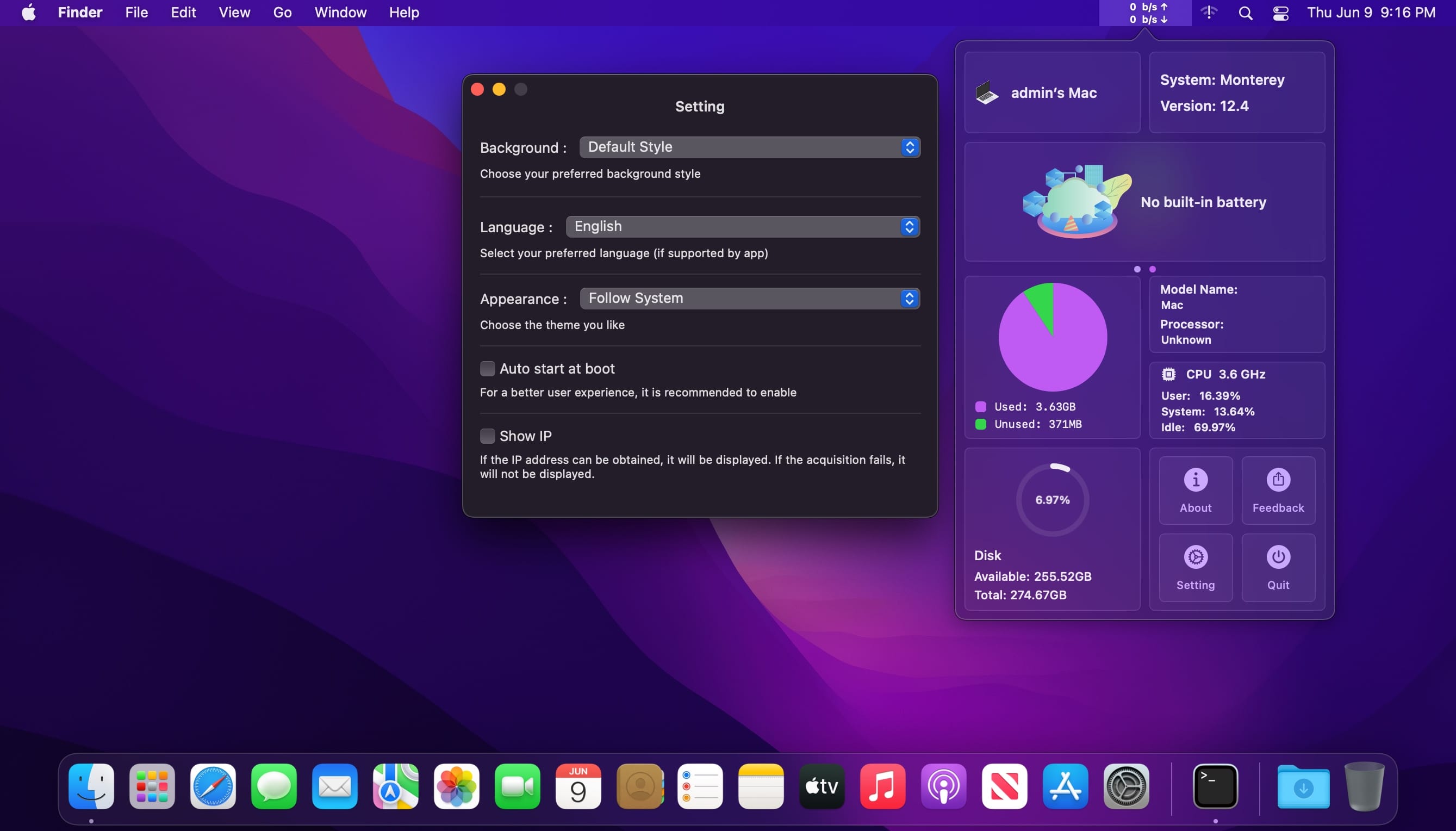
iKuka is a lightweight assistant application that can display your Mac's network speed, battery, CPU, memory, IP and other information in real time.
Features
- Display the real-time network speed of Mac, clearly and clearly
- Display the real-time power of Mac, at a glance
- Display Mac memory CPU information to help you understand your Mac better
- Dark theme, light theme, follow the system, switch at any time
- Real-time local IP address acquisition
- Quickly set your preferred language in the app, support: Chinese Simplified, Chinese Traditional, English, Japanese, German, Malay
- Start-up, convenient and quick
- Built-in three styles of background - Gradient style, Big Sur style, Monterey style
[Tips]: After downloading, you can go to the settings to turn on the auto-start function at startup ~ This can avoid the trouble of manually starting the app every time the Mac restarts~
Version 1.6
- add information to display network status
- add more elegant transition animation
Frequently asked questions
How do I install the app?
Mount the image, drag the app into the "Applications" folder and launch it. If the system blocks the launch, allow it in "System Settings → Privacy & Security".
The app is damaged or won't launch
Reinstalling from a fresh image usually helps. Make sure your macOS version matches the one listed in the compatibility specs.
How do I update?
Download the new version from the site and install it over the current one — your settings will be preserved.
The download link doesn't work
Try a mirror or a download manager. For large files the browser often drops the connection.
How do I completely remove the app?
Use an uninstaller utility — it cleans up the service files that remain after moving the app to the trash.



Choose a download source
iKuka 1.7 · 8.24 MB