Unclutter 2.2.18
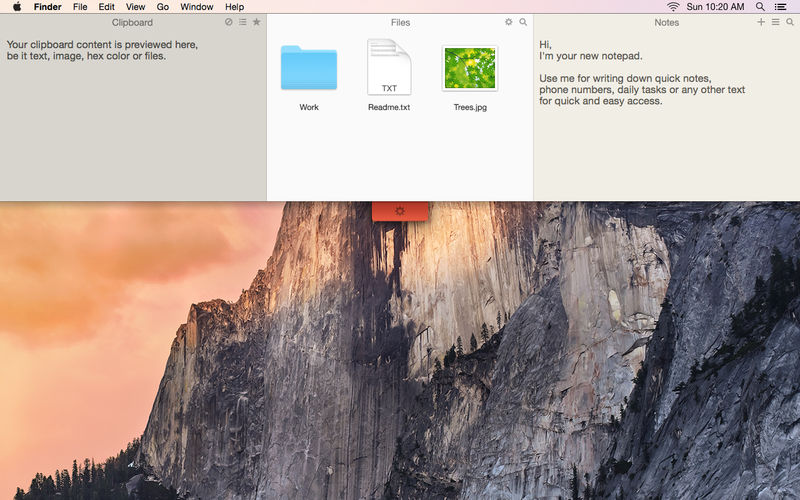
Unclutter is a new handy place on your desktop for storing notes, files and pasteboard clips
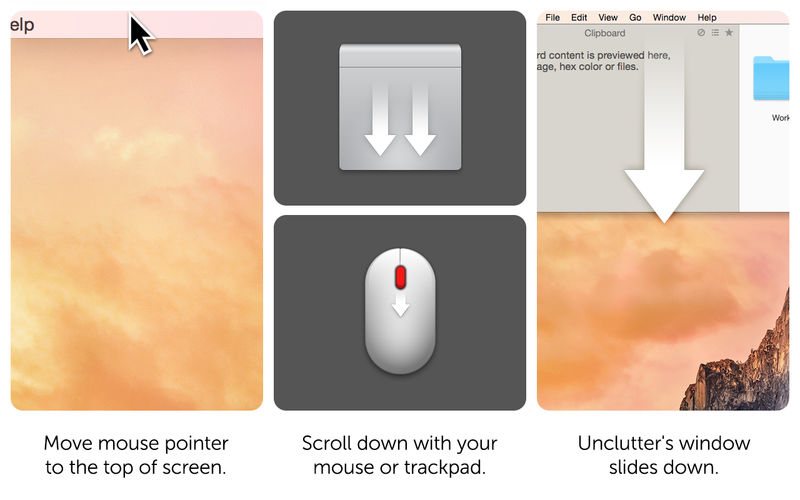
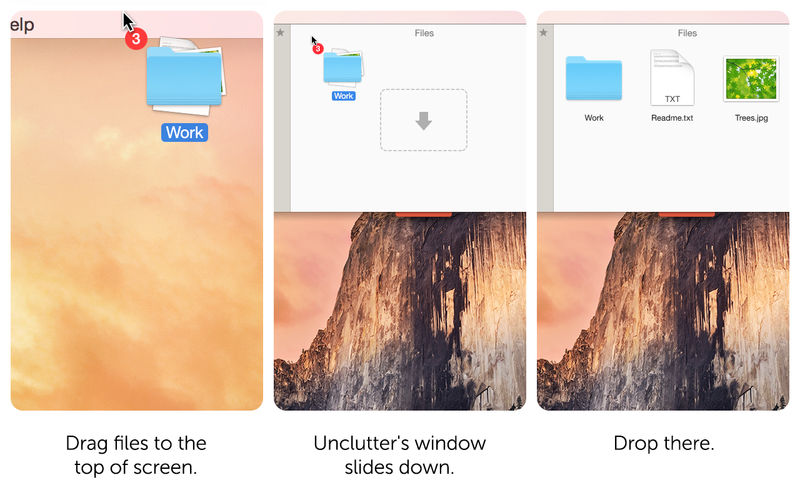
To open, simply move the pointer to the very top of screen and scroll down. Drag items from other applications to the top of screen to store them in Unclutter.
Main features:
- Instant, configurable access even in full screen mode
- Full multi-display support
- File Storage, to keep your Desktop clean from temporary files
- Notes, to write down something quickly
- Clipboard manager, to track what you copy and paste, browse clipboard history
- Draggable cards that can stick on top of other windows
- Files and notes auto-sync across all your Macs via Dropbox.
- Retina display support
Version 2.2.18
- An issue where the Unclutter Settings window could sometimes appear unexpectedly.
Frequently asked questions
How do I install the app?
Mount the image, drag the app into the "Applications" folder and launch it. If the system blocks the launch, allow it in "System Settings → Privacy & Security".
The app is damaged or won't launch
Reinstalling from a fresh image usually helps. Make sure your macOS version matches the one listed in the compatibility specs.
How do I update?
Download the new version from the site and install it over the current one — your settings will be preserved.
The download link doesn't work
Try a mirror or a download manager. For large files the browser often drops the connection.
How do I completely remove the app?
Use an uninstaller utility — it cleans up the service files that remain after moving the app to the trash.

Choose a download source
Unclutter 2.2.18 · 13.48 MB
Previous versions
Unclutter 2.2.18
Previous versions are available to registered users.