
Service Station Pro 2020.9
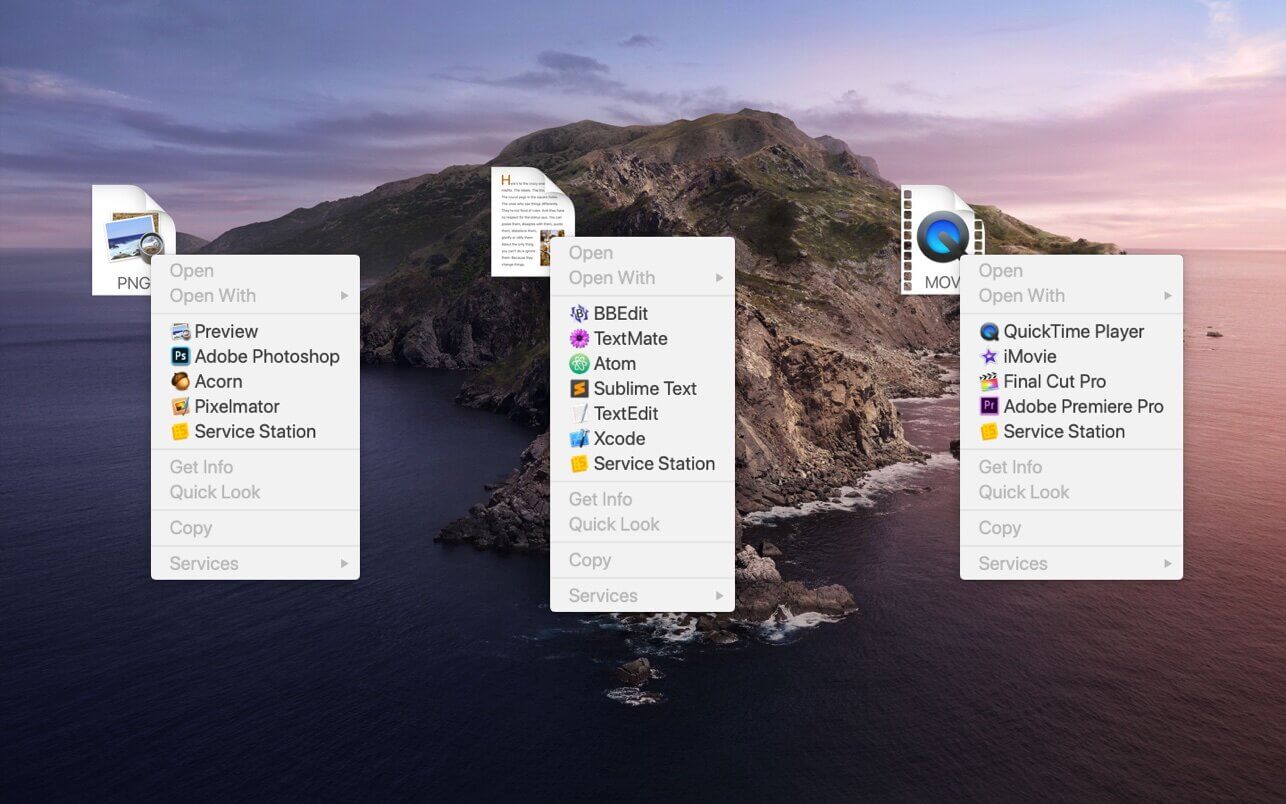
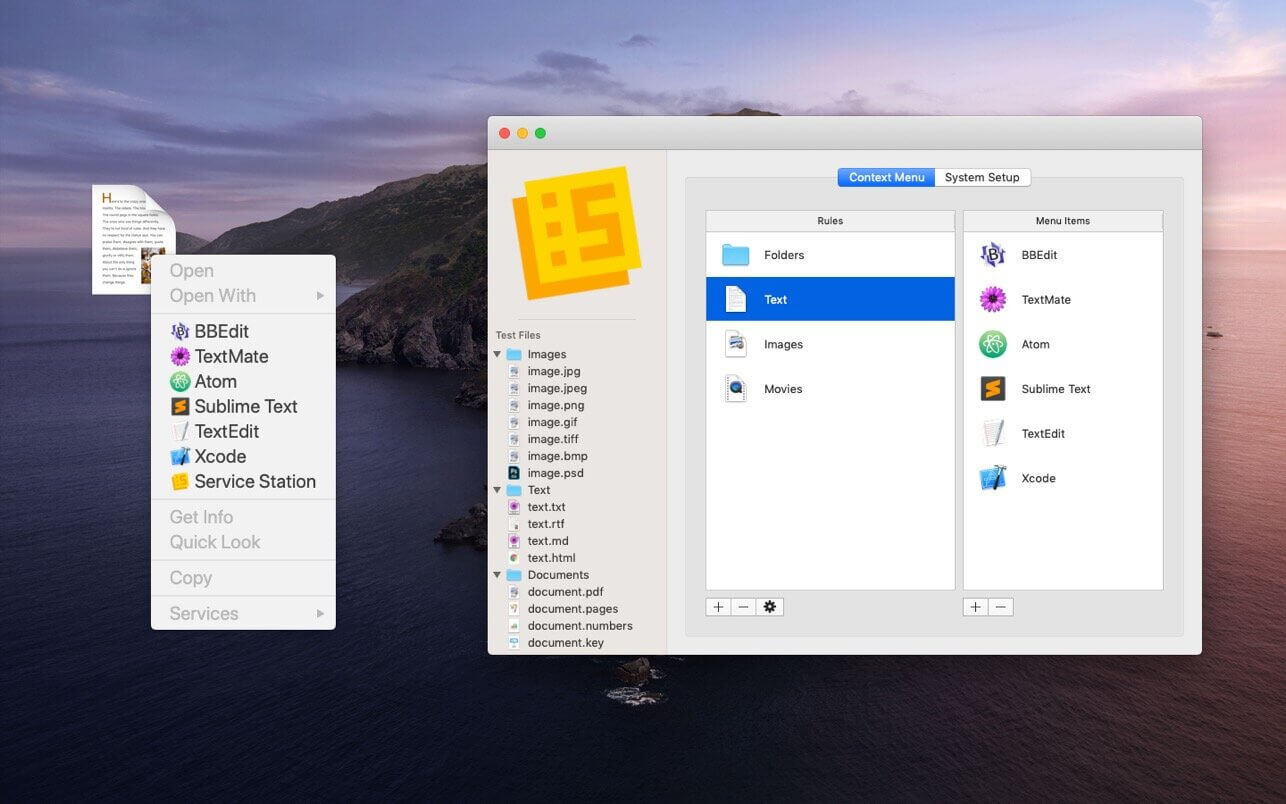
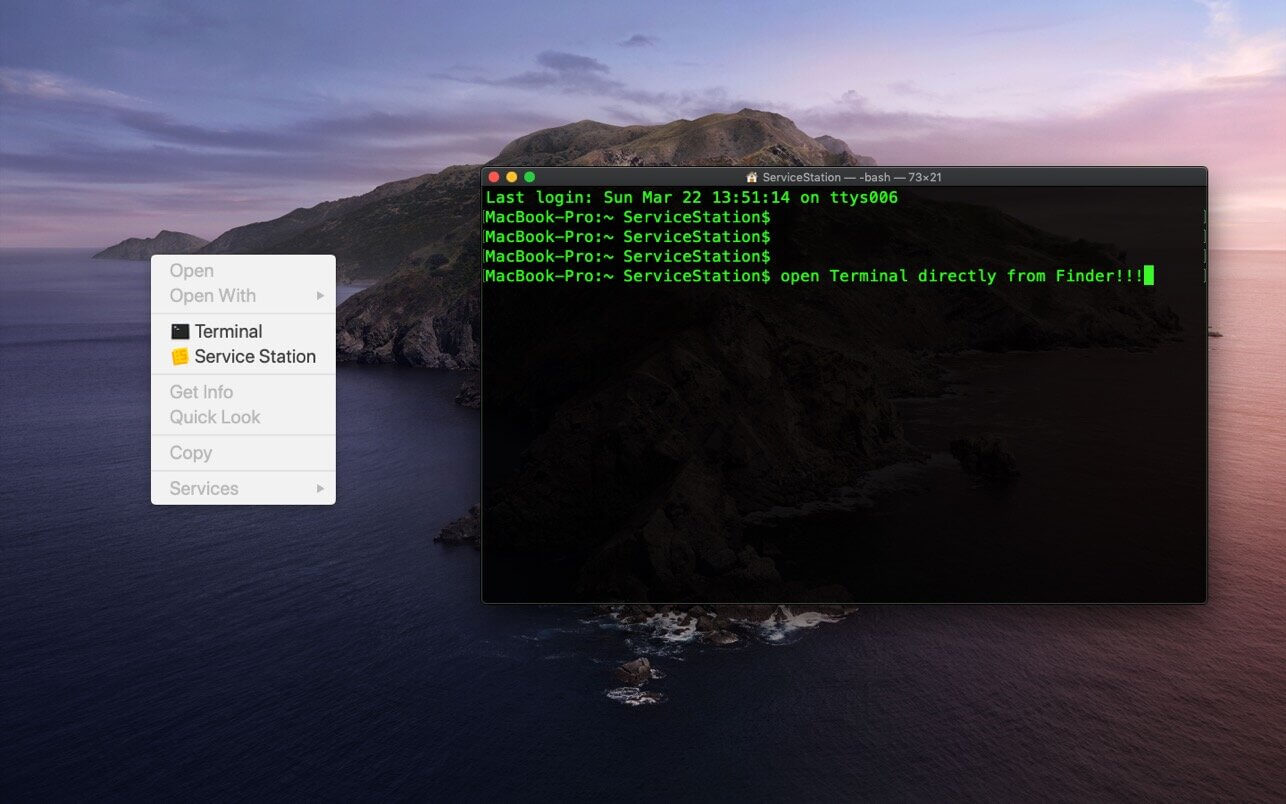
Customize your right-click menu with Service Station.
Your own personal "Open With" menu containing only the Applications and Scripts that YOU want. Edit your Finder context menus to provide quick access to Applications and Scripts.
Open Terminal by right-clicking the Finder!
Use Finder Smart Search queries to show specific Menu Items for certain Files and Folders.
Launch scripts by right-clicking in Finder. Support for AppleScript, jаvascript, Automator Workflows, Bash Scripts, Shell Scripts.
Sandboxed, secure app that uses the modern Finder Extension framework (no haxies!) to customize the macOS system context menu.
Version 2020.9
- Removes any duplicate items from the Service Station menu
Frequently asked questions
How do I install the app?
Mount the image, drag the app into the "Applications" folder and launch it. If the system blocks the launch, allow it in "System Settings → Privacy & Security".
The app is damaged or won't launch
Reinstalling from a fresh image usually helps. Make sure your macOS version matches the one listed in the compatibility specs.
How do I update?
Download the new version from the site and install it over the current one — your settings will be preserved.
The download link doesn't work
Try a mirror or a download manager. For large files the browser often drops the connection.
How do I completely remove the app?
Use an uninstaller utility — it cleans up the service files that remain after moving the app to the trash.




Choose a download source
Service Station Pro 2020.9 · 6.16 MB