cDock 4.6.3
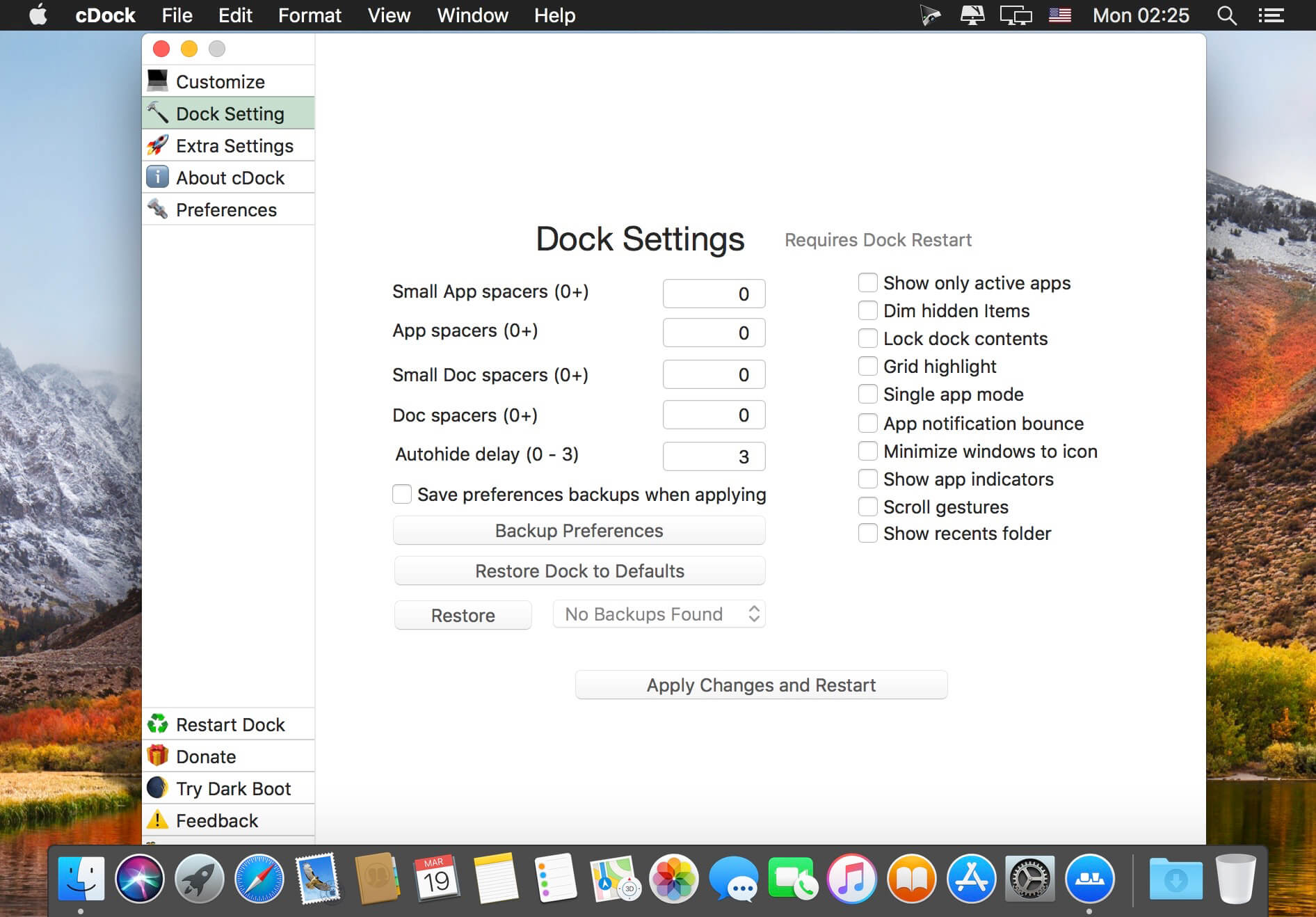
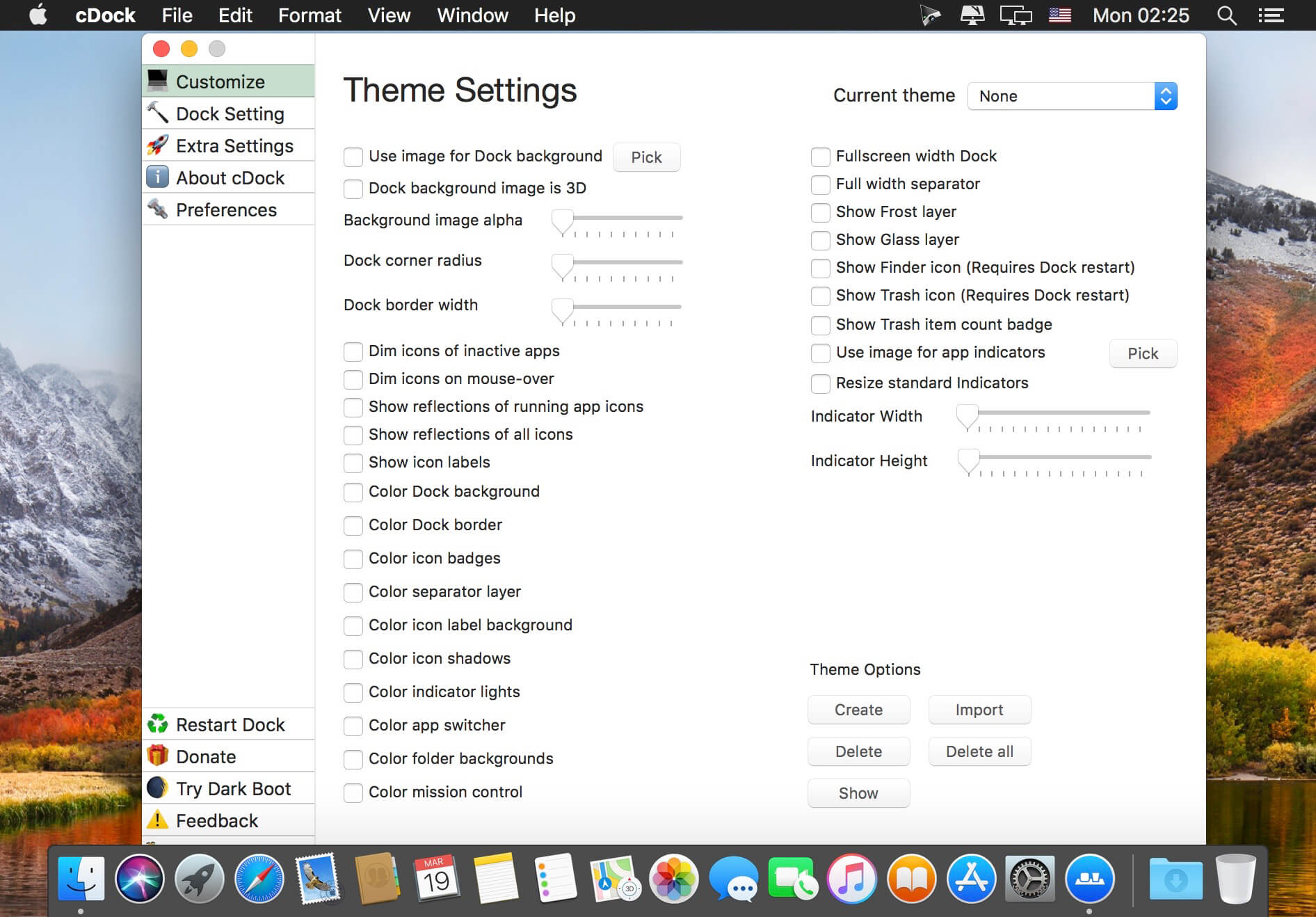

cDock 3 gives you full control over the Dock. There are tons of ways to customize the look and feel of the Dock. You can even enable some awesome hidden features. cDock is designed to make theming your Dock easy and robust on macOS 10.10 and up.
Features
- Hide applications from showing
- Dock pinning
- Color EVERYTHING
- 3D dock
- Trash badge
- Add / Remove spacer tiles
- Add / Remove recents folder
- Add / Remove iCloud Drive icon
- Add / Remove Airdrop icon
- Force dark menus
- Remove the Trash and / or the Finder icon
- Instantly show Desktop previews in Mission Control
- Hide installed / updated dot from Launchpad
- Adjust Launchpad rows / columns
- Edit basic Dock settings
- And much more...
Version 4.5.0:
- Support for native execution on M1 chip (arm64)
- Support for theming Empty / Full trash can
- Support for custom trash empty sound
- Icon theming info can be found [here](https://github.com/w0lfschild/cDock-Issue-Tracker/wiki/Icon-Customization)
- Fixed Dock freezing when dragging items in macOS Big Sur
- Fixed badge color not updating instantly when changed
- Fixed issues with full width dock being missaligned
- Fixed issues with dock pinning being missaligned
- Fixed indictors not adjusting when dock position is switched
- Fixed indicator offset applying incorectly
- Fixed floating dock stye alignment
- Fixed some Dock crashes when shitching themes / editing settings
- Fixed helper will now only load the `cDock` and `_DockKit` bundles
- Fixed helper failing to load the `cDock` bundle in some instances
- Bug fixes
Frequently asked questions
How do I install the app?
Mount the image, drag the app into the "Applications" folder and launch it. If the system blocks the launch, allow it in "System Settings → Privacy & Security".
The app is damaged or won't launch
Reinstalling from a fresh image usually helps. Make sure your macOS version matches the one listed in the compatibility specs.
How do I update?
Download the new version from the site and install it over the current one — your settings will be preserved.
The download link doesn't work
Try a mirror or a download manager. For large files the browser often drops the connection.
How do I completely remove the app?
Use an uninstaller utility — it cleans up the service files that remain after moving the app to the trash.

Choose a download source
cDock 4.6.3 · 13.96 MB
Previous versions
cDock 4.6.3
Previous versions are available to registered users.