Product Manager 2.6.2
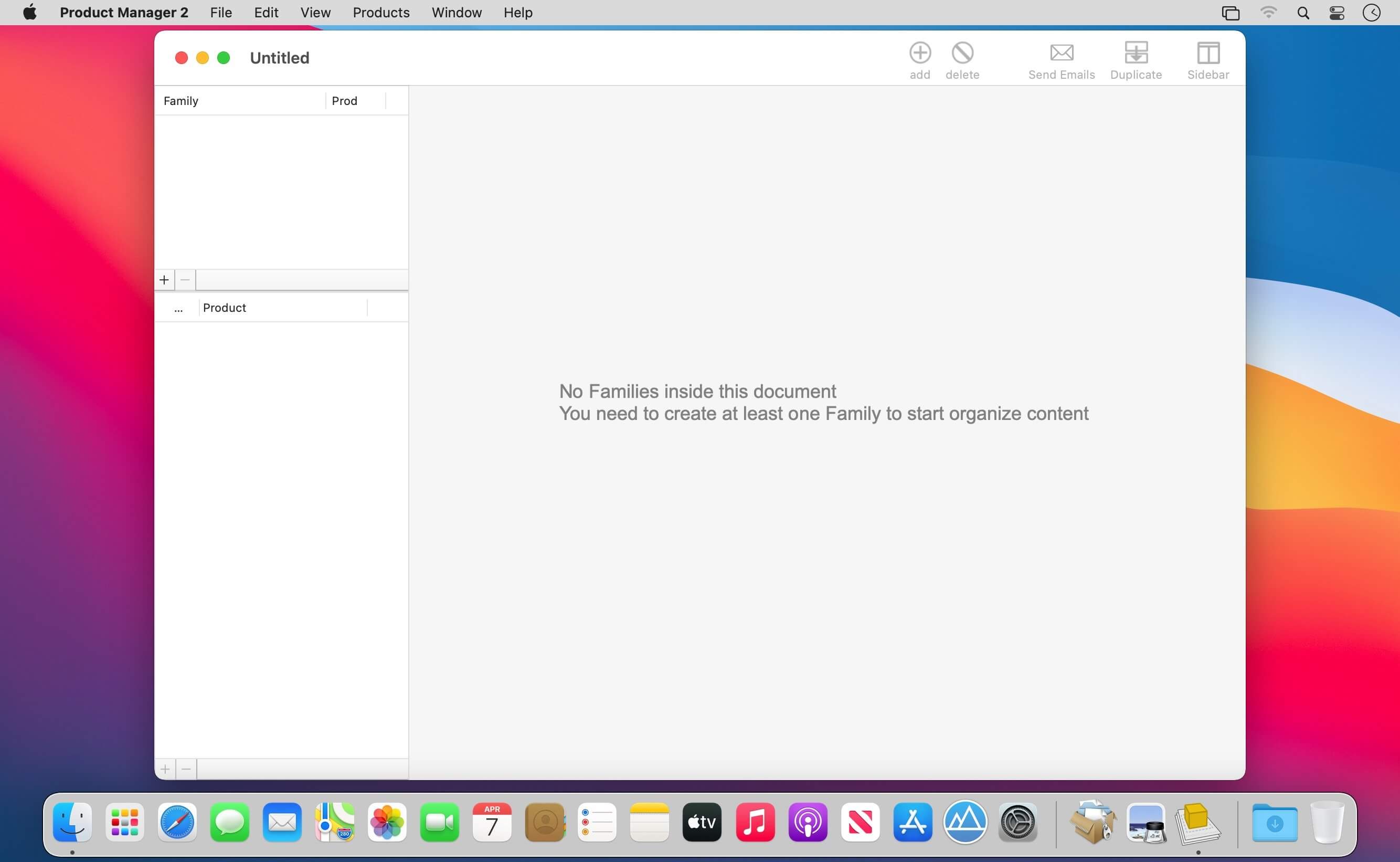
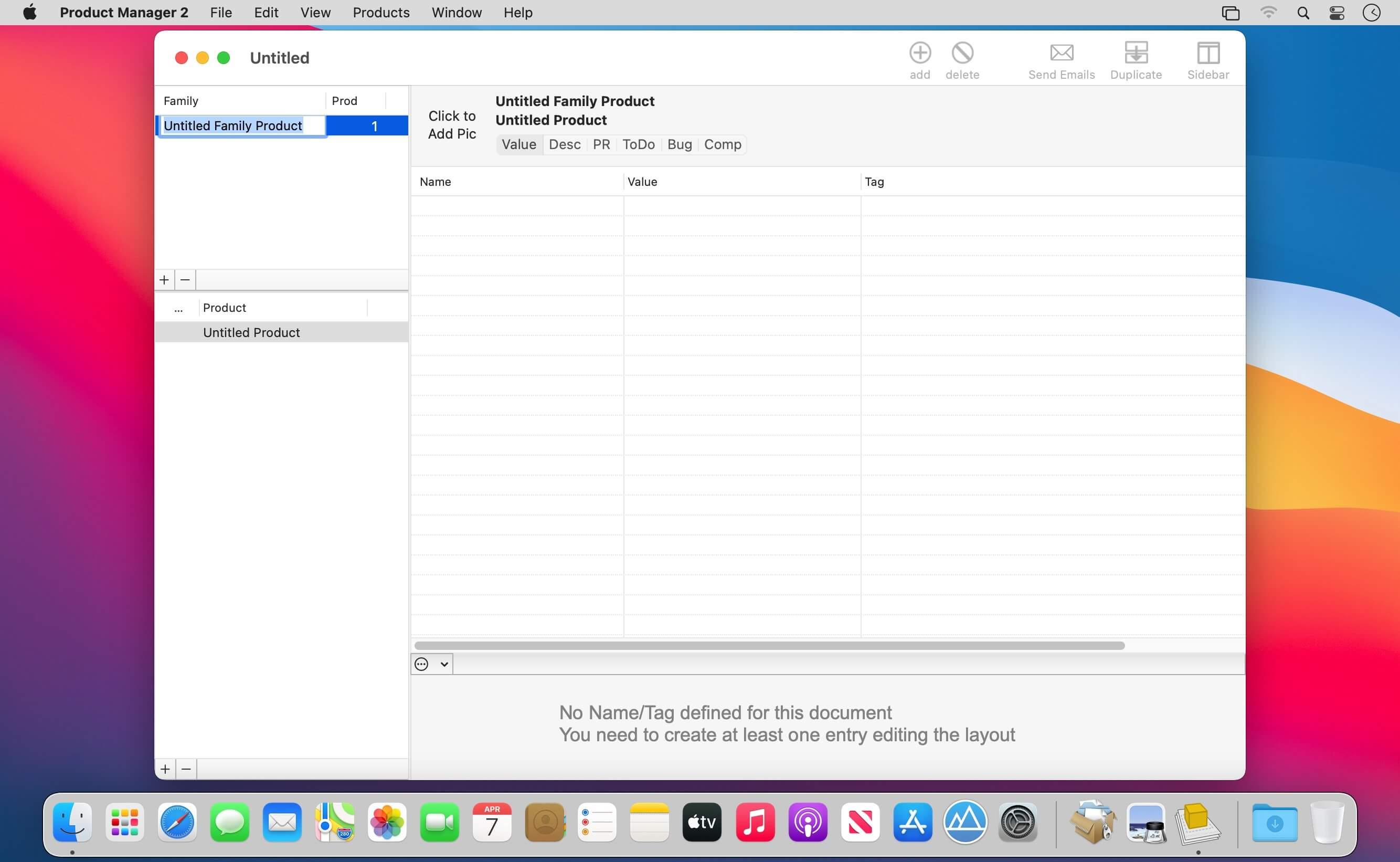
Product Manager lets you manage company products from different standpoints. It's document-based and can manage an unlimited number of documents each with an unlimited number of products, subdivided in families.
Product Manager allows you to:
- Organize products in a logical subdivision in families of products and products owned by a family
- Define a custom layout of data values (fields) used by any documents with custom name and data tags (names, values, URL, and so on)
- Specify for any product custom values associated to the data tags layout
- Create Press Release (for any product release) using templates where the data values associated with any specific product are created automatically merging press release including data tags with assigned custom value for any product
- Manage descriptions for the products, with various kind and keeping track of them for any different release
- Keeping track of the ToDo associated for the product and keeping track of work. Create reports for items done and not done yet.
- Keeping track of the Bugs. Create reports for items done and not done yet.
- Keeping track of the competitor products
Features
- Easy-to-use interface
- No learning period required
- Products stored in a hierarchical view by families
- Totally customizable layout of values associated to products to be used in Press Release creation and for reference
- Customizable labels adaptable to different products type
- Descriptions of the product for the release of the product over time
- Press release of the product, for the different release, and create dynamically merging text templates with custom data (using text data tags to insert data values)
- ToDo list of activities relate dot the product
- Bug or problems product related to solve
- List of competitors for the product
- Can manage an unlimited families and products
- Automatic email preparing and sending to an address list controlling mail.app from inside Product Manager via Scripting Bridge
- Text template ready to be inserted inside text view
Version 2.6:
- Improved layout
- Improved graphics
- Improved compatibility and switching between Dark Mode and Light Mode
- Improved opening of old document release
- Various bug fix
Frequently asked questions
How do I install the app?
Mount the image, drag the app into the "Applications" folder and launch it. If the system blocks the launch, allow it in "System Settings → Privacy & Security".
The app is damaged or won't launch
Reinstalling from a fresh image usually helps. Make sure your macOS version matches the one listed in the compatibility specs.
How do I update?
Download the new version from the site and install it over the current one — your settings will be preserved.
The download link doesn't work
Try a mirror or a download manager. For large files the browser often drops the connection.
How do I completely remove the app?
Use an uninstaller utility — it cleans up the service files that remain after moving the app to the trash.




Choose a download source
Product Manager 2.6.2 · 9.64 MB
Previous versions
Product Manager 2.6.2
Previous versions are available to registered users.