
Magic Number 2.8.23
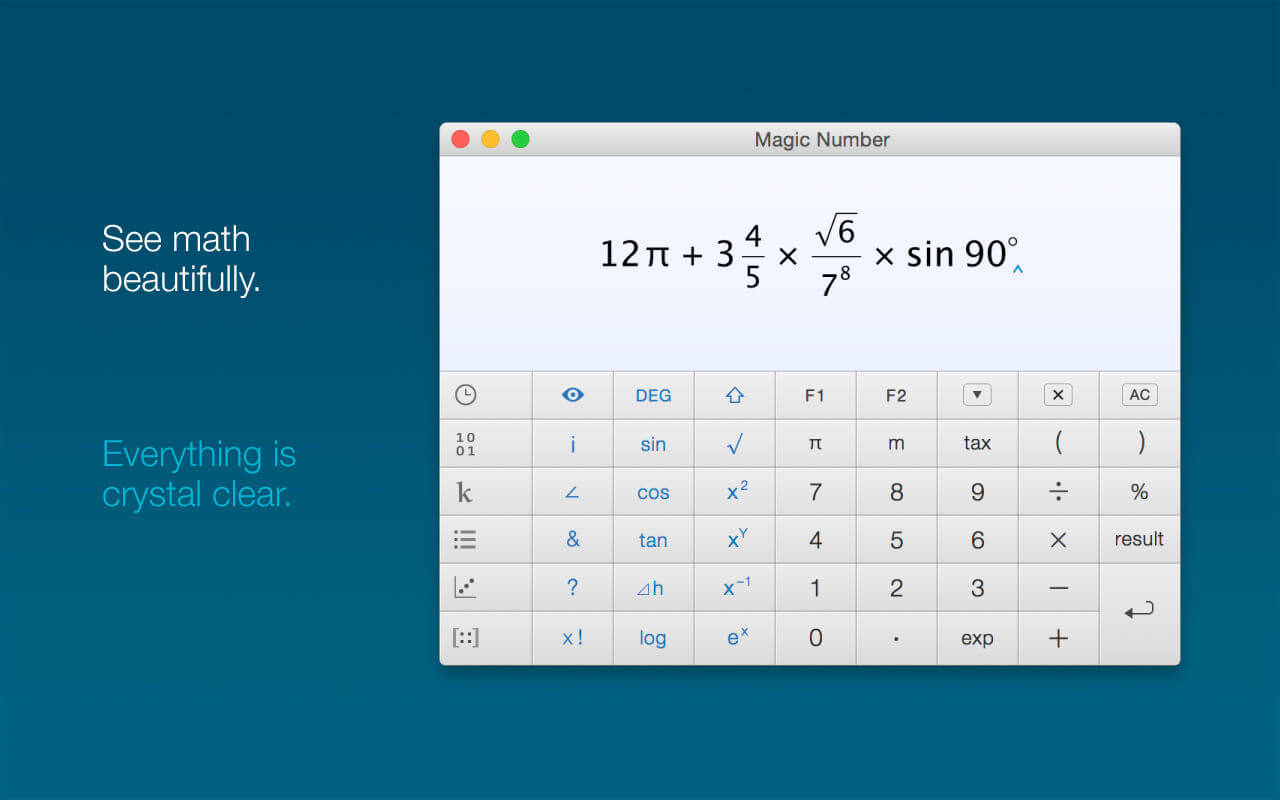
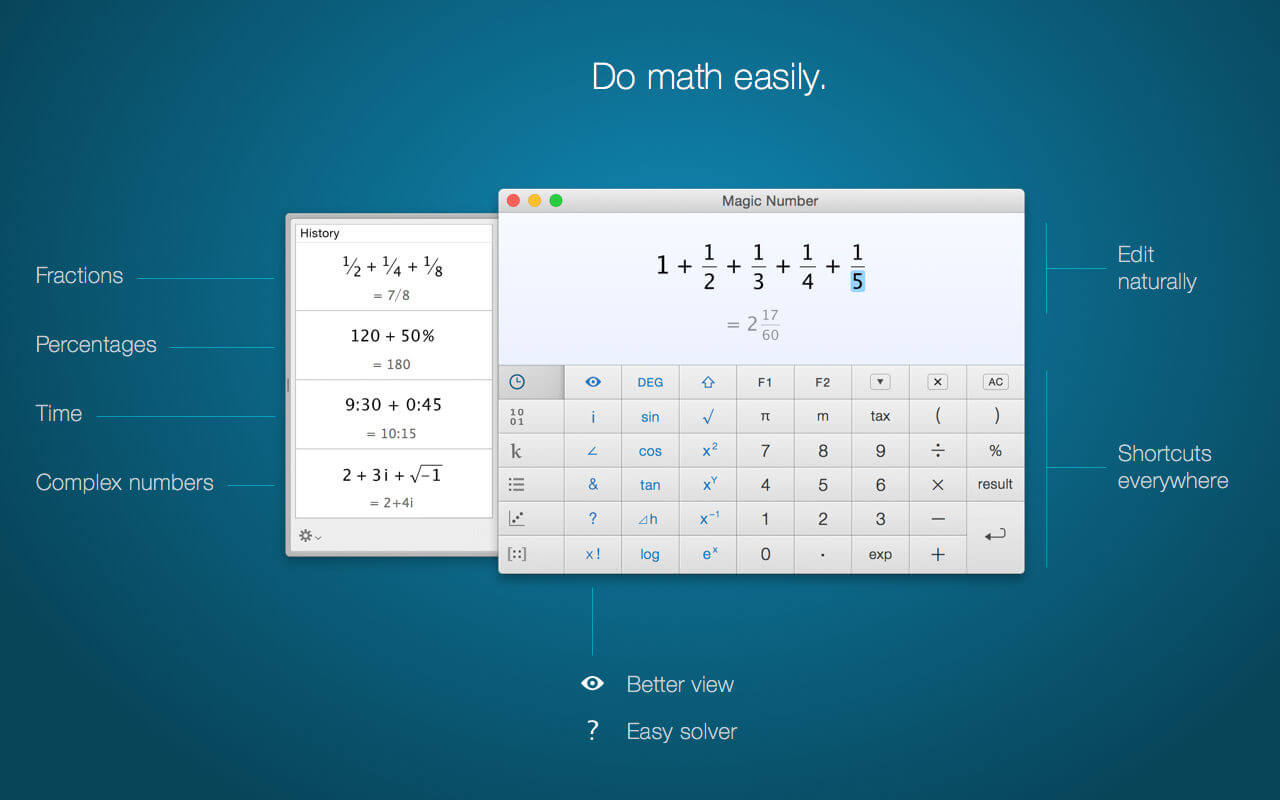
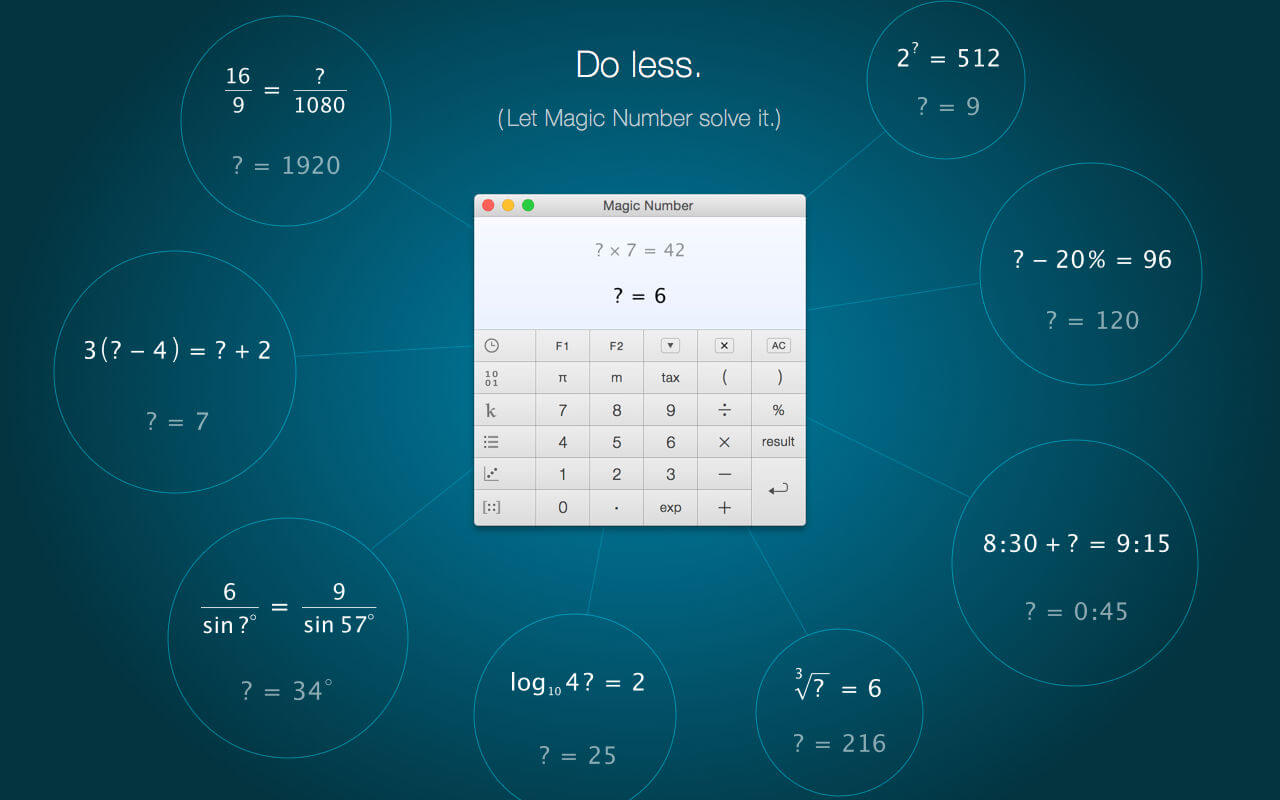
When you can see math properly, able to type what you think, and do everything intuitively, math becomes a breeze. From everyday math to advanced science, Magic Number lets you do more with less effort — whatever your level.
Magic Number is a better calculator in every way:
- A better view of your calculation;
- More intuitive to enter and edit;
- Easier for everyday use;
- More capable for advanced problems.
Features
- Over 100 functions
- 25 digits accuracy
- 10 memories (variables)
- 4 customizable tax rates
- Over 50 scientific constants
- Statistics (via 'Data')
- Linear regression (via '2D-data')
- Matrix (Inverse, determinant, linear equations via Gauss-Jordan Elimination)
Version 2.8.23
- Minor bug fixes
- Improved robustness with older versions of macOS
Frequently asked questions
How do I install the app?
Mount the image, drag the app into the "Applications" folder and launch it. If the system blocks the launch, allow it in "System Settings → Privacy & Security".
The app is damaged or won't launch
Reinstalling from a fresh image usually helps. Make sure your macOS version matches the one listed in the compatibility specs.
How do I update?
Download the new version from the site and install it over the current one — your settings will be preserved.
The download link doesn't work
Try a mirror or a download manager. For large files the browser often drops the connection.
How do I completely remove the app?
Use an uninstaller utility — it cleans up the service files that remain after moving the app to the trash.




Choose a download source
Magic Number 2.8.23 · 10.5 MB