Smart Disk Image Utilities 3.1.1
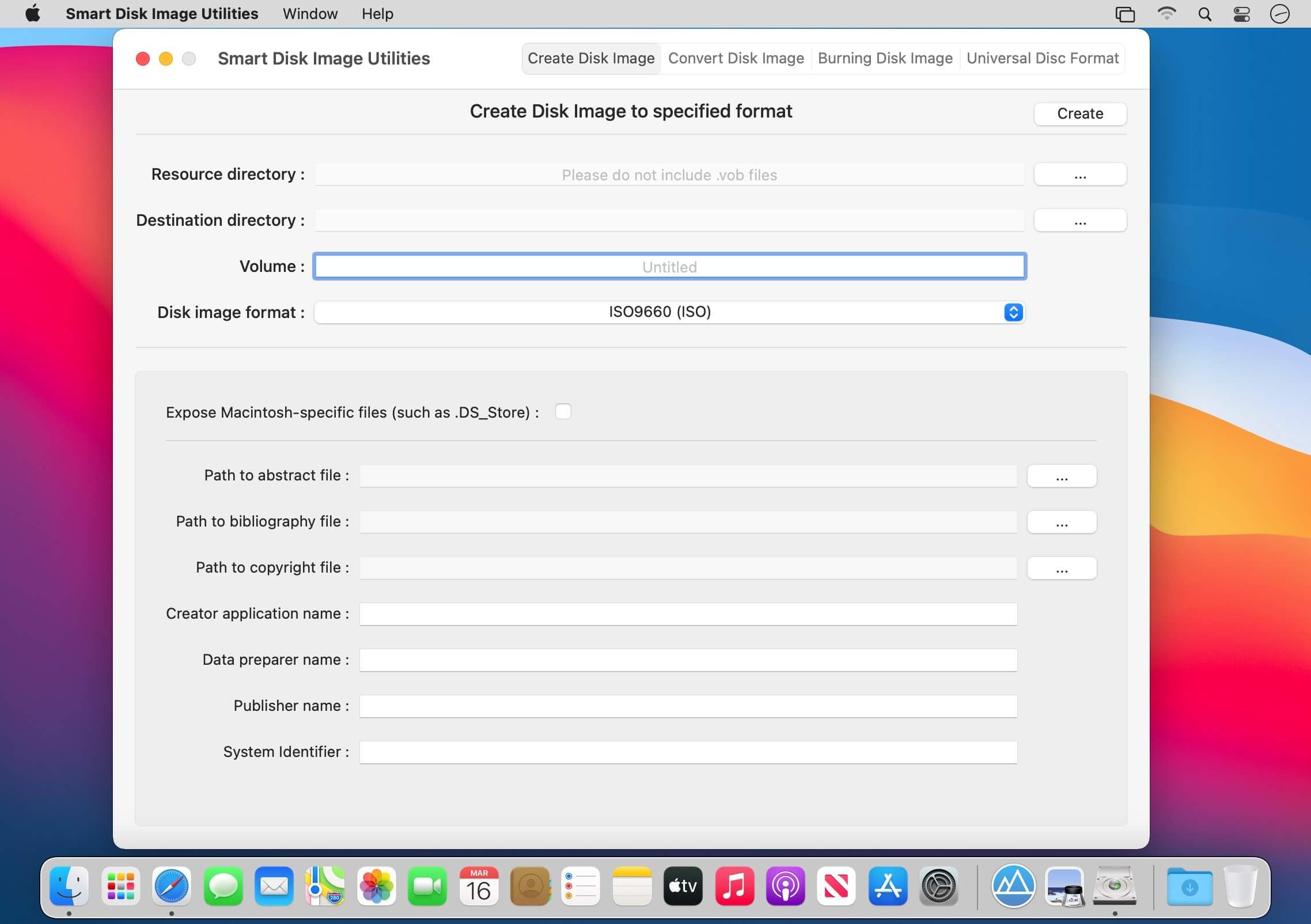
Smart Disk Image Utilities is a powerful disk image tool,contains creating disk image, converting disk image, burning disk image, erasing disc, Builds Universal Disc Format.
Create Disk Image
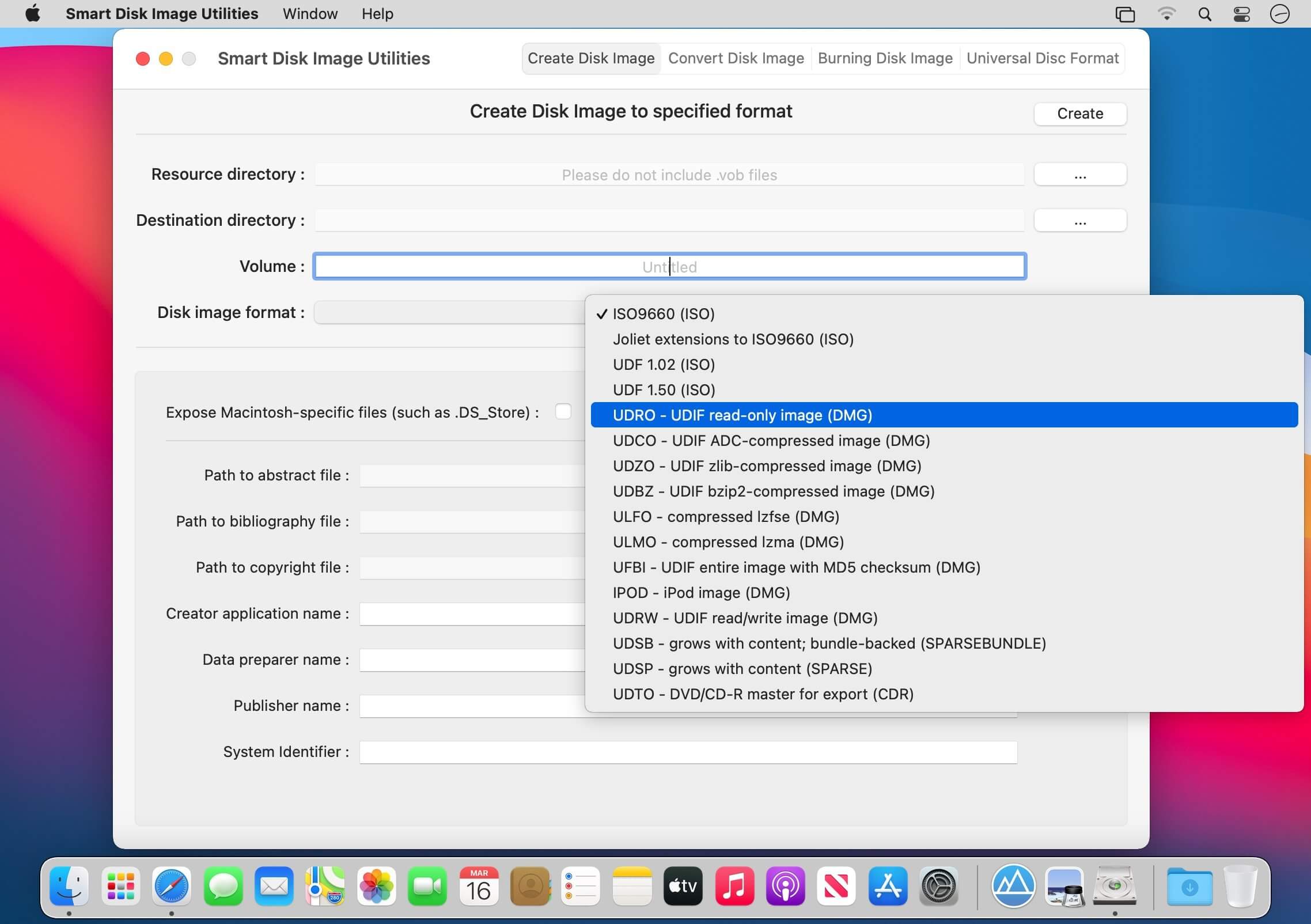
- [1] Supported disk image format(Resource files containing .vob are not supported):
- iso,dmg,img,sparsebundle,sparseimage,cdr
- [2] The types of iso support include:
- ISO9660,Joliet extensions to ISO9660,UDF 1.02,UDF 1.50
- [3] The types of dmg support include:
- UDRO - UDIF read-only image
- UDCO - UDIF ADC-compressed image
- UDZO - UDIF zlib-compressed image
- UDBZ - UDIF bzip2-compressed image
- ULFO - compressed (lzfse)
- ULMO - compressed (lzma)
- UFBI - UDIF entire image with MD5 checksum
- IPOD - iPod image
- UDxx - UDIF stub image
- UDRW - UDIF read/write image
- [4] The types of img support include:
- RdWr - NDIF read/write
- Rdxx - NDIF read-only image
- ROCo - NDIF compressed image
- Rken - NDIF compressed
- [5] The types of sparsebundle support include:
- UDSB - SPARSEBUNDLE (grows with content; bundle-backed; .sparsebundle format)
- [6] The types of sparseimage support include:
- UDSP - SPARSE (grows with content) (.sparseimage format)
- [7] The types of cdr support include:
- UDTO - DVD/CD-R master for export
Convert Disk Image
- [1] Convert Disk Image(iso,dmg,img,sparsebundle,sparseimage,cdr) to specified format(iso,dmg,img,sparsebundle,sparseimage,cdr);
- [2] Such as convert ISO to DMG, or convert DMG to ISO and so on.
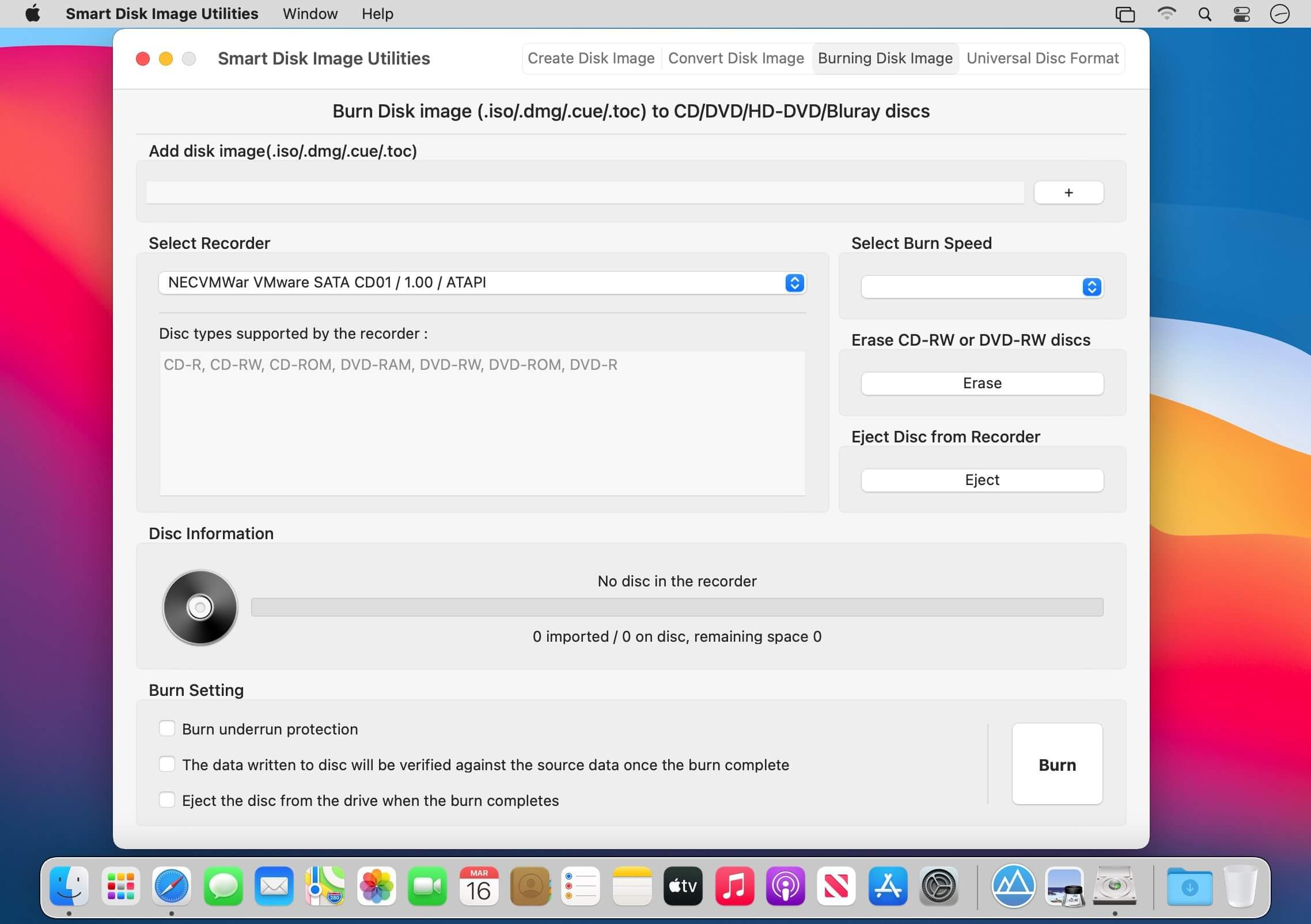
Burn Disk Image
- [1] Burn .iso(.dmg/.cue/.doc) to CD/DVD/HD-DVD/Blu-ray discs;
- [2] Erase CD-RW and DVD-RW discs;
- [3] The following disc types are supported:
- CD-ROM
- CD-R
- CD-RW
- DVD-ROM
- DVD-R
- DVD-R DL
- DVD-R Double Layer
- DVD-RW
- DVD-RW DL
- DVD-RAM
- DVD R
- DVD R DL
- DVD R Double Layer
- DVD RW
- DVD RW DL
- HD DVD-ROM
- HD DVD-R
- HD DVD-R DL
- HD DVD-RAM
- HD DVD-RW
- HD DVD-RW DL
- BD-ROM
- BD-R
- BD-RE
- BD-R DL
Builds Universal Disc Format
- [1] Support UDF1.02、UDF1.50、UDF2.00、UDF2.01、UDF2.50、UDF2.60;
- [2] Support the type of the media include:
- blk (block device)
- var-packet (varible size packet writing)
- fix-packet (fixed size packet writing)
- pow (pseudo overwrite)
- [3] Support the access type of the partition:
- OW (overwrite)
- WO (writeonce)
- POW (pseudo overwrite)
Version 3.1.0
- Optimized for macOS Ventuna.
Frequently asked questions
How do I install the app?
Mount the image, drag the app into the "Applications" folder and launch it. If the system blocks the launch, allow it in "System Settings → Privacy & Security".
The app is damaged or won't launch
Reinstalling from a fresh image usually helps. Make sure your macOS version matches the one listed in the compatibility specs.
How do I update?
Download the new version from the site and install it over the current one — your settings will be preserved.
The download link doesn't work
Try a mirror or a download manager. For large files the browser often drops the connection.
How do I completely remove the app?
Use an uninstaller utility — it cleans up the service files that remain after moving the app to the trash.



Choose a download source
Smart Disk Image Utilities 3.1.1 · 7.16 MB
Previous versions
Smart Disk Image Utilities 3.1.1
Previous versions are available to registered users.