Data Recovery Essential Pro 3.8

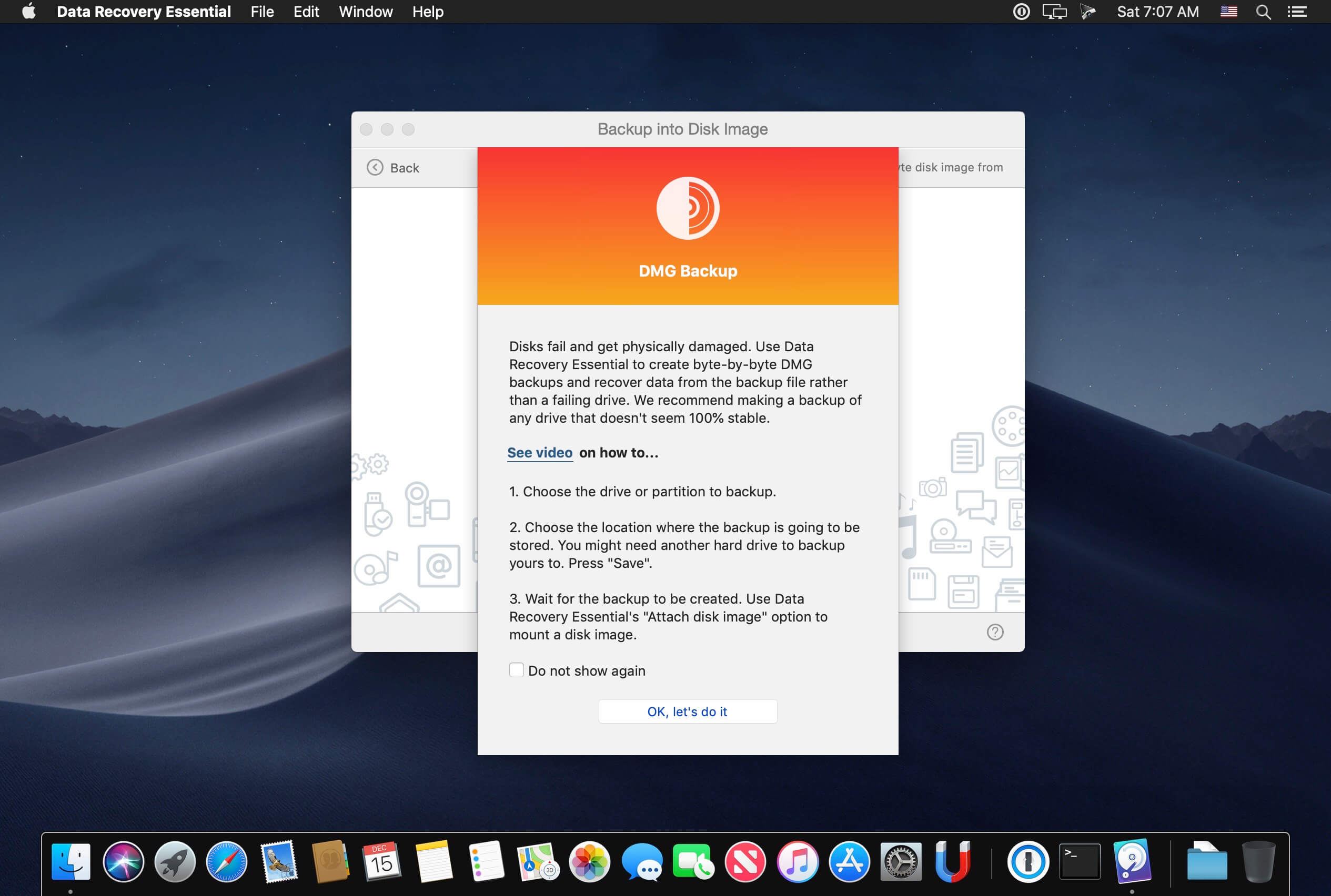
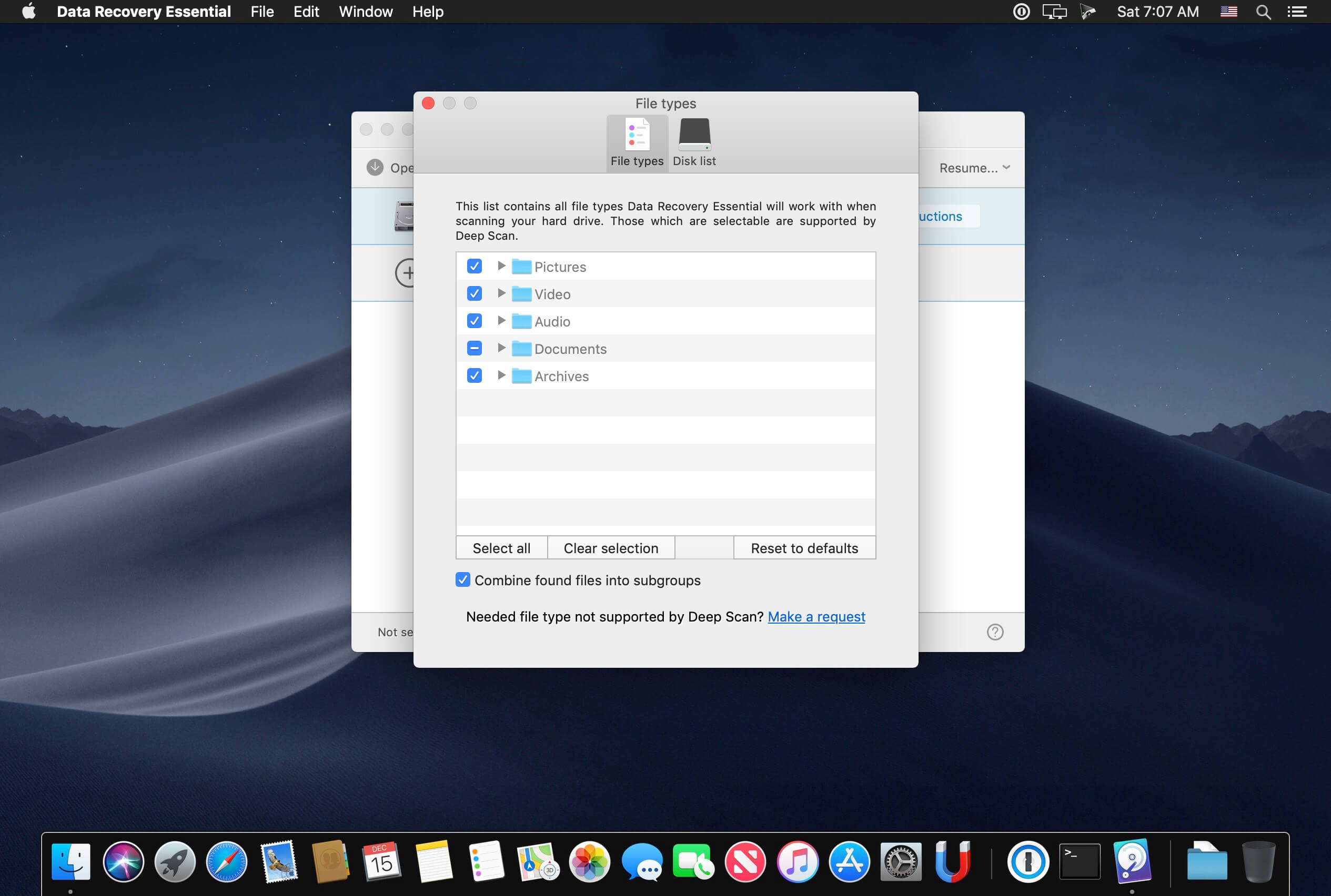
Data Recovery Essential is a fresh, constantly updated, data recovery and undelete app. Data Recovery Essential will restore all existing file formats: images and photos, music, documents, videos, ZIP and other compressed files, etc. If your lost data is not recoverable with our Quick Scan or your file system has been damaged, Deep Scan and other extensive data retrieval algorithms will reconstruct your files based on our unique collection of binary file signatures (which is also constantly updated).
Data Recovery Essential scans all existing file systems, including HFS+, NTFS, FAT32, EXT4 and others, and will also be able to find deleted data after accidental or incomplete disk format. All internal and external storage devices supported: your Mac's main hard drive, any mountable external disks, USB flash thumb drives, cameras, memory cards, and even other Macs.
Once the disk image is created, load it into Data Recovery Essential app and scan it for deleted data. The app will then show all your recoverable files in a well-structured list that can be searched and filtered. You can recover selected files or just dump everything to another disk or destination and sort it out later. The data recovery process is very fast, smooth and clear.
Note: Data Recovery Essential cannot recover deleted data from iOS devices (iPhones, iPads, iPods Touch).
Version 3.8
- Overall improvements for macOS 10.15 Catalina
- New: smart ExFAT recovery algorithms
- New: file signatures added to Deep Scan - AU (Audacity audio files) and PCX (bitmap images)
- LaCie devices recovery: critical improvements, disk disconnection prevention
- FAT32: improved support of lost partition recovery
- Disk Drill gets better at detecting and scanning external USB storage devices on macOS 10.15 Catalina
- Improved: original file location detection in Quick Scan
- Improved: recovery of fragmented files on ExFAT partitions
- Minor UI and tutorial enhancements
- Fixed: false detections of HFS+ partitions
- Fixed: rare cases with file name recovery during HFS+ Quick Scan
- Fixed: empty disk labels on macOS Catalina
Frequently asked questions
How do I install the app?
Mount the image, drag the app into the "Applications" folder and launch it. If the system blocks the launch, allow it in "System Settings → Privacy & Security".
The app is damaged or won't launch
Reinstalling from a fresh image usually helps. Make sure your macOS version matches the one listed in the compatibility specs.
How do I update?
Download the new version from the site and install it over the current one — your settings will be preserved.
The download link doesn't work
Try a mirror or a download manager. For large files the browser often drops the connection.
How do I completely remove the app?
Use an uninstaller utility — it cleans up the service files that remain after moving the app to the trash.
VersionData Recovery Essential Pro 3.8
DeveloperJustin Johnson
CompatibilityOS X 10.10 or later, 64-bit processor
LanguageEnglish
IncludesK'ed by TNT





Information
Visitors in the group Guests cannot leave comments on this publication.
Choose a download source
Data Recovery Essential Pro 3.8 · 19.57 MB