Path Finder 26.1.9
Path Finder — Dual-pane file manager for Mac with folder sync
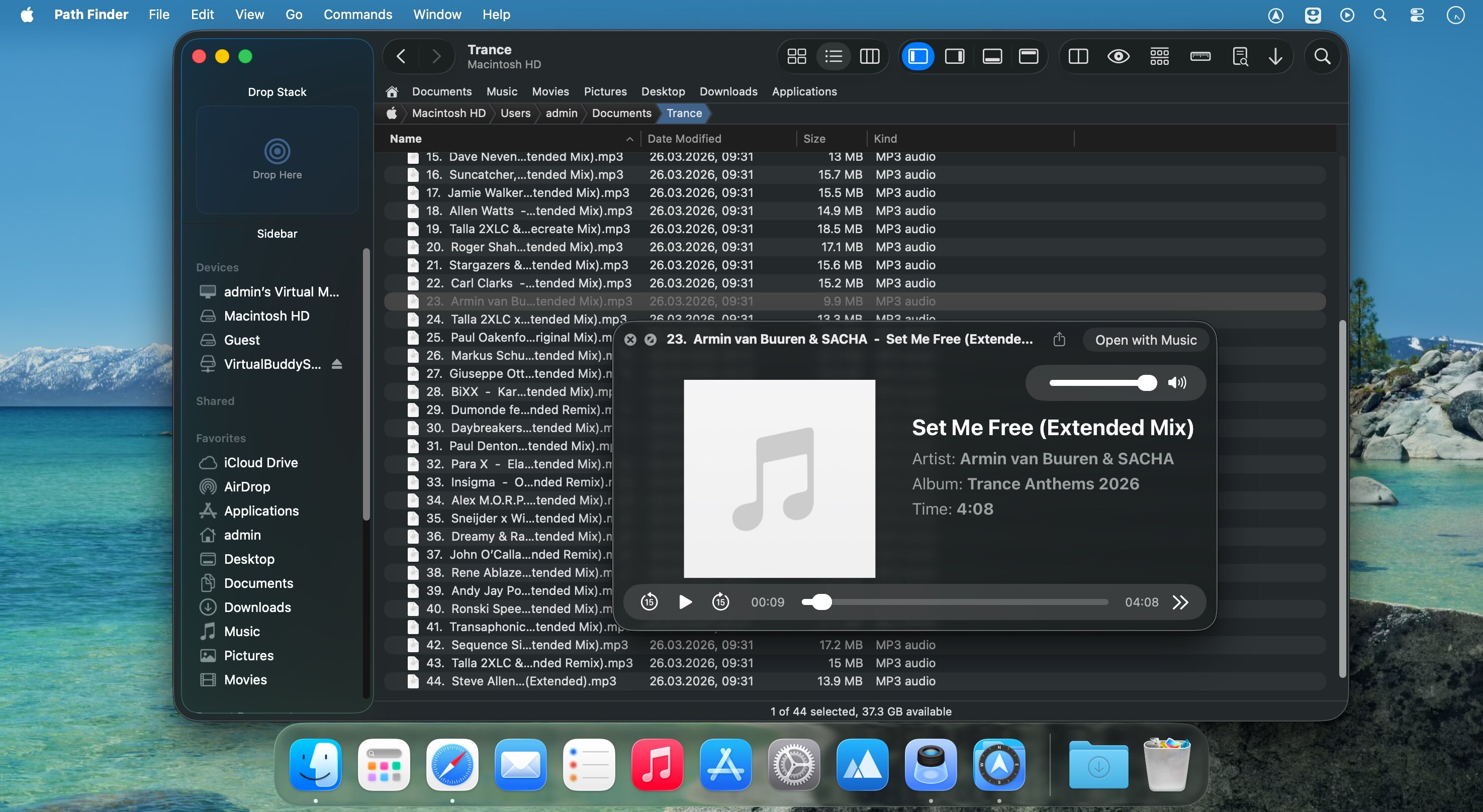
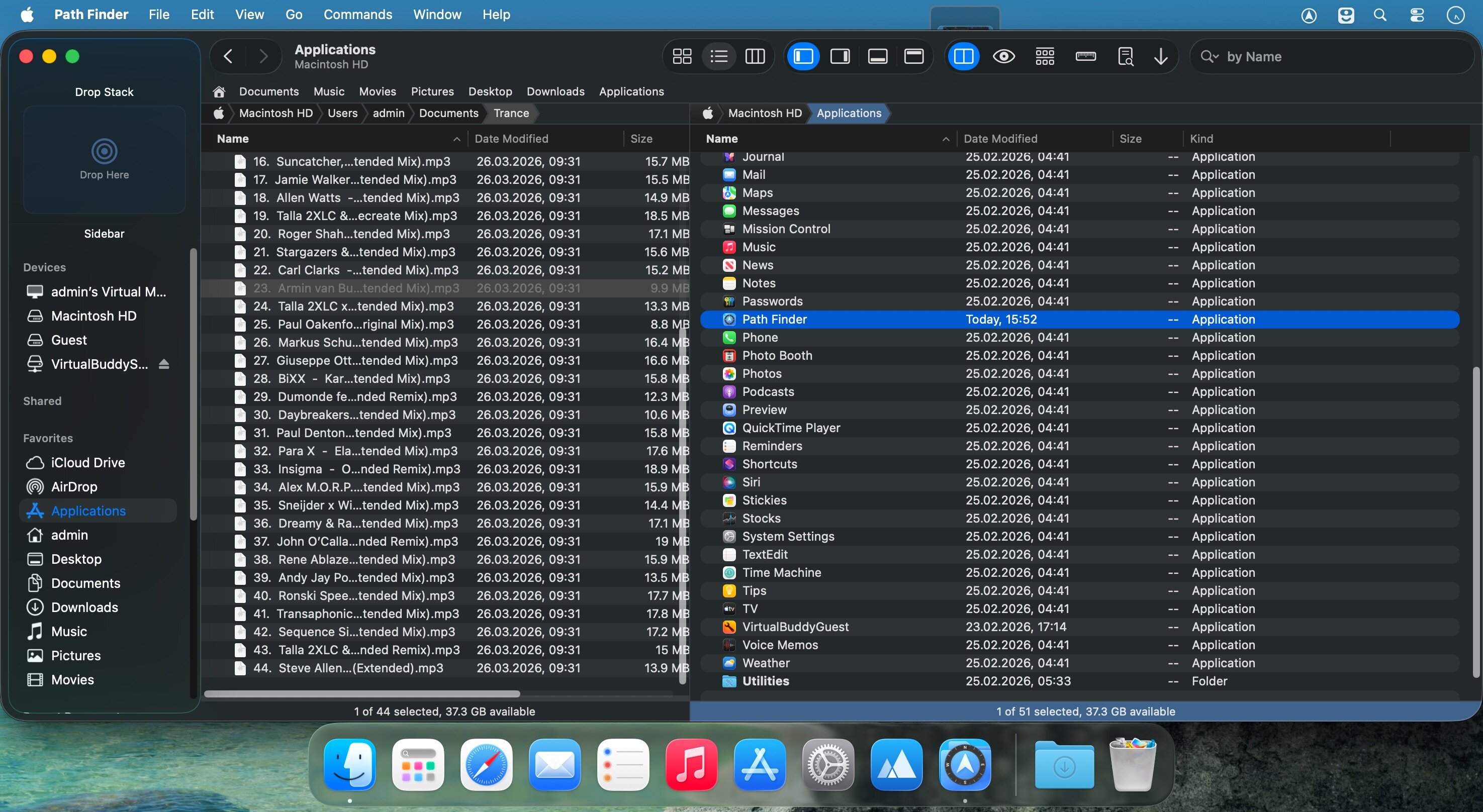
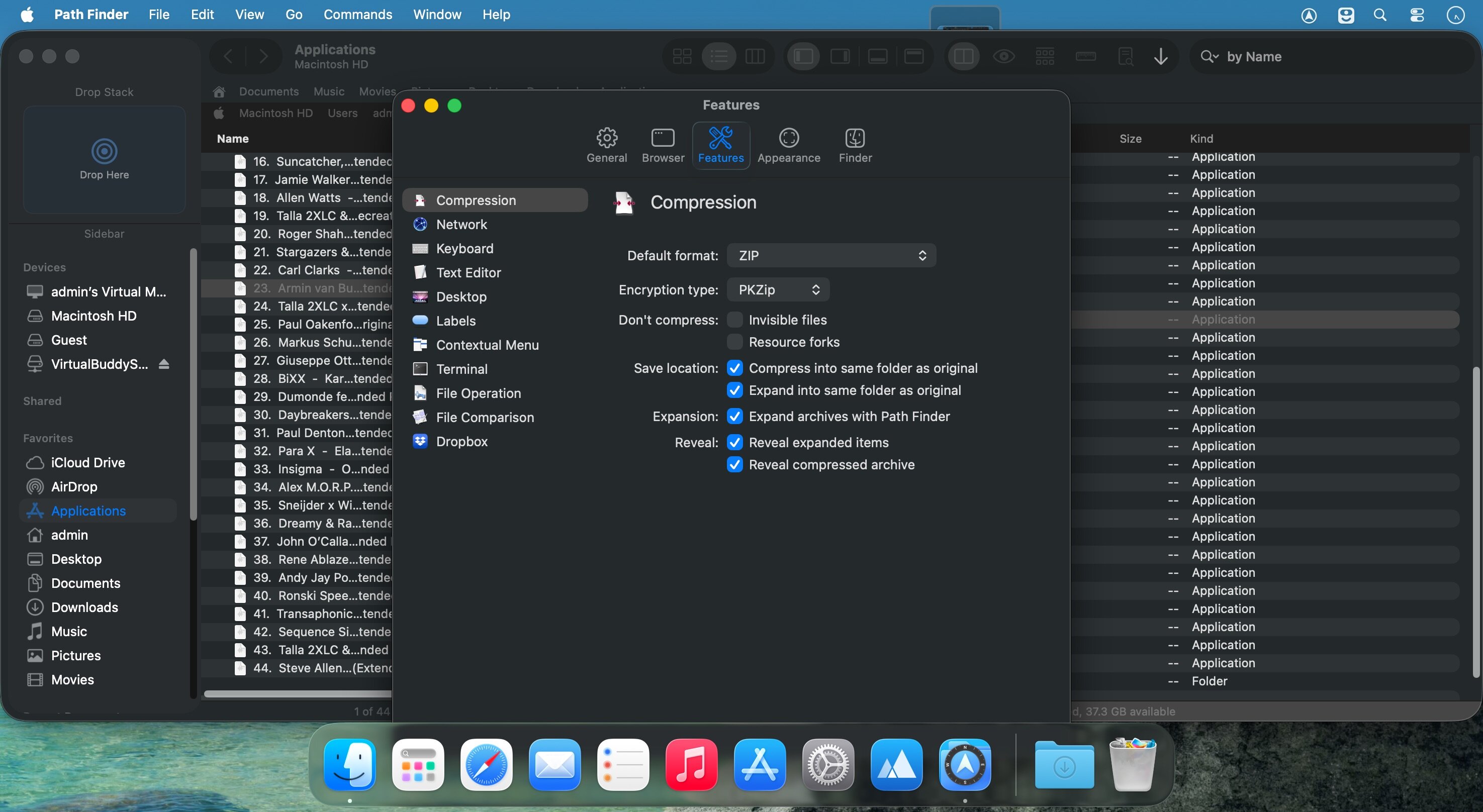
Path Finder is a file management app that gives Mac users deeper control over their file system. It combines everyday browsing with advanced tools and extensive customization, so you can reach most functions in the way that fits your workflow. It is well suited to power users and anyone who regularly works with large file collections, network drives, or non-Mac volumes.
Features
- Dual Pane View — browse two locations side by side and copy between them in one click
- Hidden file access — view and manipulate hidden files
- Full keyboard navigation — move through your file system without a mouse
- Folder comparison and synchronization — compare, sync, and merge folders
- Batch renaming — rename multiple files at once
- Low-level search and filtering — find files with powerful search and filter tools, including on network volumes
- Secure delete — remove files completely from any volume type
- Non-Mac volume support — avoid leaving hidden .DS_Store files on non-Mac drives
- Built-in tools — use the integrated terminal and text and image editors
- Bookmarks and Tab Presets — return quickly to frequent locations, with an editable Path Navigator
Version 26.1.9:
- Fixed "Double-click when clicking icon" in the List View.
- Fix batch rename 31 renamed files limitation bug.
- Fixed multiple items selection in the List View.
- Fixed showing label/tag color badges and iCloud status/download icon in the Icons View.
- Fixed showing label/tag color badges and iCloud status/download icon in the List View.
- Fixed showing label/tag color badges and iCloud status/download icon in the Columns View.
- Fixed drag & drop selection drawing in the Icons View.
- Fixed drag & drop cancellation slide back animation in all view types.
- Fixed menu item icons on macOS 27 Golden Gate.
- Fixed some minor UI and compatibility issues on macOS 27 Golden Gate.
Frequently asked questions
How do I install the app?
Mount the image, drag the app into the "Applications" folder and launch it. If the system blocks the launch, allow it in "System Settings → Privacy & Security".
The app is damaged or won't launch
Reinstalling from a fresh image usually helps. Make sure your macOS version matches the one listed in the compatibility specs.
How do I update?
Download the new version from the site and install it over the current one — your settings will be preserved.
The download link doesn't work
Try a mirror or a download manager. For large files the browser often drops the connection.
How do I completely remove the app?
Use an uninstaller utility — it cleans up the service files that remain after moving the app to the trash.




Choose a download source
Path Finder 26.1.9 · 26.87 MB
Previous versions
Path Finder 26.1.9
Previous versions are available to registered users.
Comments 5