
Remote Wake Up 2.0.0
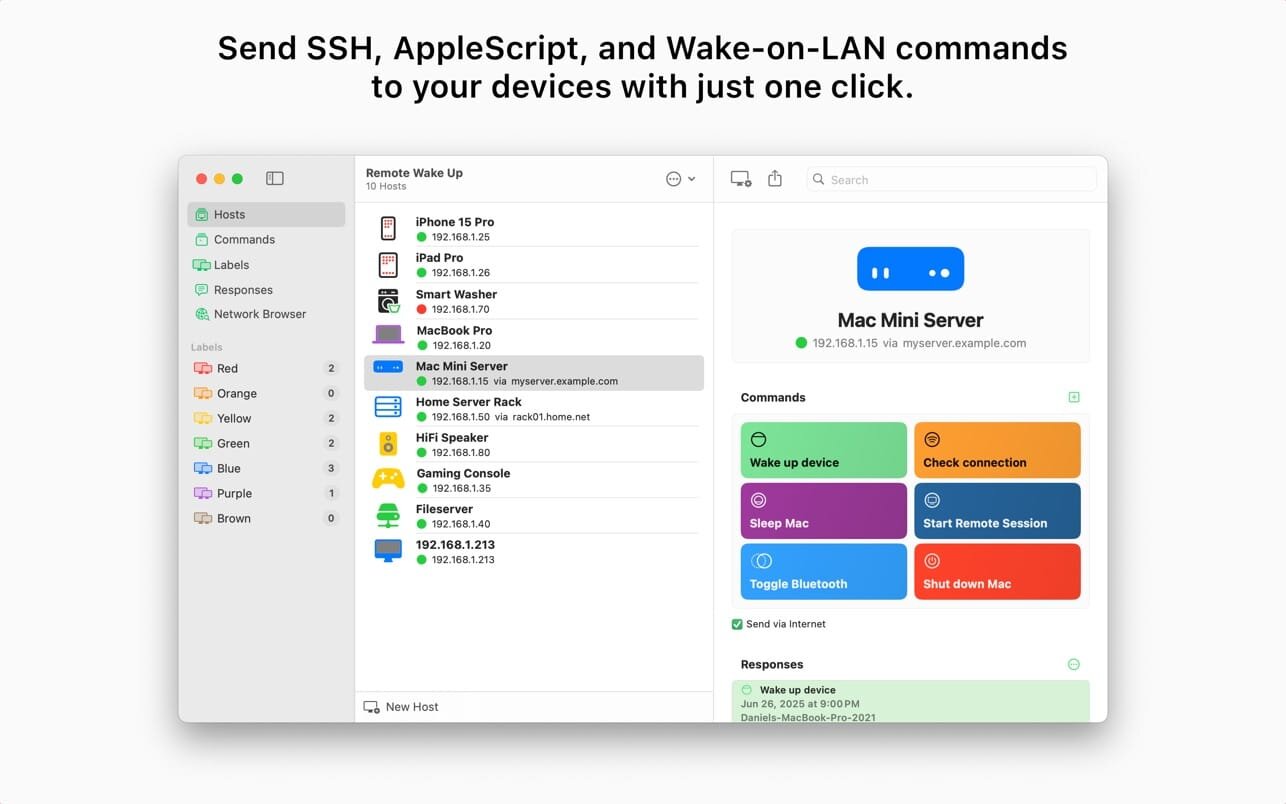
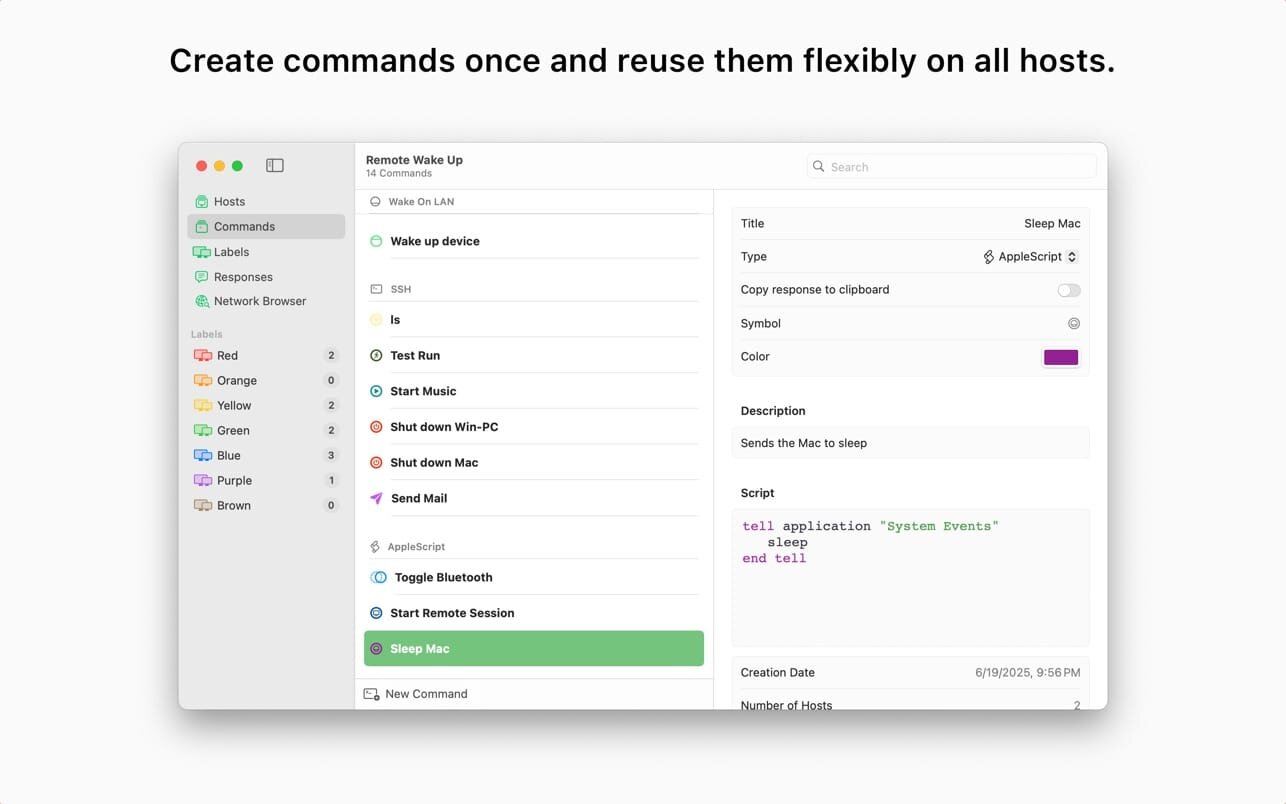
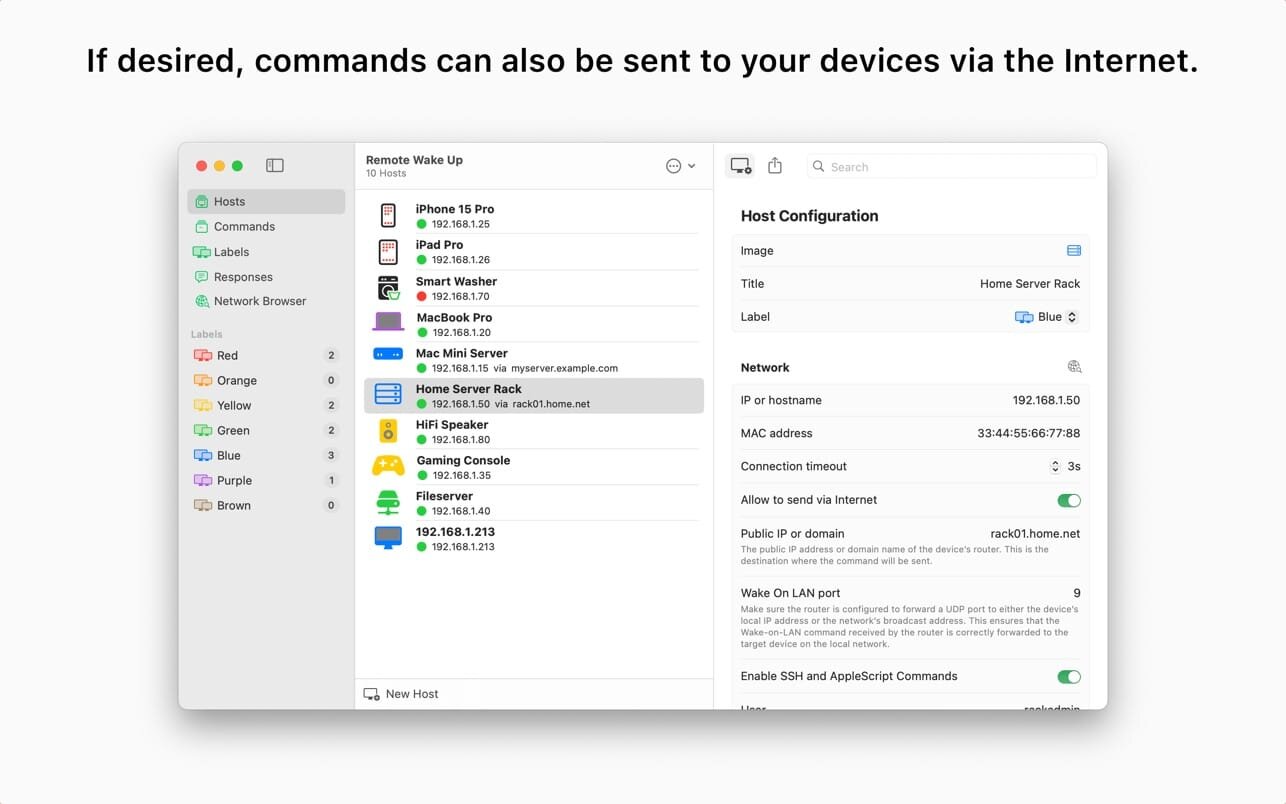
Remote Wake Up is a tool that allows you to remotely switch on every Wake On Lan capable device. You can also wake up devices over the internet. Additionally Remote Wake Up allows you to reboot, shut down, send other Macs to sleep or even send AppleScripts using SSH.
Features:
- Send SSH commands and receive output with error logs
- Run AppleScript commands
- Use Wake-on-LAN (WOL) locally or over the internet to wake up your devices
- Built-in network browser to easily discover devices
- Reusable commands across multiple hosts
- Organize hosts with custom labels and sorting
- iCloud sync of all host and command data across devices
- Menubar access on Mac for quick triggering of actions
Remote Wake Up is available for:
- macOS (with menu bar integration)
- iOS / iPadOS (sold separately)
Perfect for:
- Waking up sleeping machines
- Running remote maintenance scripts
- Power managing smart homes or labs
- Saving time on repetitive tasks
Requirements:
- Devices must support Wake-on-LAN or SSH
- Optional: Port forwarding for remote access
Version 2.0
- NEW: Version 2 of Remote Wake Up has undergone a complete overhaul, incorporating numerous user interface enhancements, many more features and ensuring consistent functionality across all supported operating systems, including Mac, iPhone, and iPad.
- NEW: A new improved Network Browser has been added to make it easier to find and configure hosts on your local network.
- NEW: Custom SSH (and AppleScript) commands can now be sent to your hosts.
- NEW: Remote Wake Up commands and host combinations can now be added as widgets or used as an action in the Shortcuts app.
- NEW: The statusbar menu has been updated with many more information about your hosts and commands.
- NEW: Responses from commands are now displayed and errors are logged.
- NEW: SSH usernames and passwords are now securely synced across your devices using iCloud Keychain Sharing.
- NEW: Host configurations can now be shared as a configuration file via the share menu.
- NEW: Additional assistance text and tips have been provided to help you with the configuration of your hosts.
- NEW: Drag and drop is now supported for hosts.
- NEW: Online/offline indicators have been added throughout the app. They display if a the IP address responses to a Ping.
- NEW: You can now enabling automatic copying of command responses to the clipboard.
- NEW: Custom descriptions can now be added to commands and labels.
- NEW: The host list can now be sorted by different attributes like name or creation date.
- NEW: A search field has been added to search for hosts and commands.
- NEW: New and updated images have been added for hosts.
- NEW: Commands can now be distinguished by color and icon.
- NEW: The number of hosts are now displayed next to the label.
- NEW: You can now specify an individual timeout for each host.
Frequently asked questions
How do I install the app?
Mount the image, drag the app into the "Applications" folder and launch it. If the system blocks the launch, allow it in "System Settings → Privacy & Security".
The app is damaged or won't launch
Reinstalling from a fresh image usually helps. Make sure your macOS version matches the one listed in the compatibility specs.
How do I update?
Download the new version from the site and install it over the current one — your settings will be preserved.
The download link doesn't work
Try a mirror or a download manager. For large files the browser often drops the connection.
How do I completely remove the app?
Use an uninstaller utility — it cleans up the service files that remain after moving the app to the trash.





Choose a download source
Remote Wake Up 2.0.0 · 12.64 MB
Previous versions
Remote Wake Up 2.0.0
Previous versions are available to registered users.