
CloudMagic Email 8.6.51
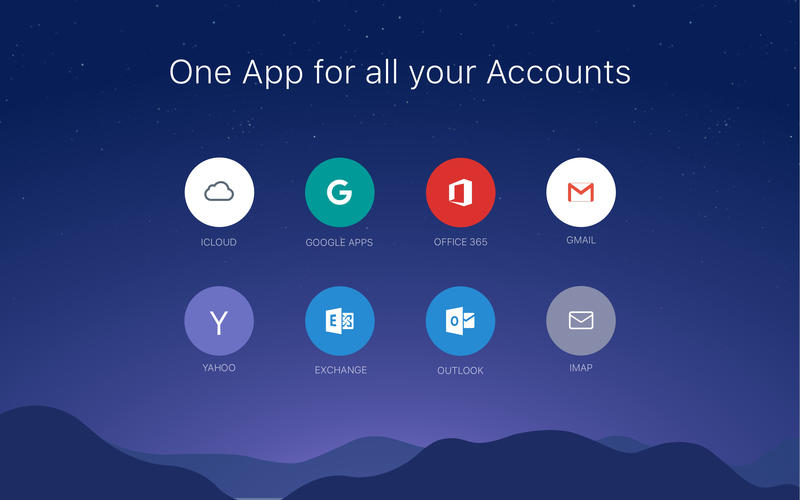
CloudMagic works with Gmail, Exchange, Yahoo, Outlook, iCloud, Google Apps, Office 365 and any IMAP accounts. Sign up once and access your email across devices with ease.
Features
- Instant push notifications for ALL types of email accounts: Gmail, Exchange, Yahoo, Outlook, iCloud, Google Apps, Office 365, IMAP - you name it!
- Supports all versions of Exchange: ActiveSync (EAS), EWS and IMAP.
- Handoff: Effortlessly hand off what you’re doing on iPhone, iPad or Apple Watch to Mac.
- Email accounts and preferences synced across devices. 10 seconds to set up on a new device.
- Unread badge count: view unread email count without opening the app.
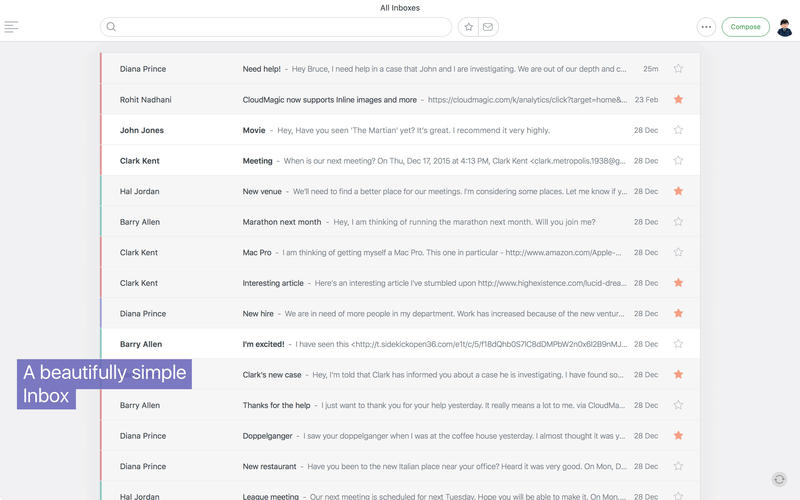
- Unified Inbox - See emails from all your accounts in one place.
- Easily manage your emails from Inbox View with one-click actions: Archive, Delete, Mark as Read/Unread
- Quick Filters - Find important emails with one-click Starred and Unread filters.
- Multi-select email - perform actions like Delete, Archive, Mark as Read/Unread and Move on multiple emails at once.
- HTML signatures - Flaunt your signature with logos and images.
- Saves battery by pushing emails from the cloud.
- Safeguard your data with our Remote Wipe option.
- Sync folders that are important to you and even get push notifications for new emails which land in these folders.
- Option to Print emails
- Keyboard shortcuts that help you get things done quickly.
WHAT’S NEW
Version 8.6.51:
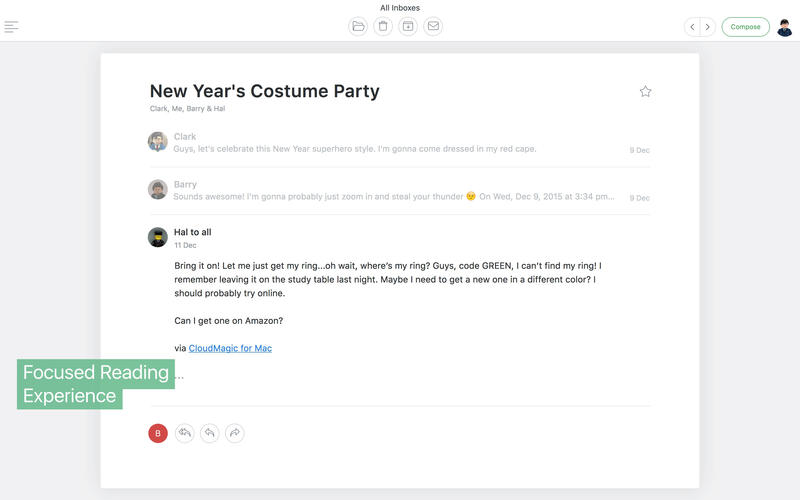
- This update comes with one of the most requested features of all time - the ability to disable/enable threading in CloudMagic.
- Conversations will be turned on by default for all accounts. But if you hate threading, just turn it off from Settings, even for your Gmail and Exchange accounts.
Screenshots
Frequently asked questions
How do I install the app?
Mount the image, drag the app into the "Applications" folder and launch it. If the system blocks the launch, allow it in "System Settings → Privacy & Security".
The app is damaged or won't launch
Reinstalling from a fresh image usually helps. Make sure your macOS version matches the one listed in the compatibility specs.
How do I update?
Download the new version from the site and install it over the current one — your settings will be preserved.
The download link doesn't work
Try a mirror or a download manager. For large files the browser often drops the connection.
How do I completely remove the app?
Use an uninstaller utility — it cleans up the service files that remain after moving the app to the trash.
VersionCloudMagic Email 8.6.51
DeveloperCloudMagic, Inc.
CompatibilityOS X 10.10 or later, 64-bit processor
LanguageEnglish, Dutch, French, German, Italian, Japanese, Korean, Portuguese, Russian, Simplified Chinese, Spanish, Ukrainian
IncludesPre-K'ed



Information
Visitors in the group Guests cannot leave comments on this publication.
Choose a download source
CloudMagic Email 8.6.51 · 10.03 MB