
Boxy for "Inbox by Gmail" 2.0.6
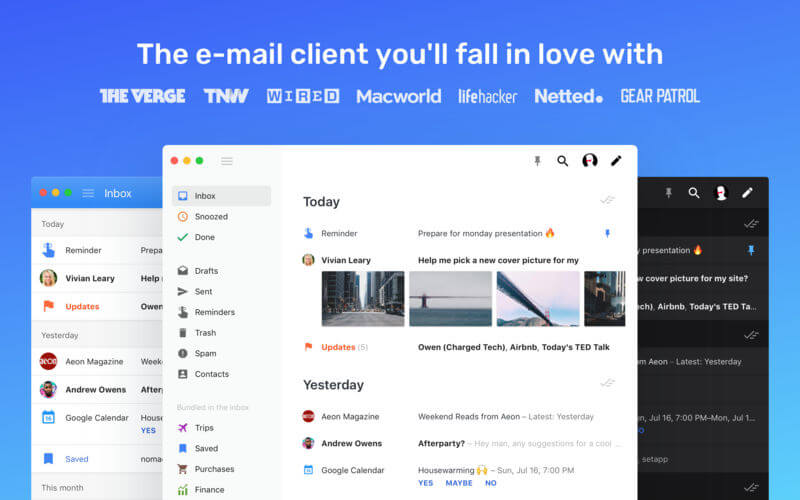
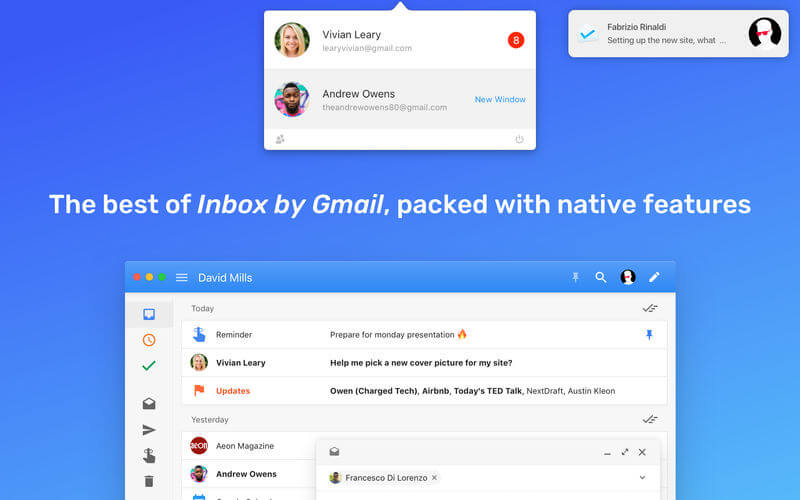
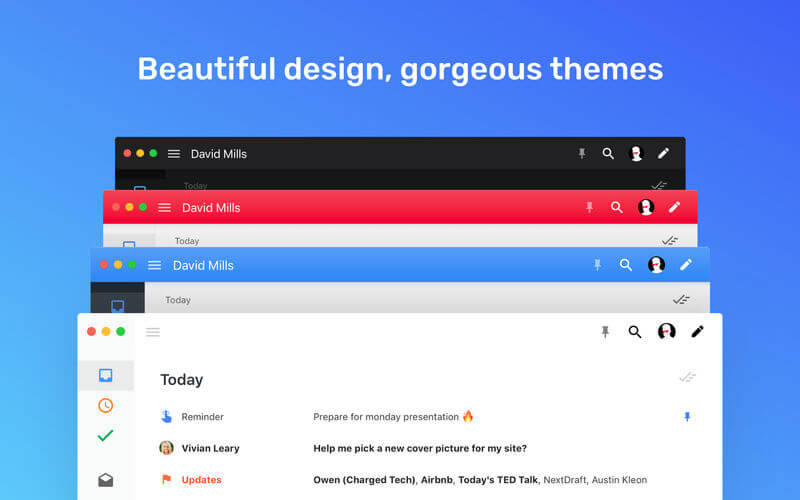
Boxy 2 is finally here. This is a minimal and powerful e-mail client you’ll fall in love with, and it’s been rebuilt from the ground up with new features and themes, a thoroughly refined interface and countless improvements.
Boxy is built for ‘Inbox by Gmail’, so it works with any Gmail account. Inbox by Gmail makes your inbox smarter and more powerful, with features like Trips, Highlights, Snooze and Quick Replies.
WHY YOU’LL LOVE BOXY
- Modern, clean, responsive interface, completely refined in version 2
- Multiple accounts and multiple windows support
- Status bar menu with quick access to your accounts and their unread counts
- Full support to ‘Inbox by Gmail’ and its distinctive features. (Trips bundles, reservations previews, saved links and much more)
- Reader Mode, for an awesome email reading experience
- Saved Searches, for users who frequently need to search using the same queries
- Multiple Themes. Choose between Light, Dark, White, Black and Crimson
- Native macOS notifications with avatars and Dock icon badge
- Markdown support in the email composer
- VIM and OS X style shortcuts support
- Full screen email composer
- Smaller minimum window size compared to all other clients
- Granular interface settings to make it perfect for you
- All in sync, start writing on Boxy e continue on mobile or web
- Regular free updates
- Snooze your emails
- Automatically suggested smart replies
- Add Reminders right in your inbox
- Bundles keep emails organized
- ‘Trips' smart bundle and previews
- Pin emails to keep them in your inbox
- Smart newsletters preview
- Google Calendar events parsing and invites shortcuts in the inbox
- ‘Saved' bundle for your saved links
- Full archive search with smart queries
Version 2.0.6
- Fix an issue with "Paste and Match Style" when pasting formatted text into Boxy from other apps.
Frequently asked questions
How do I install the app?
Mount the image, drag the app into the "Applications" folder and launch it. If the system blocks the launch, allow it in "System Settings → Privacy & Security".
The app is damaged or won't launch
Reinstalling from a fresh image usually helps. Make sure your macOS version matches the one listed in the compatibility specs.
How do I update?
Download the new version from the site and install it over the current one — your settings will be preserved.
The download link doesn't work
Try a mirror or a download manager. For large files the browser often drops the connection.
How do I completely remove the app?
Use an uninstaller utility — it cleans up the service files that remain after moving the app to the trash.
VersionBoxy for "Inbox by Gmail" 2.0.6
DeveloperFrancesco Di Lorenzo
CompatibilityOS X 10.11 or later, 64-bit processor
LanguageEnglish
IncludesK'ed by TNT





Information
Visitors in the group Guests cannot leave comments on this publication.
Choose a download source
Boxy for "Inbox by Gmail" 2.0.6 · 7.18 MB