
Airmail 2.1 - Lightning fast mail client
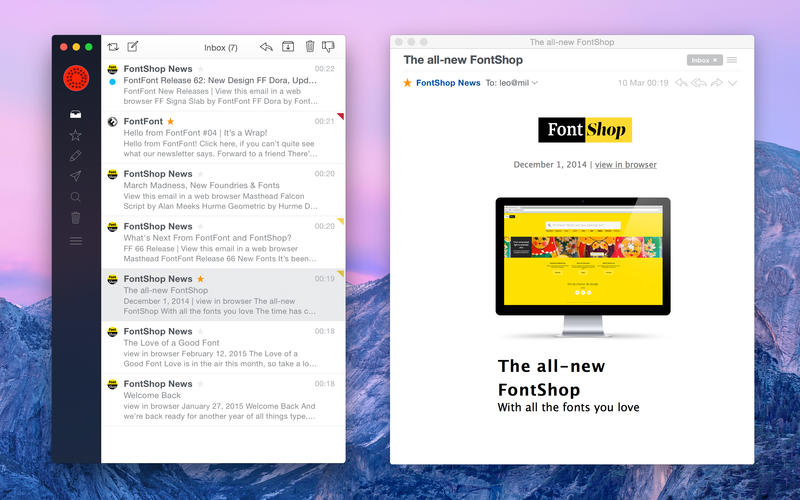
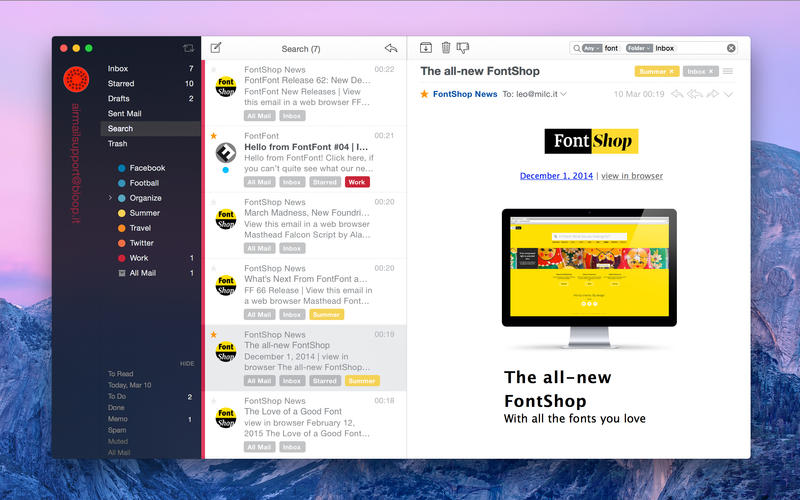
Airmail 2 is a new mail client designed for Yosemite with fast performance and intuitive interaction.
Support for iCloud™, MS Exchange, Gmail™, Google™ Apps, IMAP, POP3, Yahoo!™, AOL™, Outlook.com™, Live.com™
Airmail was designed from the ground to retain the same experience with a single or multiple accounts and provide a quick, modern and easy-to-use user experience. Airmail is clean and allows you to get to your emails without interruption - it's the mail client for the 21st century.
We have taken usability and function to the next level with Airmail and bring a striking-design with support for all major email services. Switch between accounts like a breeze and quick reply to incoming messages within seconds - email has never been so easy and productive.
New only for Yosemite:
- iCloud Account sync (except passwords)
- iCloud attachment upload and share the link.
- Today Extension, quick access to your inbox.
- Action Extension, Airmail Compose, Inline create and send messages directly form other apps
- Action Extension, Airmail Share to quick send messages and attachments.
What's New in Version 2.1
- New Icon
- New Composer Layout
- New Sort menu shortcuts
- New Gmail Threads (New Accounts Only )
- New Fantastical 2 Support
- New "Send To extension""
- New Permanently deleted form trash
- New Save attachments as
- New Move Thread behavior
- New Import accounts
- Improved Printing/Pdf Multiple messages
- Improved Privacy (prevent execute some scripting)
- Improved Operations
- Improved Reminders and Calendars (multiple events)
- Improved plugins handling
- Improved case sensitive accounts.
- Improved Gestures
- Improved Drafts
- Improved Send and Send again
- Improved Search (New Accounts Only )
- Improved Search in quoted Messages
- Fix Quick reply mapped correctly
- Fix Mark as read bug
- Fix Hangs
- Fix Crashes related to the message display
- Fixed Cancel on Send Delay
- Reverted ToDo, Memo, Done Layout
- Removed Local Flags
- Removed Menu on Message list
Screenshots

Frequently asked questions
How do I install the app?
Mount the image, drag the app into the "Applications" folder and launch it. If the system blocks the launch, allow it in "System Settings → Privacy & Security".
The app is damaged or won't launch
Reinstalling from a fresh image usually helps. Make sure your macOS version matches the one listed in the compatibility specs.
How do I update?
Download the new version from the site and install it over the current one — your settings will be preserved.
The download link doesn't work
Try a mirror or a download manager. For large files the browser often drops the connection.
How do I completely remove the app?
Use an uninstaller utility — it cleans up the service files that remain after moving the app to the trash.
VersionAirmail 2.1
Developer©Bloop SRL
CompatibilityOS X 10.8 or later, 64-bit processor
LanguageMultilangual
IncludesPre-K'ed





Information
Visitors in the group Guests cannot leave comments on this publication.
Choose a download source
Airmail 2.1 - Lightning fast mail client · 33.32 MB