
Franz 4.0 (beta)
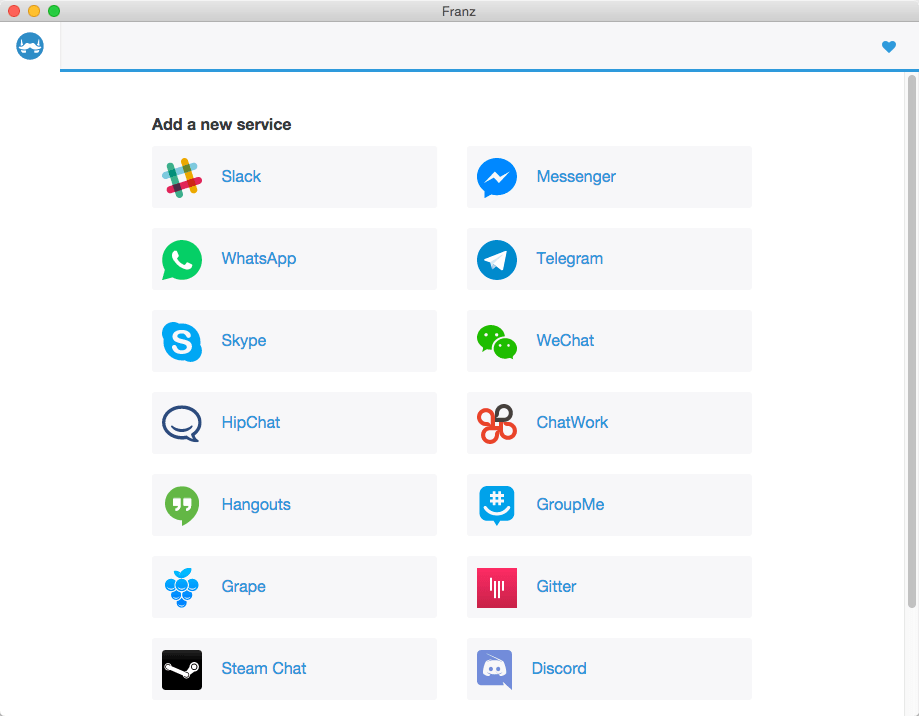
Franz is a free messaging app/former Emperor of Austria and combines chat and messaging services into one application. He currently supports Slack, HipChat, Facebook Messenger, Telegram, WhatsApp, Google Hangouts, Skype, and Grape.
Franz allows you to add every service several times. This makes Franz the perfect tool to manage multiple business and private accounts at the same time. You can even use Facebook Messenger with five different accounts at once if some inexplicable reason urges you to do so.
WHAT’S NEW
Version 4.0.0 (beta)
- Added option to globally mute/unmute all notificiations
- Added option to enable/disable services
- Added quick edit menu to the tab bar
- Added option to launch Franz on system start
- Added VK integration
- Added Wire integration
- Added ICQ integration
- Added IRCCloud integration
- Added Cisco Spark integration
- Added Facebook Pages integration
- Added LinkedIn integration
- Added Hibox integration
- Added Couple.me integration
- Added Yahoo! Messenger integration
- Added Zendesk integration
- Added API to add custom integrations
- Added support for yodel calls
- [Windows] Fixed issue when restoring maximized window from system tray
- Fixed Gmail "Grrr! Popup Blocker" message
- Improved save settings/backup logic
- Fixed open Skype links in browser
- Misc translation improvements
SCREENSHOTS
Frequently asked questions
How do I install the app?
Mount the image, drag the app into the "Applications" folder and launch it. If the system blocks the launch, allow it in "System Settings → Privacy & Security".
The app is damaged or won't launch
Reinstalling from a fresh image usually helps. Make sure your macOS version matches the one listed in the compatibility specs.
How do I update?
Download the new version from the site and install it over the current one — your settings will be preserved.
The download link doesn't work
Try a mirror or a download manager. For large files the browser often drops the connection.
How do I completely remove the app?
Use an uninstaller utility — it cleans up the service files that remain after moving the app to the trash.
VersionFranz 4.0 (beta)
DeveloperStefan Malzner
CompatibilityOS X 10.9 or later, 64-bit processor
LanguageEnglish





Information
Visitors in the group Guests cannot leave comments on this publication.
Choose a download source
Franz 4.0 (beta) · 52.81 MB