
iPhone Data Recovery 2.2.0
Your best choice to recover the deleted notes, calendar, reminder and other personal information on iPhone, iPad or iTunes backup.
When you delete a note, for example, on an iPhone, the first place it goes is to the Recently Deleted folder. Emptying the recycle bin makes this note invisible, but doesn't actually remove it. The truth behind the scenes is that iOS removes the path to access that note, and leaves the space available for future use.
What iPhone Data Recovery software do is to find these deleted notes, repair the path to let them ready for recovery, and retrieve permanently deleted notes back to your computer.
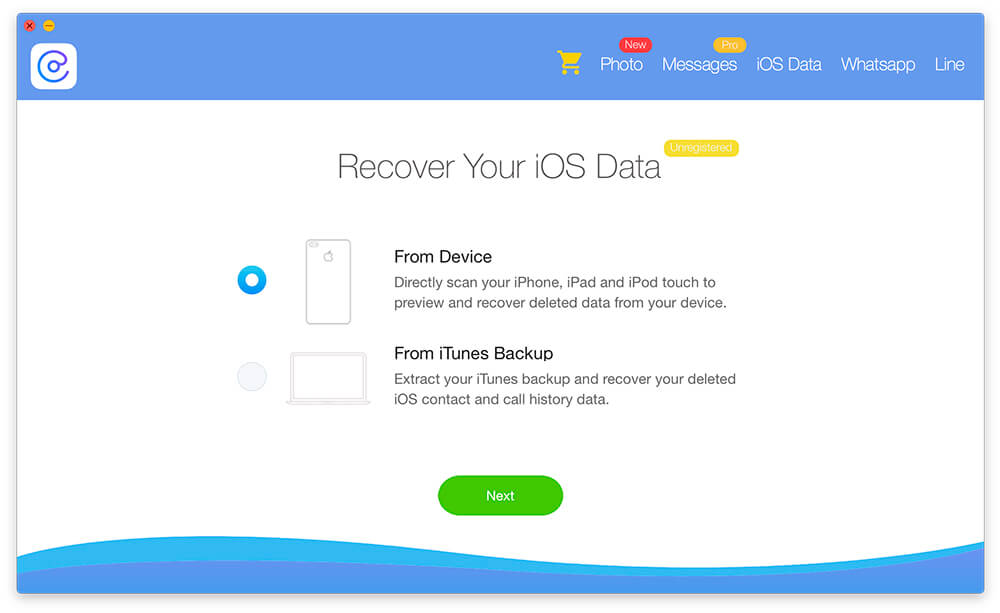
From iOS Devices
Directly scan iPhone and iPad to preview and recover your deleted iOS datas from your device.
From iTunes Backup
Extract your iTunes backup and recover your deleted notes, calendar, voice memo and other iOS data.
Screenshots:
Frequently asked questions
How do I install the app?
Mount the image, drag the app into the "Applications" folder and launch it. If the system blocks the launch, allow it in "System Settings → Privacy & Security".
The app is damaged or won't launch
Reinstalling from a fresh image usually helps. Make sure your macOS version matches the one listed in the compatibility specs.
How do I update?
Download the new version from the site and install it over the current one — your settings will be preserved.
The download link doesn't work
Try a mirror or a download manager. For large files the browser often drops the connection.
How do I completely remove the app?
Use an uninstaller utility — it cleans up the service files that remain after moving the app to the trash.
VersioniPhone Data Recovery 2.2.0
DeveloperMiniCreo
CompatibilityOS X 10.10 or later, 64-bit processor
LanguageEnglish
IncludesK'ed by TNT



Information
Visitors in the group Guests cannot leave comments on this publication.
Choose a download source
iPhone Data Recovery 2.2.0