Cisdem iPhone Recovery 3.7.0
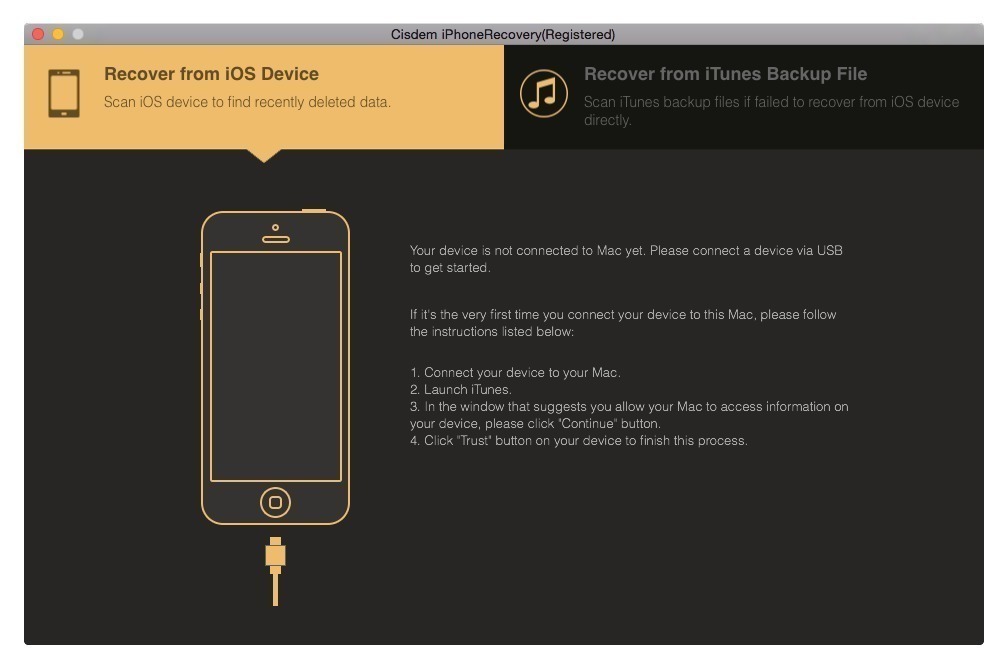
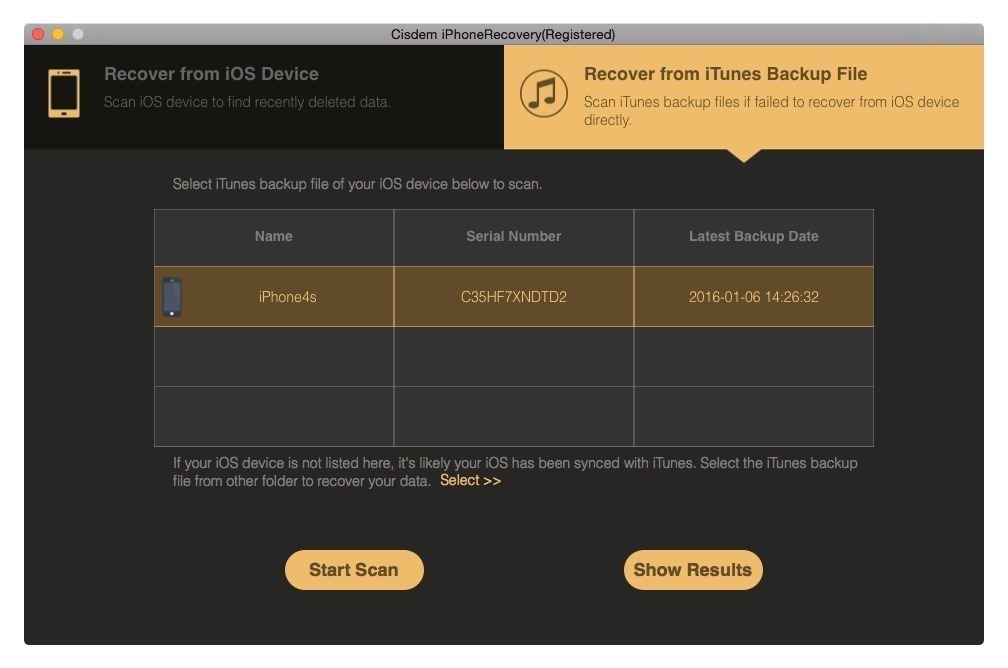
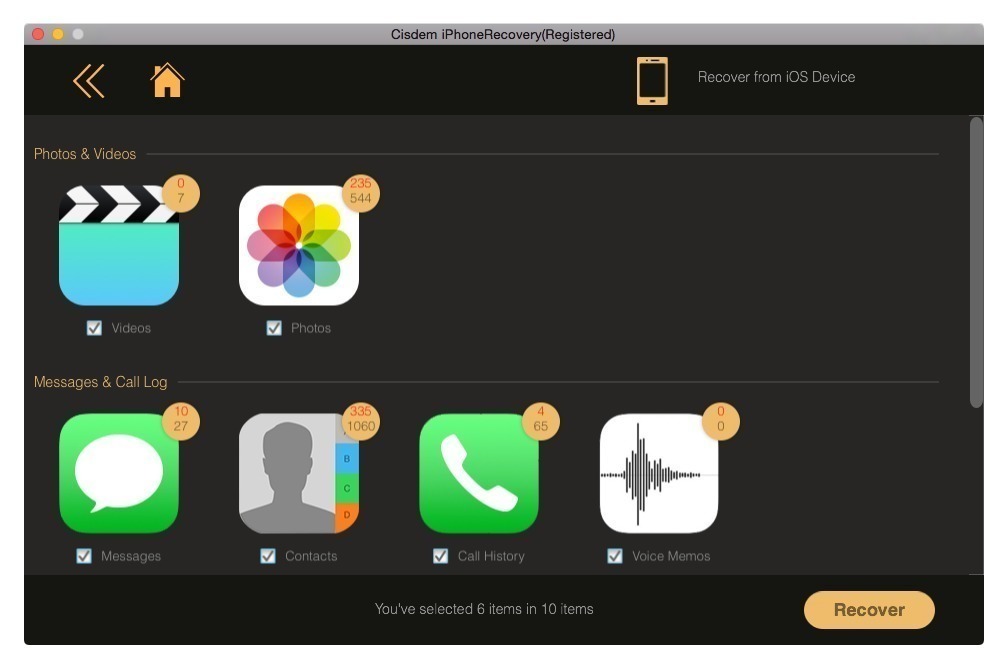
All-New Engine. Your No.1 Choice for iPhone Data Recovery. With a powerful iPhone data recovery engine focused on recovering the top 10 types of iOS contents, Cisdem iPhoneRecovery 3 for Mac makes it surprisingly simple to get your lost data completely back, keeping the original quality. No more data disaster!
Key features:
- Recover deleted or lost data directly from iDevices without backup;
- Restore from iTunes backup;
- Preview and restore the following dаta: e-mail messages, contacts, call history, bookmarks, Safari, notes, calendar and reminders.
- Recover data lost due to: iOS update, the Jailbreak, accidental deletion, restoring the factory settings, etc.
- Exports of recovered data in HTML, Excel, Word, Numbers, and Pages.
- Completely restore lost data iPhone / IPad / IPod in 3 easy steps - connect the device (or select the backup iTunes), scan, and select the data to recover.
Version 3.7.0:
- Release notes were unavailable when this listing was updated.
Frequently asked questions
How do I install the app?
Mount the image, drag the app into the "Applications" folder and launch it. If the system blocks the launch, allow it in "System Settings → Privacy & Security".
The app is damaged or won't launch
Reinstalling from a fresh image usually helps. Make sure your macOS version matches the one listed in the compatibility specs.
How do I update?
Download the new version from the site and install it over the current one — your settings will be preserved.
The download link doesn't work
Try a mirror or a download manager. For large files the browser often drops the connection.
How do I completely remove the app?
Use an uninstaller utility — it cleans up the service files that remain after moving the app to the trash.
VersionCisdem iPhone Recovery 3.7.0
Developer© Cisdem Inc.
CompatibilityOS X 10.9 or later, 64-bit processor
LanguageEnglish
IncludesK'ed by TNT
Related posts





Information
Visitors in the group Guests cannot leave comments on this publication.
Choose a download source
Cisdem iPhone Recovery 3.7.0 · 14.44 MB