PhpStorm 9.0
PhpStorm is a lightweight and smart PHP IDE focused on developer productivity that deeply understands your code, provides smart code completion, quick navigation, and on-the-fly error checking. It is always ready to help you shape your code, run unit-tests, or provide visual debugging.
Intelligent PHP editor
- PHP code completion
- Smart duplicated code detector
- PHP refactoring
- Smarty and PHPDoc support
- Language mixing (JS/SQL/XML etc.)
Lightweight IDE
- Easy installation
- Runs on Windows, OS X, Linux
- Easy project configuration — open code from anywhere and start working
- Key priority — performance
Smart environment
- Visual PHPUnit test-runner
- VCS support: SVN, Git, Mercurial, etc
- PHP UML, UML diff for changes
- FTP and remote files synchronization
- Local changes history
Visual debugging
- Zero-configuration debugger
- Breakpoints in PHP, JS, HTML
- Inspect variables, watches
- Batch code analysis
- Profiler integration
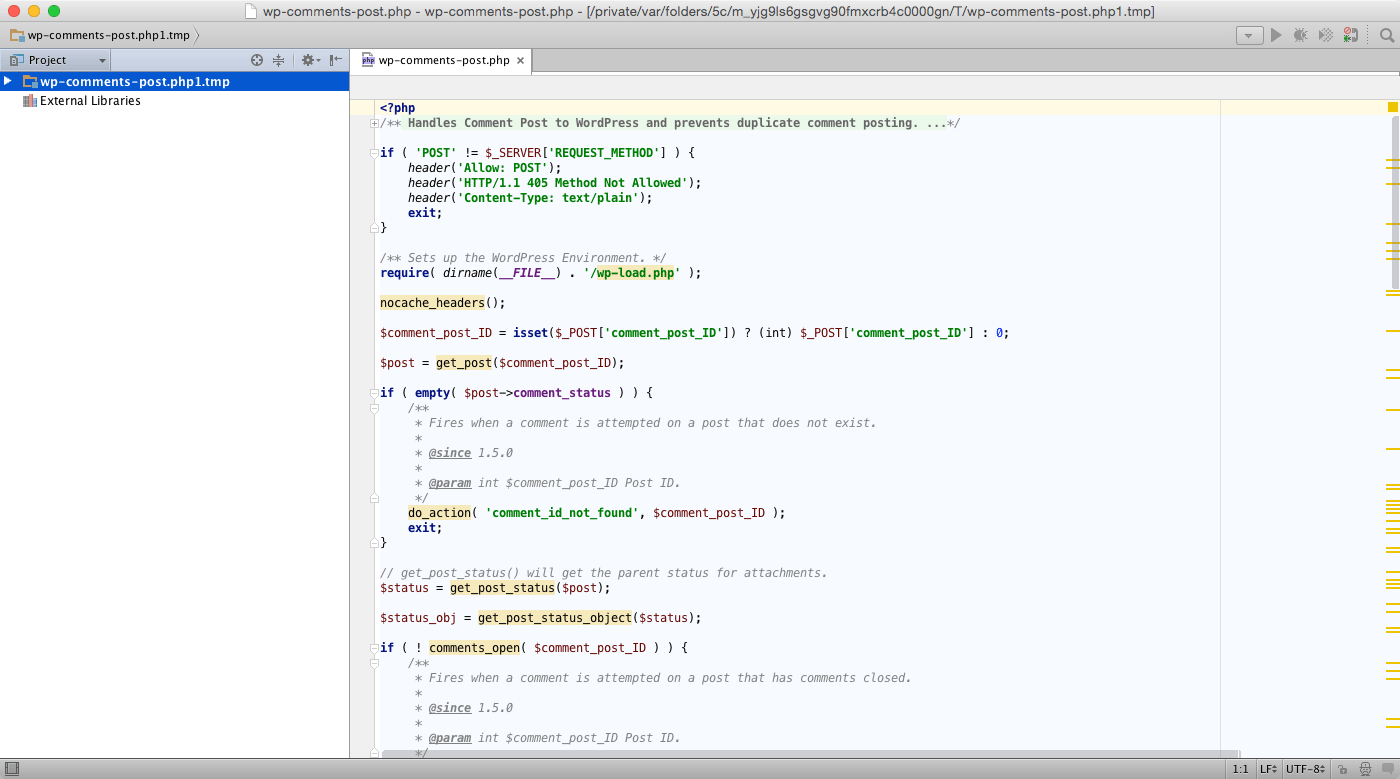
Screenshots
Frequently asked questions
How do I install the app?
Mount the image, drag the app into the "Applications" folder and launch it. If the system blocks the launch, allow it in "System Settings → Privacy & Security".
The app is damaged or won't launch
Reinstalling from a fresh image usually helps. Make sure your macOS version matches the one listed in the compatibility specs.
How do I update?
Download the new version from the site and install it over the current one — your settings will be preserved.
The download link doesn't work
Try a mirror or a download manager. For large files the browser often drops the connection.
How do I completely remove the app?
Use an uninstaller utility — it cleans up the service files that remain after moving the app to the trash.
VersionPhpStorm
DeveloperJetBrains
CompatibilityOS X 10.6 or later
LanguageEnglish
IncludesKG


Information
Visitors in the group Guests cannot leave comments on this publication.
Choose a download source
PhpStorm 9.0 · 130.3 MB