

Poedit 1.7.6
Screenshots
Click to enlarge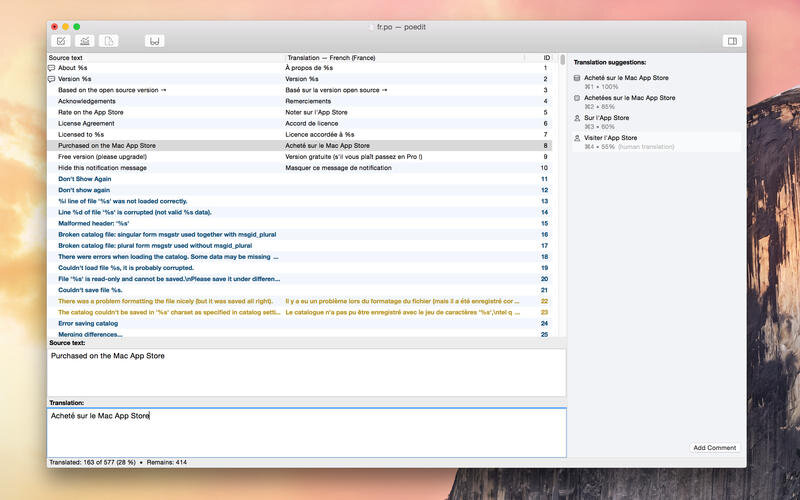
Poedit is the best translations editor for translating apps and sites that use GNU gettext for localization. This includes most Linux programs as well as PHP or WordPress. All commonly used features of gettext are supported, including plurals, message contexts or extraction of translatable strings from the source code.
This is the full version of Poedit with all Pro features enabled.
Simple & Efficient Interface
Poedit is intentionally spartan so that the the focus is on the translation you're working on. Just you and the translation, no distractions.
Safety Checks
Gettext can be tricky at times. One accidentally added % may break things if you're unlucky. Not to worry, though, Poedit checks for common problems and warns you.
Translation Memory with Online Suggestions
Poedit suggests possible translations for you. It fetches the suggestions from a vast online database that contains hundreds of millions entries and, combines with your personal translation memory and adds state-of-the-art machine translation into the mix. And that’s in addition to your personal translation memory that the app maintains.
For Developers Too
Developers can use Poedit to maintain their translation files (or templates) and keep them fresh. It may be too simple for more complicated projects, but most of the time, that simplicity comes handy.
Dedicated WordPress Support
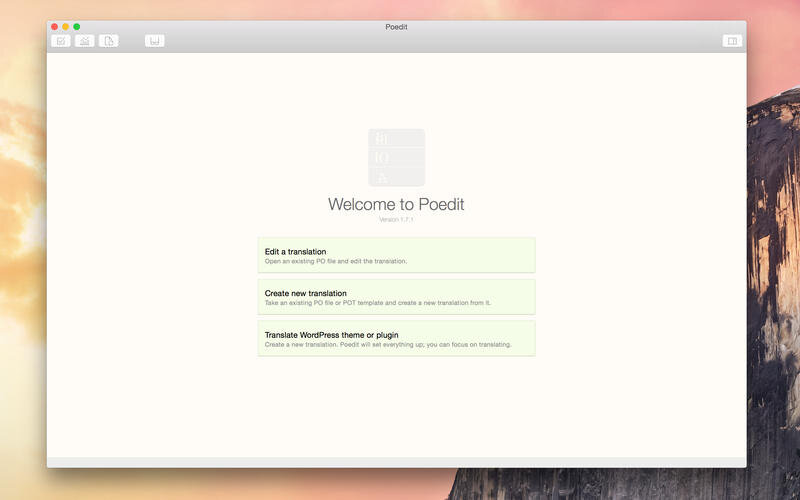
Poedit has dedicated support for WordPress themes and plugins.
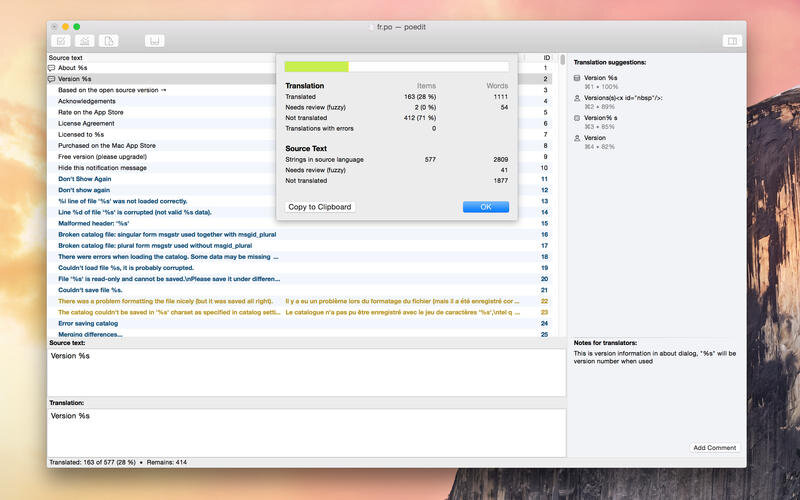
Statistics
Professionals need statistics to get paid. Poedit's word count is language-aware, conforms to the latest Unicode Standard and has built-in, dictionary-based support for text in languages such as Chinese, Japanese or Thai.
- Fixes to the handling of multiple displays.
Comments
No comments yet. Be the first.