Chroma 1.0
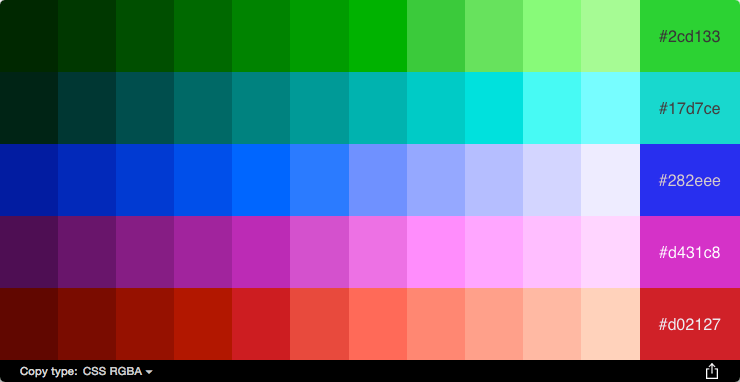
Chroma will give you naturally harmonious colors from images. It takes away the pain of picking matching colors, automatically creating a palette of over fifty colors from your images. Chroma takes advantage of your Mac’s enhanced color capabilities to generate color palettes that are naturally compatible and beautifully balanced. Copy-and-paste individual colors to use wherever you need them, or export the full palette to your favorite tools. Adding images is as simple as dragging from the Finder or a website. Chroma supports most image types you can throw at it, including PSD and RAW files. With sixteen color formats to choose from, you can copy colors by clicking them, or drag them into your text editor of choice--or directly onto Freeway items. You can export your full color palettes to Photoshop, Illustrator, Freeway, or to Apple's color-picker tool used by most Mac apps.
Screenshots
Frequently asked questions
How do I install the app?
Mount the image, drag the app into the "Applications" folder and launch it. If the system blocks the launch, allow it in "System Settings → Privacy & Security".
The app is damaged or won't launch
Reinstalling from a fresh image usually helps. Make sure your macOS version matches the one listed in the compatibility specs.
How do I update?
Download the new version from the site and install it over the current one — your settings will be preserved.
The download link doesn't work
Try a mirror or a download manager. For large files the browser often drops the connection.
How do I completely remove the app?
Use an uninstaller utility — it cleans up the service files that remain after moving the app to the trash.
VersionChroma 1.0
DeveloperSoftpress
CompatibilityOS X 10.10 or later, 64-bit processor
LanguageEnglish
IncludesK




Information
Visitors in the group Guests cannot leave comments on this publication.
Choose a download source
Chroma 1.0 · 5.29 MB