DSync 2.8.2
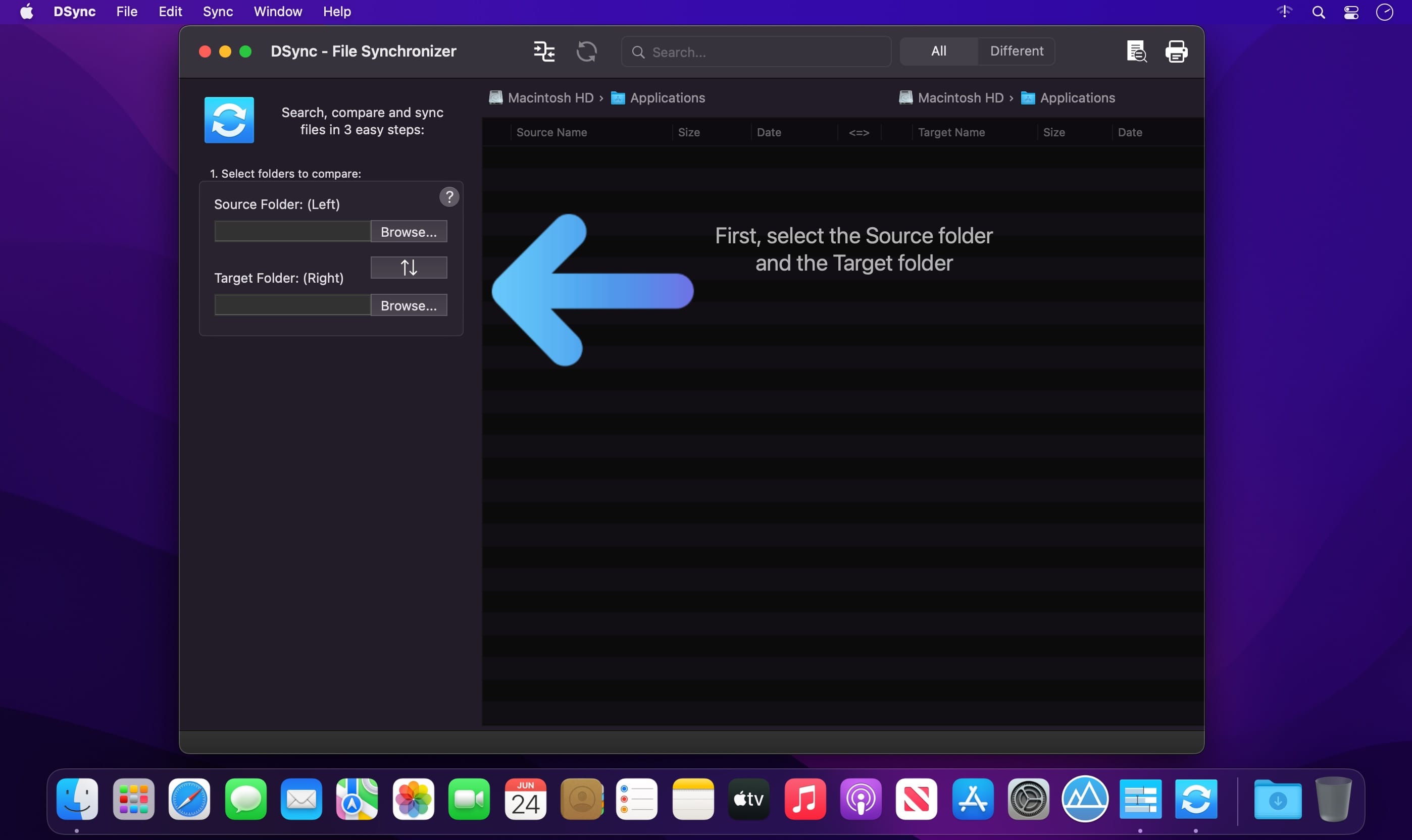
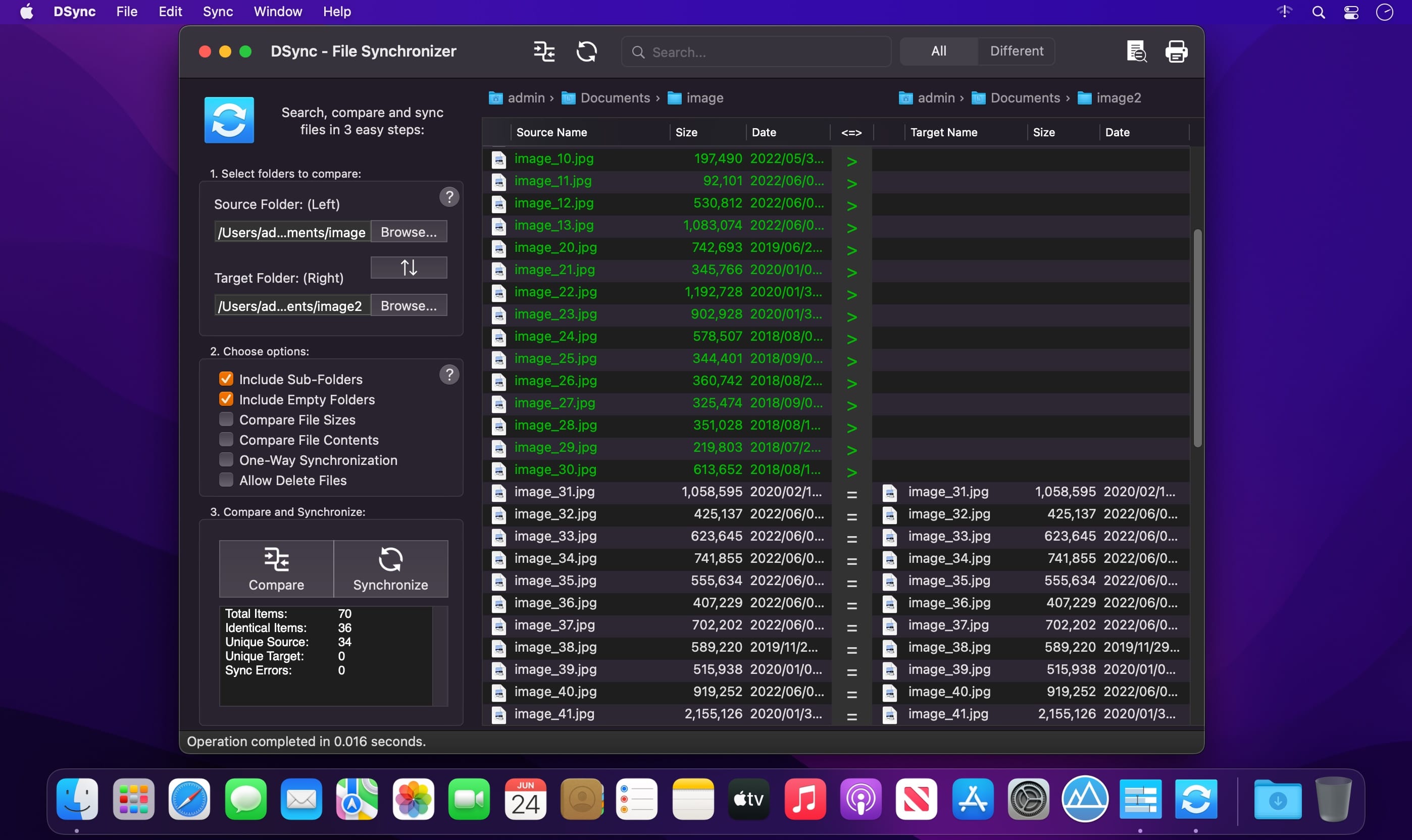
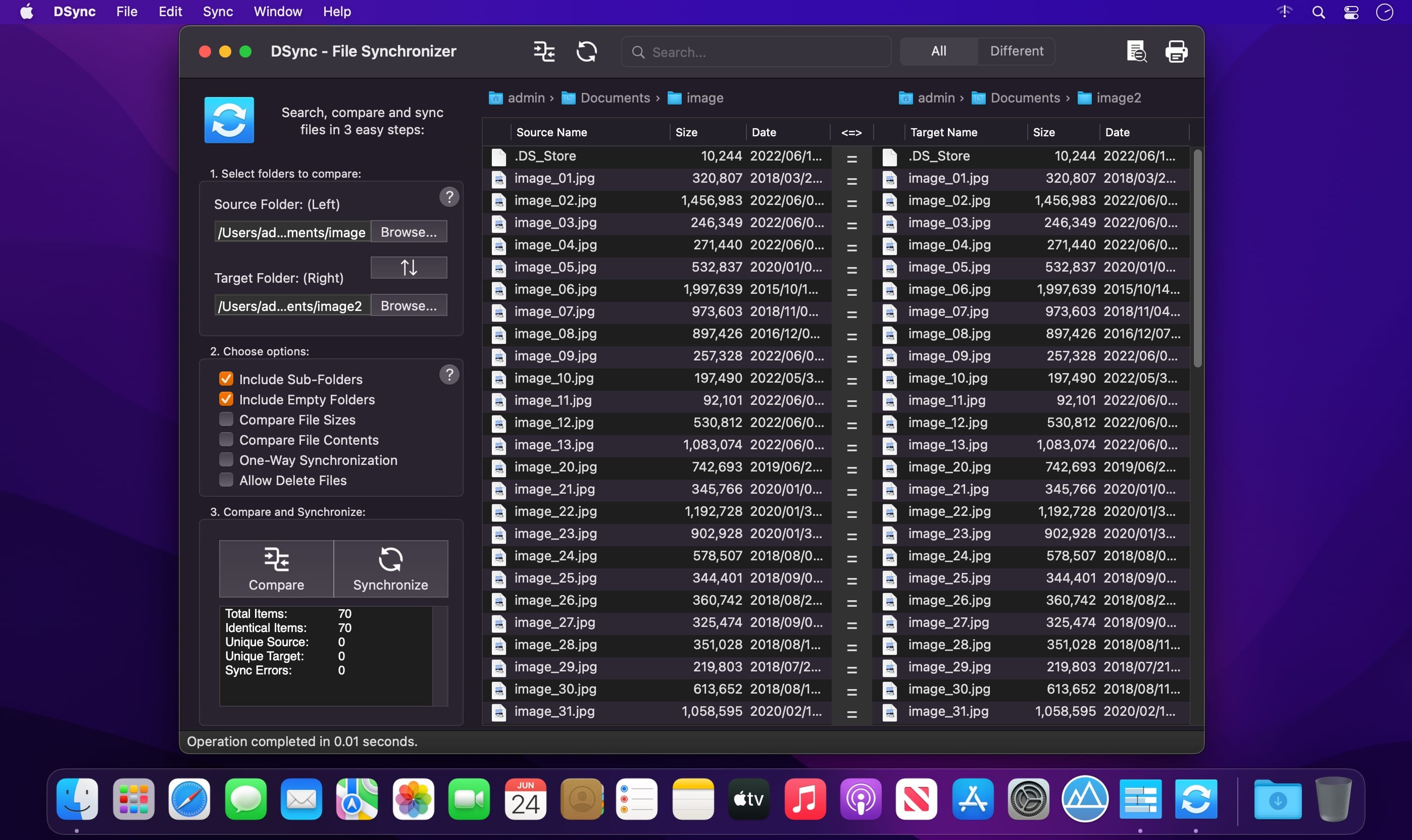
DSync allows you to easily compare and synchronize two folders on your computer.
Three steps is all it takes for DSync to synchronize your files. Select the folders, compare them, synchronize them.
Can it really be that easy? Sure it can.
After spending years trying to use tools that are too complicated, create hidden files or just too limited, we've developed DSync - the easiest way to synchronize files on Mac.
With the advanced algorithms in the latest version of DSync, synchronizing large folders with many files won't be a problem. You can even fine-tune your synchronization by skipping, deleting of reversing the copy direction of the files you choose to.
Features
- Easy to use interface 3-step user interface
- Compare folders
- Search ability with real-time results
- Results filtering
- Ability to compare massive amount of files
- Fast scanning performance and low memory usage
- Traverse sub-folders option
- Compare File Sizes
- Compare File Contents, based on file CRC checksum
- Asymmetric synchronization option
- Manual per-file synchronization option
- Swap folders ability
- Can Delete Files option to prevent accidental deletion of files
- Fast synchronization
- Progressbar to see exact progress when comparing and when synchronizing
- Shows folder contents including name, size and date for each item
- Ability to override synchronization direction
- Fine-grained selection of synchronization procedures
- Support for iCloud, DropBox and Google Drive
- QuickLook support
- Print ability
- Fullscreen support
- On-screen tutorial
Version 2.8
- added QuickLook for Target items as well (open from right-click menu or Shift+Space)
- added Include Hidden Files option
- added New Folder button when browsing for target folder
- fixed empty file issue when attempting to compare certain symlink or aliases
- fixed reported issues
Frequently asked questions
How do I install the app?
Mount the image, drag the app into the "Applications" folder and launch it. If the system blocks the launch, allow it in "System Settings → Privacy & Security".
The app is damaged or won't launch
Reinstalling from a fresh image usually helps. Make sure your macOS version matches the one listed in the compatibility specs.
How do I update?
Download the new version from the site and install it over the current one — your settings will be preserved.
The download link doesn't work
Try a mirror or a download manager. For large files the browser often drops the connection.
How do I completely remove the app?
Use an uninstaller utility — it cleans up the service files that remain after moving the app to the trash.


Choose a download source
DSync 2.8.2 · 5.44 MB