
Crypt Sync Files 1.3.1
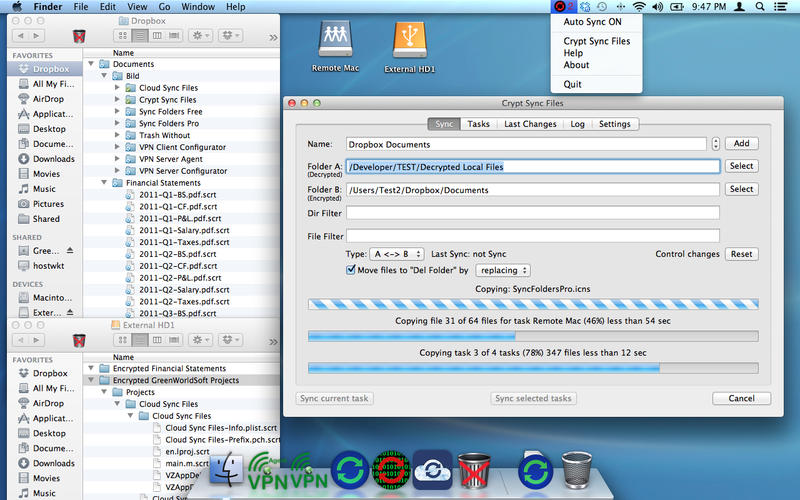
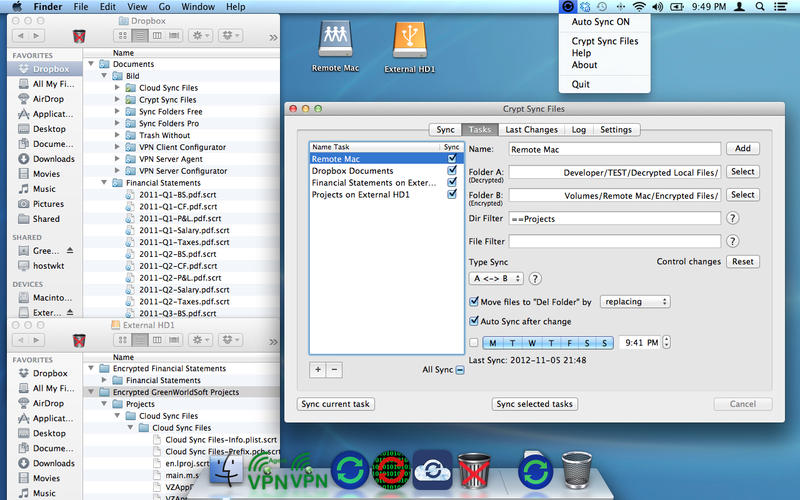
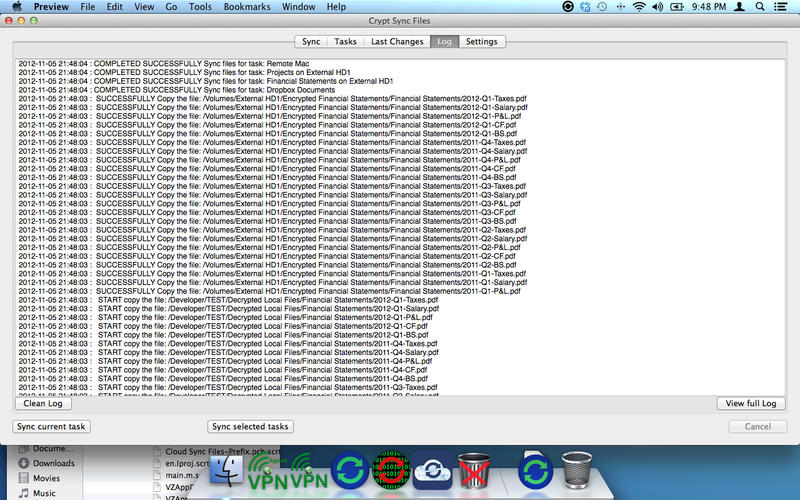
You can store your encrypted files on external drives, network folders, cloud services and don’t worry about file security.
The Crypt Sync Files encrypts / decrypts and synchronize files between local folders and USB Drive, memory cards, network drives, folders on Cloud services (Dropbox, etc.)
You can choose the encryption AES256 or ZIP archive with a password.
Features:
- Two mode of encryption. AES256 or ZIP archive with a password.
- Encryption / decryption and sync any number of folders same time.
- 6 modes of synchronizing.
- Tracking deletions in synchronized folders, real 2-way sync.
- Automatic encryption / decryption and synchronization on the fly, when there are changes.
- Schedule your encryption / decryption and synchronization for any time.
- Encryption / decryption and sync Macs across a network.
- Encryption / decryption and sync local folders and folders on Cloud services (Dropbox, etc.)
- Encryption / decryption and sync external drives (USB, memory cards, etc.) with your Mac, and vice versa.
- Powerful filter for files and/or folders on the entry and/or exclusion.
- View the latest changes in synchronized folders. Quick view last changes and Finder Integration.
- Saving the synchronized files in a specific location ("Delete folder"). Using this mode you are insured against accidental deletion of files, and can always return all the files even if you are re-sync a few times. Structure of folders and subfolders stored in the "Delete Folder".
- Each sync task has the status showing when it was done last time.
- Run as Menu Bar App.
- Work in the background.
- Logging of the encryption / decryption and synchronization process.
- The app has a limitation on the size of the encrypted file. Encrypted file size must be less than 33% of the RAM Mac.
Version 1.3.1
- Improved compatibility with macOS 10.13 (User Settings)
Frequently asked questions
How do I install the app?
Mount the image, drag the app into the "Applications" folder and launch it. If the system blocks the launch, allow it in "System Settings → Privacy & Security".
The app is damaged or won't launch
Reinstalling from a fresh image usually helps. Make sure your macOS version matches the one listed in the compatibility specs.
How do I update?
Download the new version from the site and install it over the current one — your settings will be preserved.
The download link doesn't work
Try a mirror or a download manager. For large files the browser often drops the connection.
How do I completely remove the app?
Use an uninstaller utility — it cleans up the service files that remain after moving the app to the trash.
VersionCrypt Sync Files 1.3.1
DeveloperGreenWorldSoft
CompatibilityOS X 10.7 или более поздняя версия
LanguageEnglish
IncludesK'ed by TNT

Information
Visitors in the group Guests cannot leave comments on this publication.
Choose a download source
Crypt Sync Files 1.3.1 · 4.38 MB