Transcriva 2.016
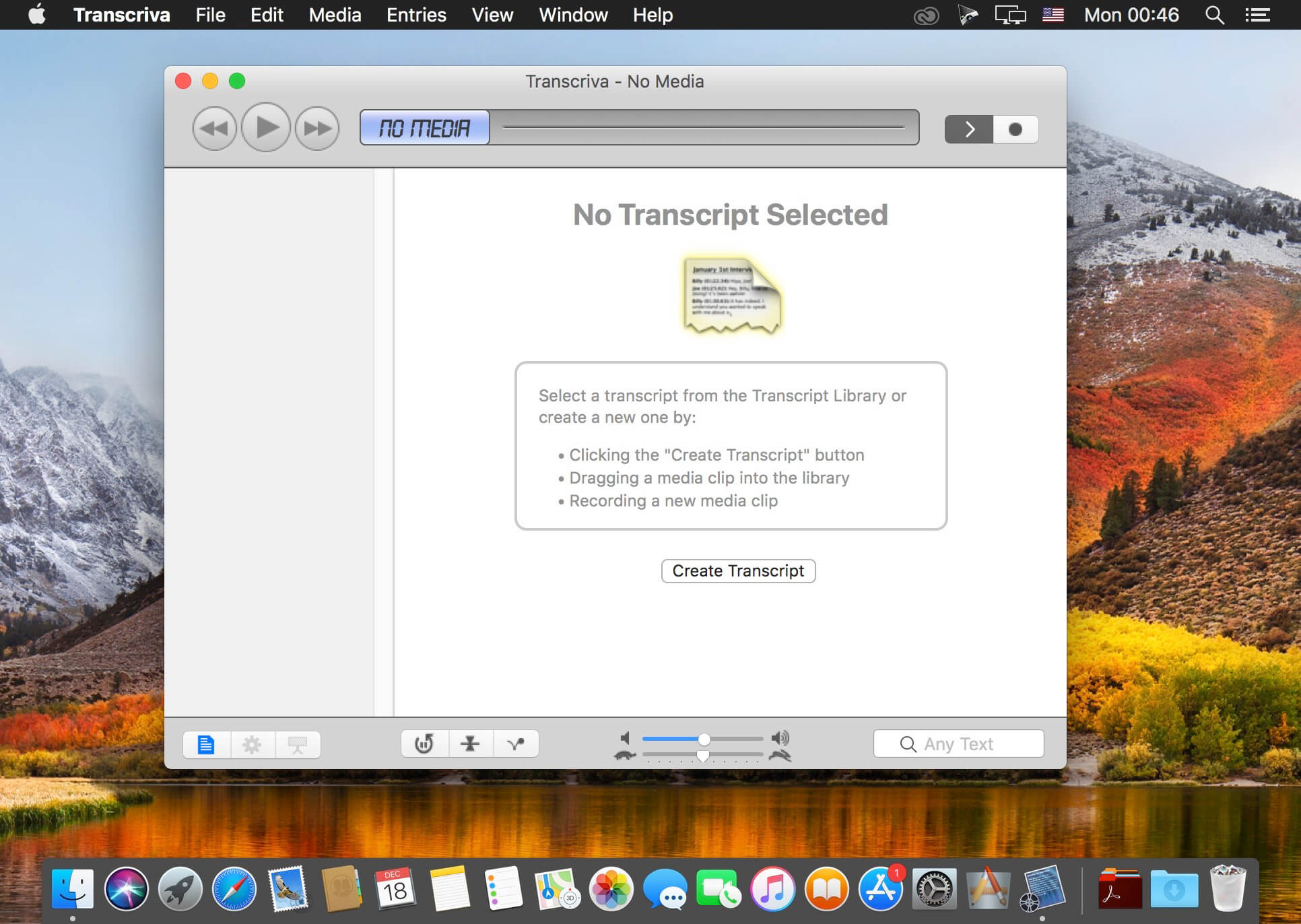
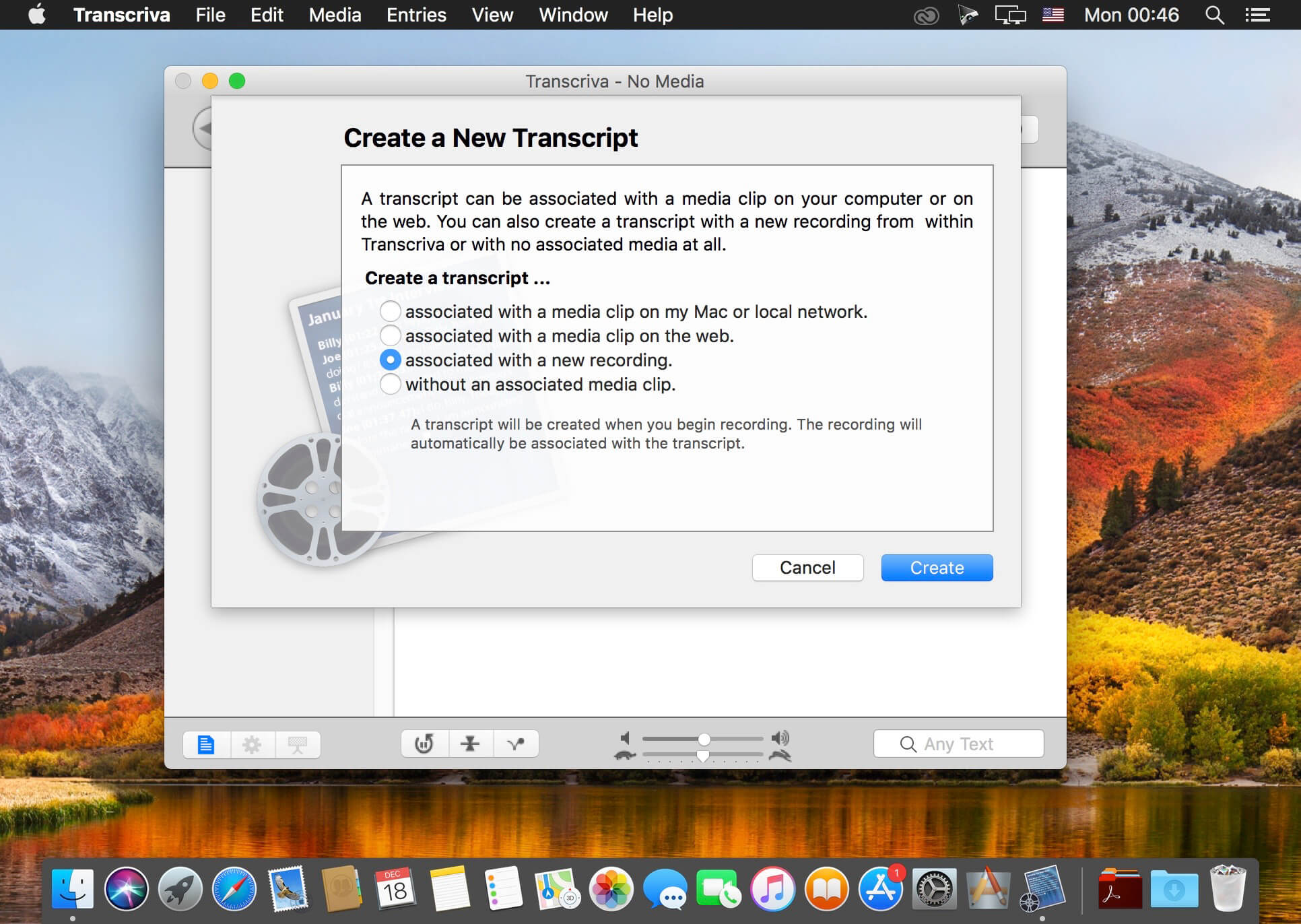
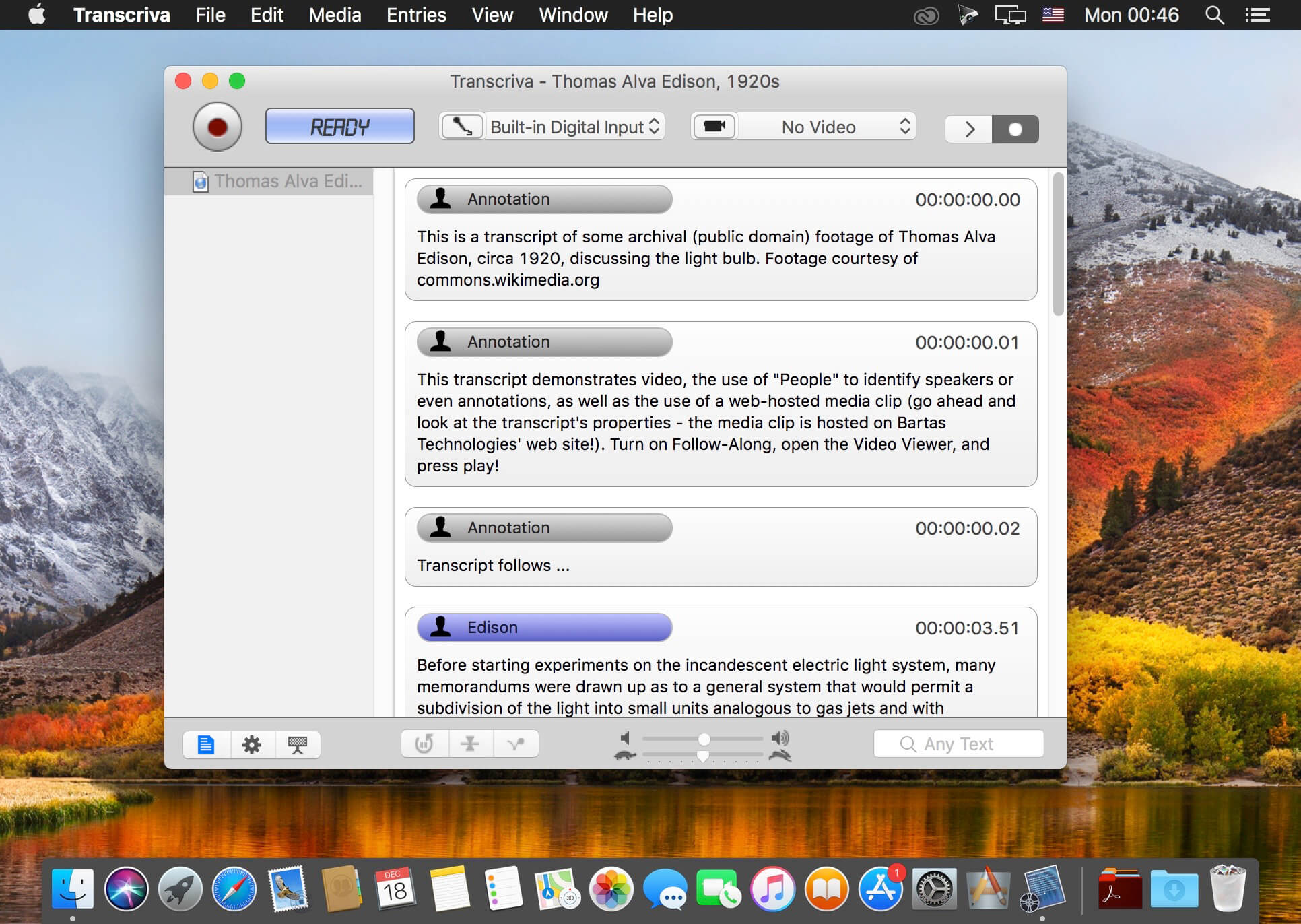
Transcriva is transcription software for the Mac. Whether it's your meeting minutes, interviews, lectures, home movies, dictation, speeches, or your favorite TV show, Transcriva can help you transcribe them all. You do the typing, Transcriva takes care of the rest.
Transcriva is now a "library-based" application. Disparate documents scattered about your volumes are a thing of the past. Like Address Book, iTunes, iPhoto, and many other great applications, Transcriva keeps all your transcripts in one place, a central database. Your transcripts "point to" the media files with which they are associated. This lets you keep your media where you choose, and keep your transcripts organized.
Transcriva's user interface puts the features you need in front of you and the rest within easy reach. Fit and finish meets careful design.
Have a Look …
- Transcript Library
- Transcript Editor
- Media Track
- Playback & Record
- View Controls
- Playback Options
- Volume & Speed
- Search Field
Frequently asked questions
How do I install the app?
Mount the image, drag the app into the "Applications" folder and launch it. If the system blocks the launch, allow it in "System Settings → Privacy & Security".
The app is damaged or won't launch
Reinstalling from a fresh image usually helps. Make sure your macOS version matches the one listed in the compatibility specs.
How do I update?
Download the new version from the site and install it over the current one — your settings will be preserved.
The download link doesn't work
Try a mirror or a download manager. For large files the browser often drops the connection.
How do I completely remove the app?
Use an uninstaller utility — it cleans up the service files that remain after moving the app to the trash.
VersionTranscriva 2.016
DeveloperBartas Technologies
CompatibilityOS X 10.6 or later
LanguageEnglish
IncludesK'ed by TNT




Information
Visitors in the group Guests cannot leave comments on this publication.
Choose a download source
Transcriva 2.016 · 4.76 MB