
SofaPlay 1.5.2
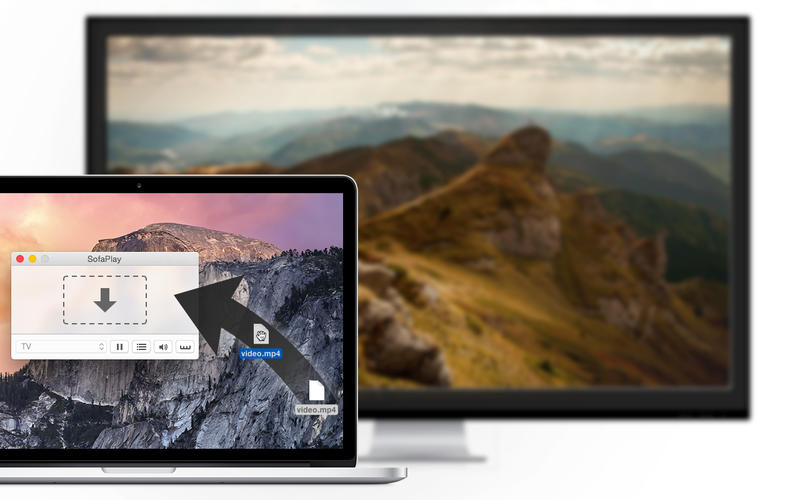
SofaPlay allows you to play media files directly from your Mac on the tv. It connects your Mac to your Smart TV and takes care of the streaming. Just drag any movie file onto SofaPlay and it will appear instantly on the big screen in front of you. SofaPlay streams your video wirelessly to your TV.
No configuration needed, no hassle. Just drag and drop.
Your Mac is completely controlling and managing your TV and taking care of the streaming. Just lean back on your sofa, get some pop-corn and enjoy a movie, or two.
IMPORTANT: SofaPlay is working with devices, which are supporting the UPnP/DLNA Digital Media Renderer standard. Fortunately, most of the new TVs are working with SofaPlay. Also, there are a few supported Blu-Ray Players. If your device has a network connection (wireless or wired), there is a great chance it is supported.
WHAT’S NEW
Version 1.5.2
- Small update to improve the reliability of SofaPlay.
- Apple TV: Download our SofaPlay TV app on your Apple TV (4th Gen) and use SofaPlay to stream media files to your Apple TV
Screenshots
Frequently asked questions
How do I install the app?
Mount the image, drag the app into the "Applications" folder and launch it. If the system blocks the launch, allow it in "System Settings → Privacy & Security".
The app is damaged or won't launch
Reinstalling from a fresh image usually helps. Make sure your macOS version matches the one listed in the compatibility specs.
How do I update?
Download the new version from the site and install it over the current one — your settings will be preserved.
The download link doesn't work
Try a mirror or a download manager. For large files the browser often drops the connection.
How do I completely remove the app?
Use an uninstaller utility — it cleans up the service files that remain after moving the app to the trash.
VersionSofaPlay 1.5.2
DeveloperFabian Pimminger
CompatibilityOS X 10.7 or later, 64-bit processor
LanguageEnglish, German
IncludesPre-K'ed





Information
Visitors in the group Guests cannot leave comments on this publication.
Choose a download source
SofaPlay 1.5.2 · 4.19 MB