
EdgeView 2.930
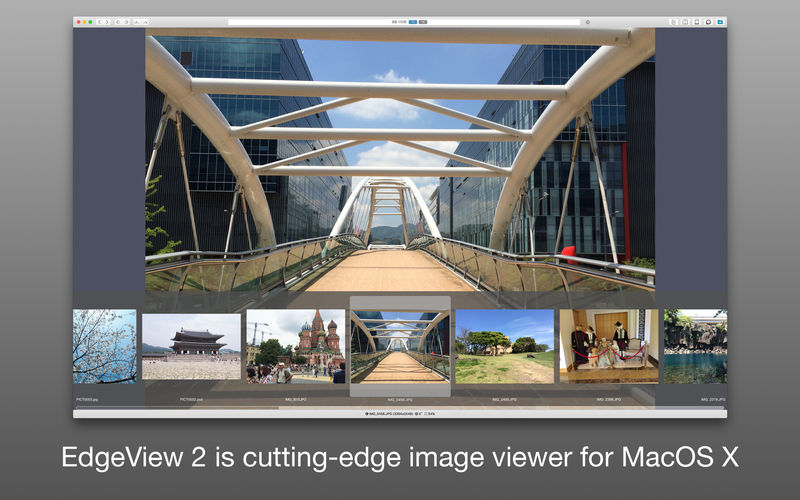
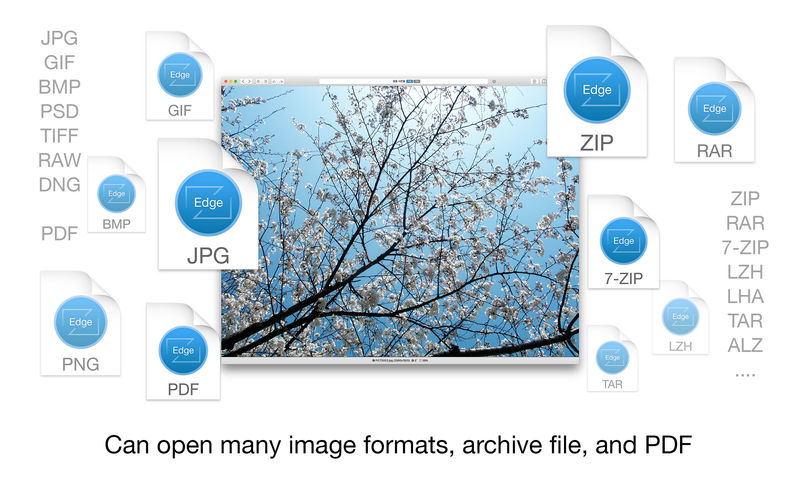
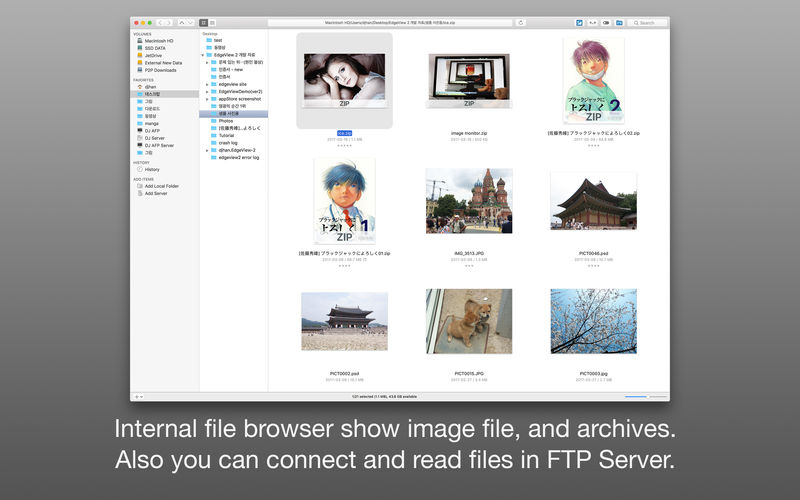
EdgeView 2 is a cutting-edge image viewer; you can open various image files, and can open archive files such as ZIP and RAR in its built-in file browser without extraction; you can also connect to FTP and open files directly; EdgeView is an excellent choice when viewing and managing image or cartoon files such as archives.
Features
Image viewer:
- Supporting image files such as JPG, GIF, BMP, PSD, TIFF and PDF
- Supporting major archive formats such as ZIP, RAR, CBZ, CBR, 7-zip, ALZ, etc
- Can extract encrypted archive file
- Can read archive file in archive file in archive… as they are
- Advanced pre-read cache for fast loading
- High quality image rendering
- Provide suitable function for comic reading - Two-page spread, reading from right to left, etc
- Powerful navigation function - Move previous/next, skip, move only one page(shift previous/next), etc.; you can move while checking thumbnails with progress bar and thumbnail bar
- Support for trackpad gestures - Moving pages with swipe gesture, scaling with pinch gesture
- Built-in loupe function to make it easier to see small character
- Can zoom in/out image freely
- Various special effects can be applied in real time - Insert shadow in spread pages, auto level correction, blur, sharpen, unsharpen mask, grayscale, colorize, etc.; detailed setting is possible from the effects HUD
- Can roate, flip horizontal, flip vertical image
- Support for Animated GIF - Pause/play, move to previous/next frame, and can change frame rates from animated GIF HUD
- Support for Slideshow
- You can adjust transparency for each window
File browser:
- Built-in file browser display files as lists or icon
- Can be arranged by file name, rates, writer, category, etc
- Easily add and modify additional information such as rates, writer, category
- Provide search functions such as spotlight search, file name search
- Can connect to FTP server in a file browser
- FTP file search is also supported
- Image files, archive files in FTP can also be opened directly (The archive file will be downloaded and opened in a temporary folder; the files in the temporary folder are deleted automatically afterwards)
- Save opened folders, archive files, PDF files as history
- The last opened page, file position, special effects, display settings are saved and restored as it is at the last state when reopening
- Can remote control in comicShare app in iOS device (http://comicshare.yu-nagi.com)
Other:
- Automatically create thumbnails of archive files containing images with the built-in QuickLook plug-in
- Archive files without images display the included file list on the QuickLook panel
Version 2.930
- fix Chinese resource.
Frequently asked questions
How do I install the app?
Mount the image, drag the app into the "Applications" folder and launch it. If the system blocks the launch, allow it in "System Settings → Privacy & Security".
The app is damaged or won't launch
Reinstalling from a fresh image usually helps. Make sure your macOS version matches the one listed in the compatibility specs.
How do I update?
Download the new version from the site and install it over the current one — your settings will be preserved.
The download link doesn't work
Try a mirror or a download manager. For large files the browser often drops the connection.
How do I completely remove the app?
Use an uninstaller utility — it cleans up the service files that remain after moving the app to the trash.




Choose a download source
EdgeView 2.930 · 18.36 MB
Previous versions
EdgeView 2.930
Previous versions are available to registered users.