iPartition 3.4.5
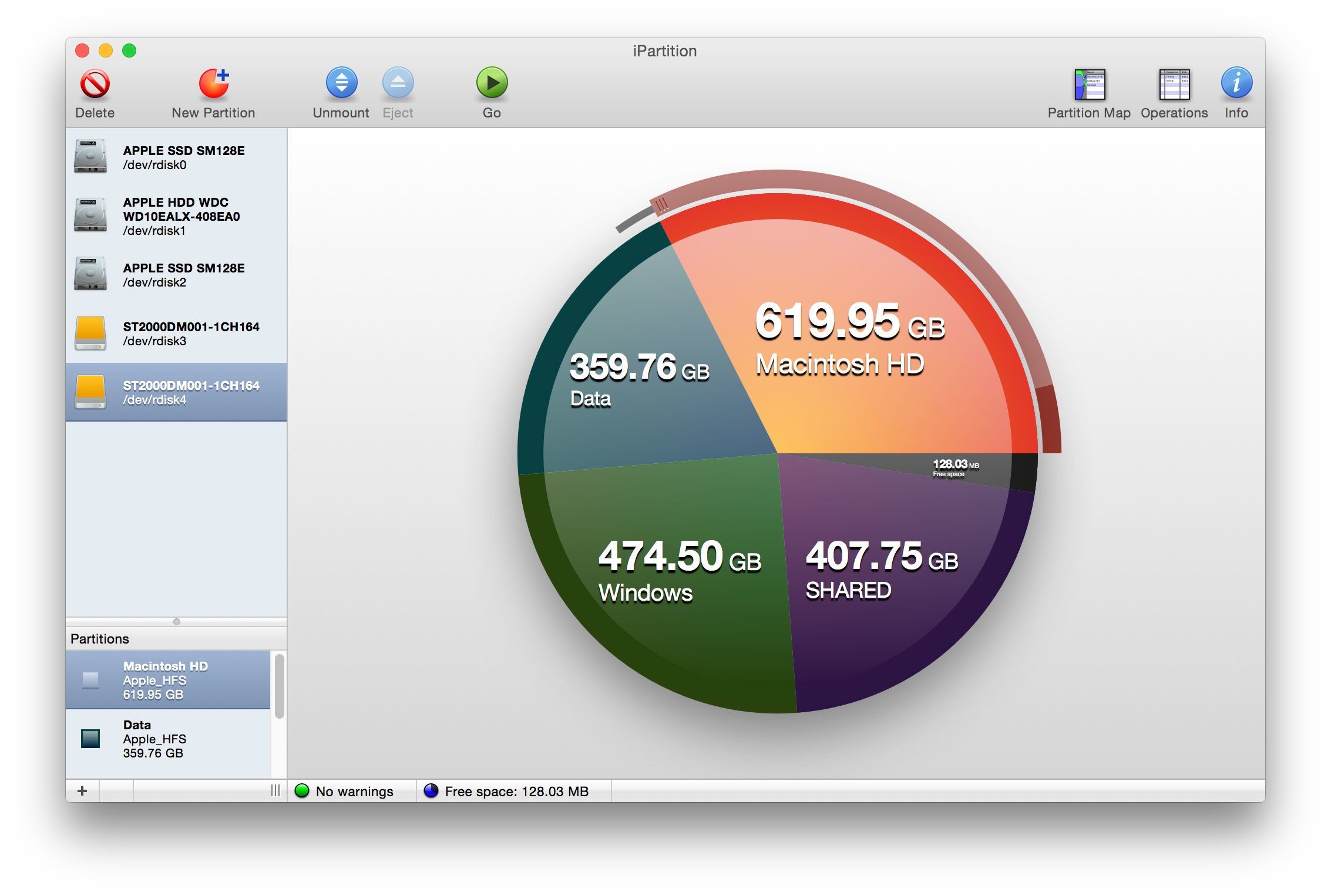
iPartition’s intelligent partitioning algorithm makes it easy to repartition your Mac OS X or PC disks — just select a partition and drag the slider to resize it, with no need to tediously shuffle partitions around yourself to get the disk the way you want.
For Boot Camp users, iPartition natively supports HFS, HFS+, FAT and NTFS filesystems, which makes it a breeze to resize your Windows partition if you find that you made it the wrong size.
Features:
Filesystem support
iPartition fully supports HFS, HFS+, FAT and NTFS out of the box. It also knows the correct partition types for a whole load more, though it can’t format them or non-destructively resize them.
Repartition without reformatting
Want to change the size of a partition that’s currently full of data? iPartition supports non-destructive resize of HFS+, FAT and NTFS partitions.
Case sensitivity conversion
Convert case-sensitive HFS+ to normal HFS+ and vice-versa, a real boon if you’ve made the wrong choice in the past.
Supports PC disks too
iPartition 3 supports PC partition tables as well as Apple and GUID Partition Table formats used on the Mac.
Smart partitioning
Unlike other partitioning utilities, iPartition is smart enough to work out where your partitions need to go without having to ask you to shuffle them around yourself. All you need do is tell it what size to make them and let it worry about the rest.
Power cut during partitioning? No problem.
Partitioning is risky, but we’ve got you covered — while we don’t recommend relying on it, iPartition can normally recover the disk even if you pull the plug during repartitioning.
Version 3.4.5:
- Compatible with upcoming Gatekeeper changes in OS X 10.9.5 update
- Fixed a hard-to-trigger bug in our HFS code that might have caused a crash.
See: Using iPartition 3.4.5 with Yosemite
N.B. iPartition is not compatible with Drobo. Attempting to repartition a Drobo unit, or any other thin provisioned unit, may result in data loss.
Frequently asked questions
How do I install the app?
Mount the image, drag the app into the "Applications" folder and launch it. If the system blocks the launch, allow it in "System Settings → Privacy & Security".
The app is damaged or won't launch
Reinstalling from a fresh image usually helps. Make sure your macOS version matches the one listed in the compatibility specs.
How do I update?
Download the new version from the site and install it over the current one — your settings will be preserved.
The download link doesn't work
Try a mirror or a download manager. For large files the browser often drops the connection.
How do I completely remove the app?
Use an uninstaller utility — it cleans up the service files that remain after moving the app to the trash.

Choose a download source
iPartition 3.4.5 · 9.09 MB