
Remote Buddy 2.0.19
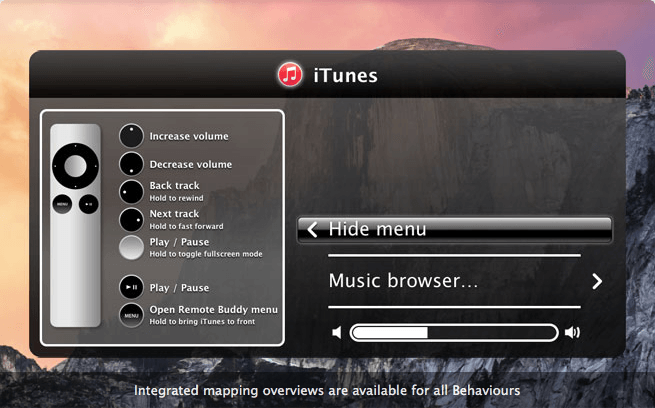
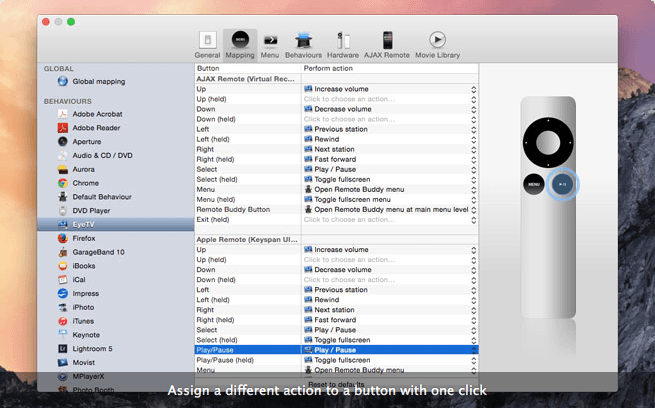

Remote Buddy allows you to remotely control anything on your Mac with your iPhone, iPod Touch, Apple Remote or Wii Remote. Features and ideas on what you can use it for include:
- Control your Mac and access its iTunes library via your iPhone or iPod Touch using Remote Buddy's AJAX Remote
- Support for switching between AirPlay speakers
- Use many EyeTV remotes to control Remote Buddy
- Control your entire Mac with your remote control: applications, games, mouse, keyboard, internet, ratings, audio, video, drives, files, displays, power, ..
- Virtual on screen keyboard and mouse. Virtual remote control emulating an Apple Remote.
- 100+ different Behaviours that support applications, games, tools, operating system and hardware control already included.
- Decent, smart, dynamic and configurable menu that you can adjust to your needs (and not the other way round).
- The most powerful, most versatile, most rapidly growing tool for the Apple Remote. Winner in the "Best use of Apple Technologies" category of the MacGeneration Awards 2006.
- Not afraid of a thorough test: testdrive the full, unlimited product for up to 14 days using the trial version.
- Unparalleled, direct hardware support: built-in support for the most popular remote controls on the Mac: Apple Remote, Apple iPhone, Harmony Smart Control, Wii Remote, many EyeTV remotes, Sony BD Remote, Keyspan DMR, Keyspan Express, Keyspan RF Remote for Front Row, Griffin AirClick USB, and more.
- Built-in, powerful developer tools for those who won't accept the sky as the limit ;-)
Frequently asked questions
How do I install the app?
Mount the image, drag the app into the "Applications" folder and launch it. If the system blocks the launch, allow it in "System Settings → Privacy & Security".
The app is damaged or won't launch
Reinstalling from a fresh image usually helps. Make sure your macOS version matches the one listed in the compatibility specs.
How do I update?
Download the new version from the site and install it over the current one — your settings will be preserved.
The download link doesn't work
Try a mirror or a download manager. For large files the browser often drops the connection.
How do I completely remove the app?
Use an uninstaller utility — it cleans up the service files that remain after moving the app to the trash.
VersionRemote Buddy 2.0.19
DeveloperIOSPIRIT GmbH
CompatibilitymacOS 10.12 or later
LanguageEnglish
IncludesK'ed by TNT





Information
Visitors in the group Guests cannot leave comments on this publication.
Choose a download source
Remote Buddy 2.0.19 · 17.11 MB