9 Cut v1.2.1

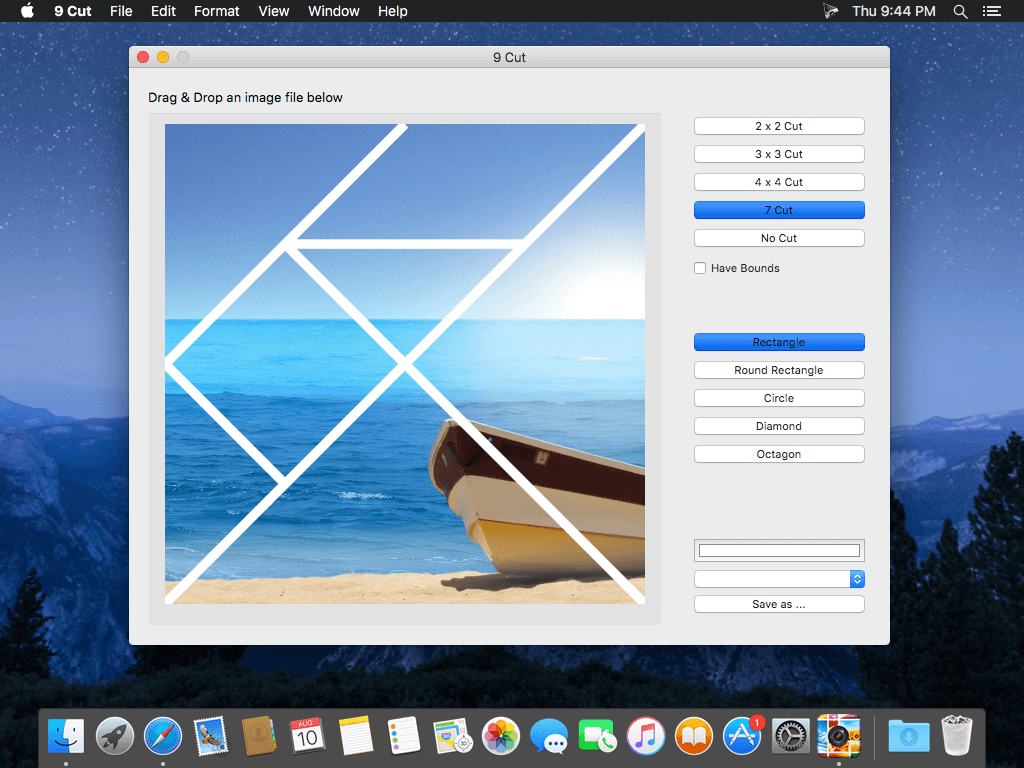
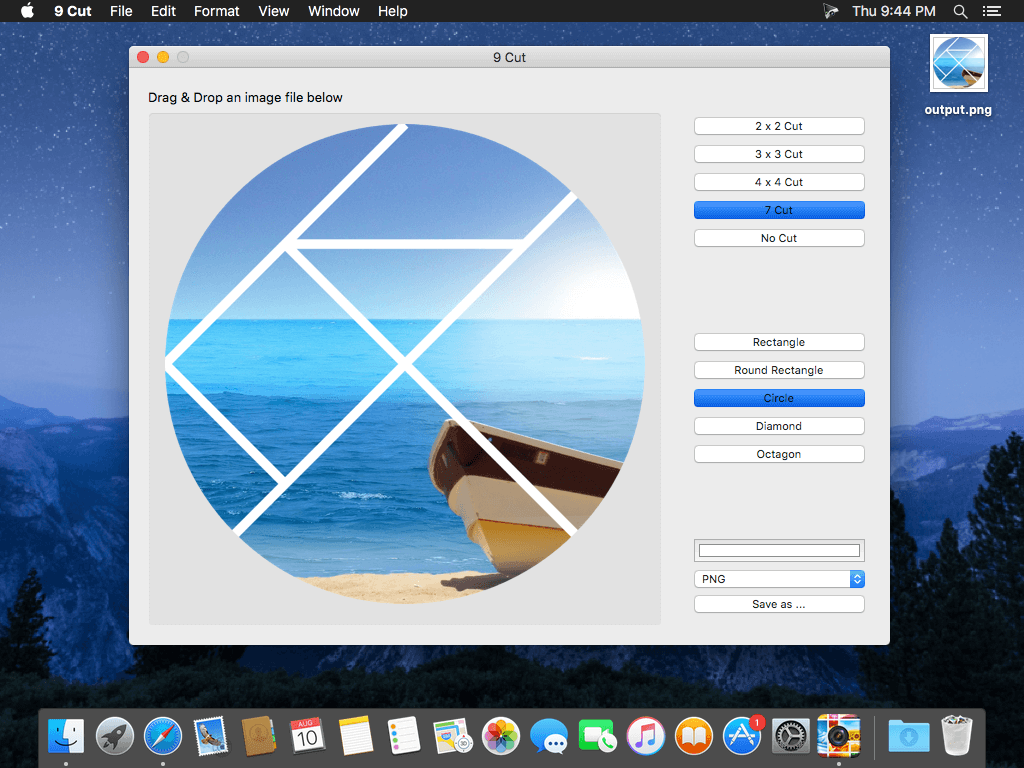
9Cut is literary and fresh pictures cutting software , it can help you to cut into 9 photos to upload collage as a queen figure , features a simple, refreshing the screen , the effect is unexpected.
9 Cut, page simple and clear, only "Open " and "Save " buttons . A good selection of pictures you can get into the picture a preview of nine , hold the picture can be adjusted up and down and move around the location . Satisfied just click "Save ."
9 cut make awesome photo effects with some cuts in the pictures and can also have amazing photo bounds.
Description of 9 Cut:
- Easy to use
- Drag & drop photo into the application
- Select the style you like in the list 2*2,3*3,4*4,7or no cut
- Change color of the bounds
- Select the shape such as rectangle, round rectangle, circle, diamond, octagon
- You can save photos as BMP GIF JPG PNG and TIFF
Version 1.2.1
- bug fix
Frequently asked questions
How do I install the app?
Mount the image, drag the app into the "Applications" folder and launch it. If the system blocks the launch, allow it in "System Settings → Privacy & Security".
The app is damaged or won't launch
Reinstalling from a fresh image usually helps. Make sure your macOS version matches the one listed in the compatibility specs.
How do I update?
Download the new version from the site and install it over the current one — your settings will be preserved.
The download link doesn't work
Try a mirror or a download manager. For large files the browser often drops the connection.
How do I completely remove the app?
Use an uninstaller utility — it cleans up the service files that remain after moving the app to the trash.
Version9 Cut v1.2.1
DeveloperFangcheng Yin © 2013 CokeSoft
CompatibilityOS X 10.7 or later, 64-bit processor
LanguageEnglish
IncludesPre-K'ed


Information
Visitors in the group Guests cannot leave comments on this publication.
Choose a download source
9 Cut v1.2.1 · 3.1 MB