
Shape Collage Pro 3.1


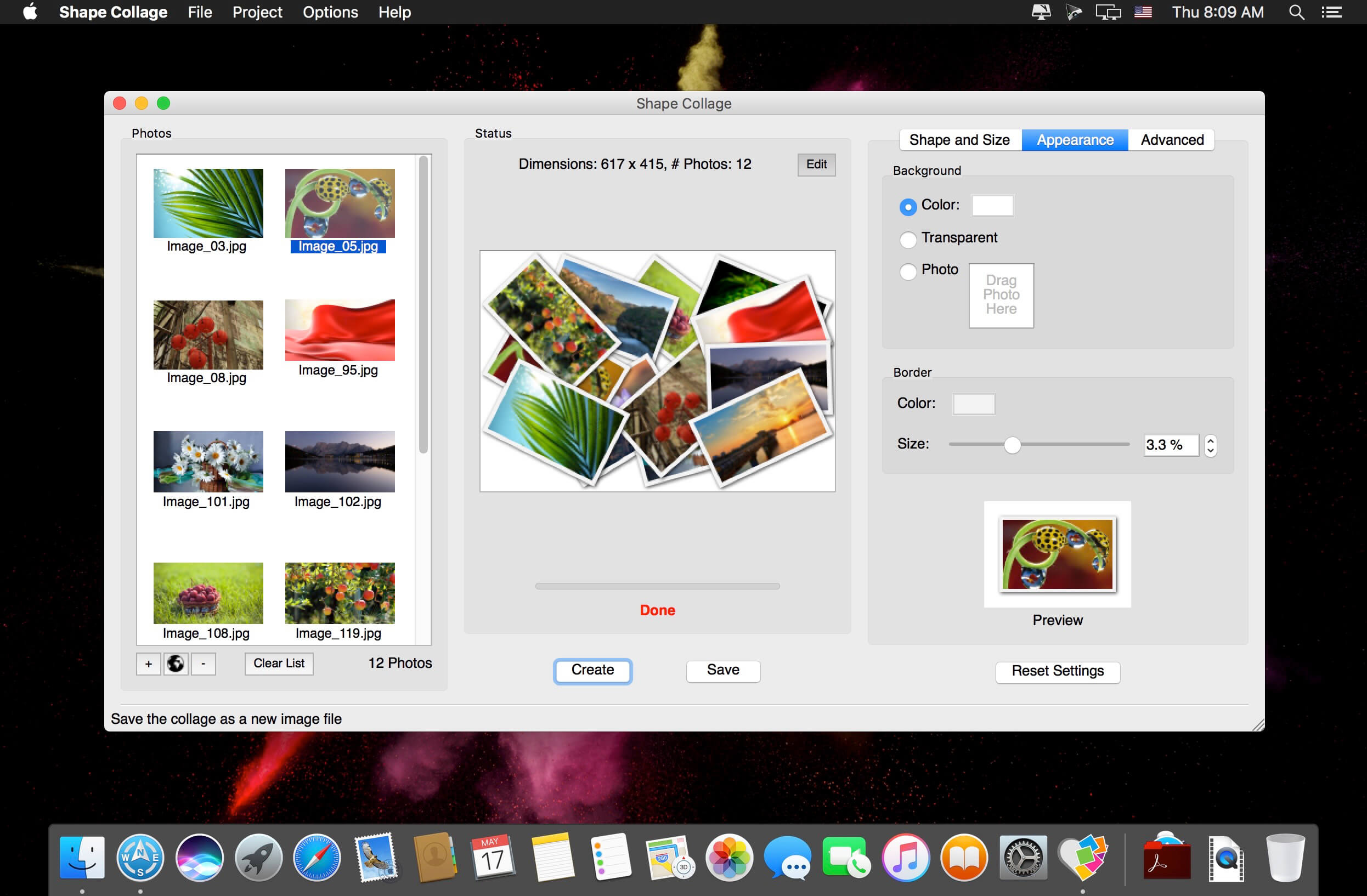
Shape Collage Pro is automatic photo collage maker that lets you create picture collages in a variety of shapes in less than a minute with just a few mouse clicks. Shape Collage creates collages using an intelligent machine learning algorithm that automatically places the photos in the collage and can arrange the photos to form different shapes.
- Automatic, fast, and easy: Create picture collages in less than a minute with just a few mouse clicks; Photos are automatically and intelligently placed using a machine learning algorithm
- Any shape: Make collages in any imaginable shape or form; Rectangle, heart, circle, letters, or even draw your own shape!
- You're in control: Adjust the collage size, size of the photos, number of photos, and spacing between photos; Change the background, the colour of the border, and more; Save as JPEG, PNG, or Photoshop PSD; If you don't like the collage, save it as a PSD and edit it yourself in Adobe Photoshop or GIMP!
Version 3.1.0:
Native:
Native:
- No more Java
- Up to 10X faster
- Native dialog windows
- Live previews of your collage
- Edit your collage without leaving Shape Collage
- Make rectangular collages with non-overlapping photos
- Add photos from Facebook, Instagram, Flickr, Dropbox, Google Drive, Google+, Google Search, Twitter, Tumblr, and more!
- New Shape Collage icon
Frequently asked questions
How do I install the app?
Mount the image, drag the app into the "Applications" folder and launch it. If the system blocks the launch, allow it in "System Settings → Privacy & Security".
The app is damaged or won't launch
Reinstalling from a fresh image usually helps. Make sure your macOS version matches the one listed in the compatibility specs.
How do I update?
Download the new version from the site and install it over the current one — your settings will be preserved.
The download link doesn't work
Try a mirror or a download manager. For large files the browser often drops the connection.
How do I completely remove the app?
Use an uninstaller utility — it cleans up the service files that remain after moving the app to the trash.
VersionShape Collage Pro 3.1
DeveloperShape Collage Inc.
CompatibilityOS X 10.7 or later, 64-bit processor
LanguageEnglish
IncludesK'ed by TNT




Information
Visitors in the group Guests cannot leave comments on this publication.
Choose a download source
Shape Collage Pro 3.1 · 19.85 MB