
Photo Collage-Photo Poster HD 3.4.2
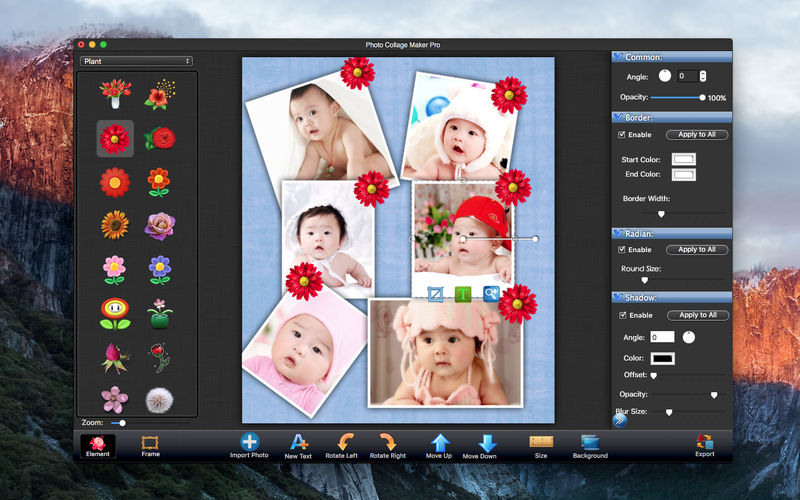
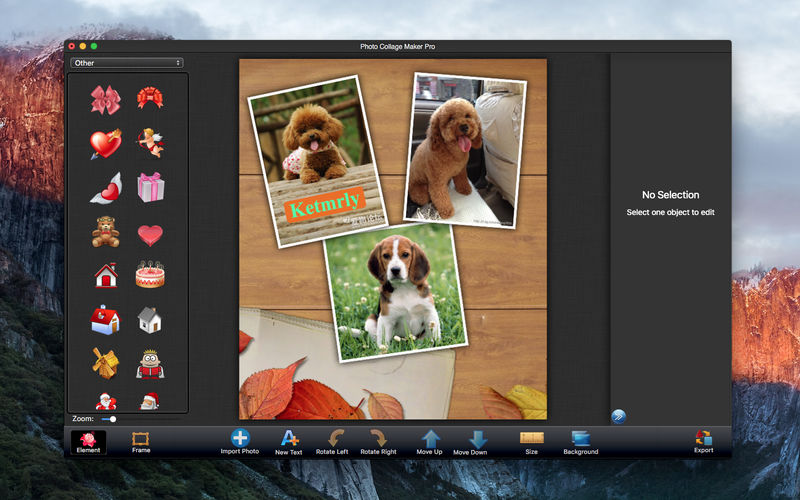
Find out just how easy it can be to turn photos into a collage! Picture Collage Make Pro allows you to create photo collages, scrapbooks, greeting cards, photo calendars, and posters quickly. With an intuitive interface, create stunning picture collages on your mac. You can sharing these self-made collages with your friends and families.
It comes with three categories exquisite templates (Layout, Holiday, General) with which you can make artworks for birthday, wedding, holidays and any other special moments in your life. You can custom the template and save template for future use. Whether you have extensive experience or no experience in photography, you can make your extraordinary photo collages quickly and easily.
QUICK START GUIDE
- Step 1: Choose one template from template library to start your work.
- Step 2: Import photos and adjust your collage (If need).
- Step 3: Export your collage.
- Various Templates help you to extend your creativity by designing creative photo collages, greeting cards, scrapbook, posters, photo calendars, and photo albums, etc.
- Add exquisite text to collage.
- Create collage in any custom size.
- Pan and zoom pictures within their frames.
- Import local image or choose color as background.
- Create Landscape or Portrait collage.
- Provide fine frames and elements for your collage .
- Can save editing operations as an project document, you can open the project document when you need to go on your work.
Photo Edit
- Add exquisite frame for every photo.
- Rotation angle, Radian, Zoom, Shadow.
- Add exquisite text for every photos.
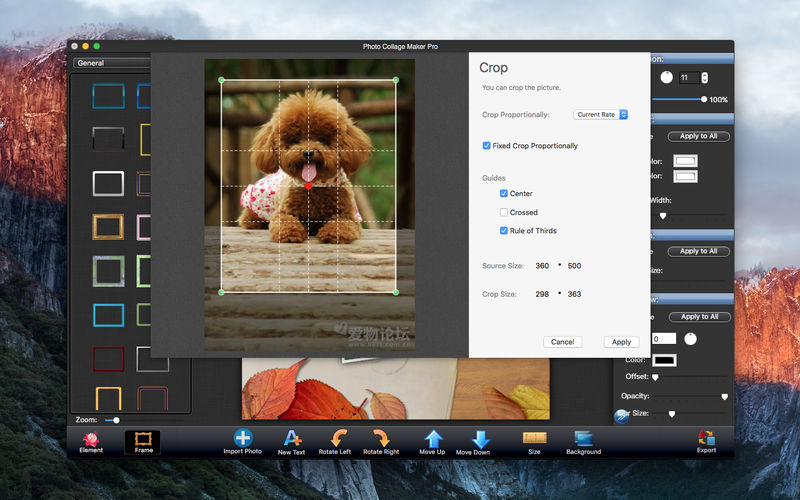
- Crop Image, choose the area you want to show
- Drag, scale, or rotate pictures
- Custom picture borders with color.
- Adjust the pictures level
Version 3.4.2
- Resolved some bugs.
- Add undo /Redo .
- Add some exquisite collage template .
- Optimization operation.
Frequently asked questions
How do I install the app?
Mount the image, drag the app into the "Applications" folder and launch it. If the system blocks the launch, allow it in "System Settings → Privacy & Security".
The app is damaged or won't launch
Reinstalling from a fresh image usually helps. Make sure your macOS version matches the one listed in the compatibility specs.
How do I update?
Download the new version from the site and install it over the current one — your settings will be preserved.
The download link doesn't work
Try a mirror or a download manager. For large files the browser often drops the connection.
How do I completely remove the app?
Use an uninstaller utility — it cleans up the service files that remain after moving the app to the trash.
VersionPhoto Collage-Photo Poster HD 3.4.2
DeveloperXiaolei Zhang © 2015 Software Quick
CompatibilityOS X 10.7 or later, 64-bit processor
LanguageEnglish
IncludesK'ed by TNT



Information
Visitors in the group Guests cannot leave comments on this publication.
Choose a download source
Photo Collage-Photo Poster HD 3.4.2 · 59.15 MB