Photo Wall - Collage Maker 8.6

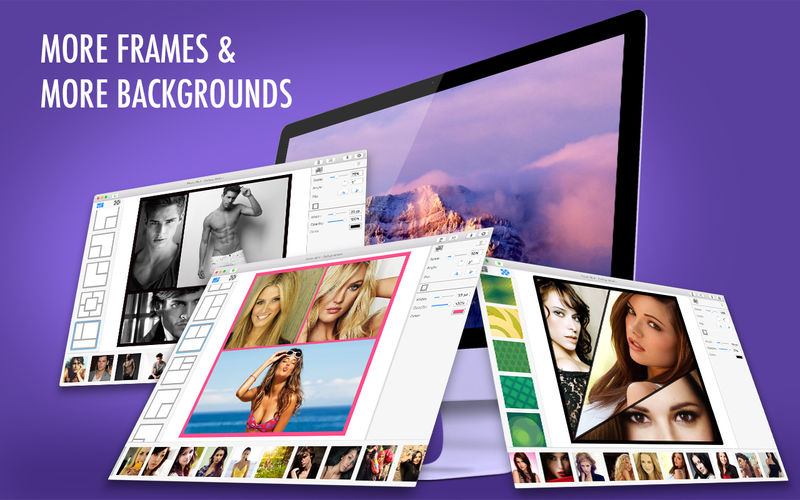

Photo Wall - Collage Maker is a great application for making impressive photo collages. It has never been easier! Create interesting and unique collages made of your favorite photos just in a couple of minutes. We offer a lot of new backgrounds for pictures - select the ones you like most.
Photo Wall - Collage Maker features:
- Easy-to-use photo collage creator
- Geometric patterns for your collage
- A lot of new bright backgrounds
- Frame parameters, Zoom & Angle options
- Format, Quality and Resolution settings
- Choose a geometric pattern
- Click each collage section (or drag & drop) to upload photos
- Set the Frame options (width, opacity, frame color)
- Click in the right panel Scale to zoom in/out & Angle to turn the photo around itself
- Use Flip function in the right panel to mirror the selected picture
- Use the Trash icon (top right corner) to delete the selected photo
- Click the cogwheel icon to choose format, resolution and quality
- Save the result by using the download icon (top right corner)
- Photo Wall has been renewed!
- We gave a great deal of thought to the app's design. Now it's simpler, more colorful and user-friendly: we have changed it so that all the best features are within easy reach.
Frequently asked questions
How do I install the app?
Mount the image, drag the app into the "Applications" folder and launch it. If the system blocks the launch, allow it in "System Settings → Privacy & Security".
The app is damaged or won't launch
Reinstalling from a fresh image usually helps. Make sure your macOS version matches the one listed in the compatibility specs.
How do I update?
Download the new version from the site and install it over the current one — your settings will be preserved.
The download link doesn't work
Try a mirror or a download manager. For large files the browser often drops the connection.
How do I completely remove the app?
Use an uninstaller utility — it cleans up the service files that remain after moving the app to the trash.
VersionPhoto Wall - Collage Maker 8.6
DeveloperPhoto And Video Labs OOO
CompatibilityOS X 10.11 or later, 64-bit processor
LanguageEnglish
IncludesK'ed by TNT



Information
Visitors in the group Guests cannot leave comments on this publication.
Choose a download source
Photo Wall - Collage Maker 8.6 · 57.28 MB