PhotoReflector 1.1.0
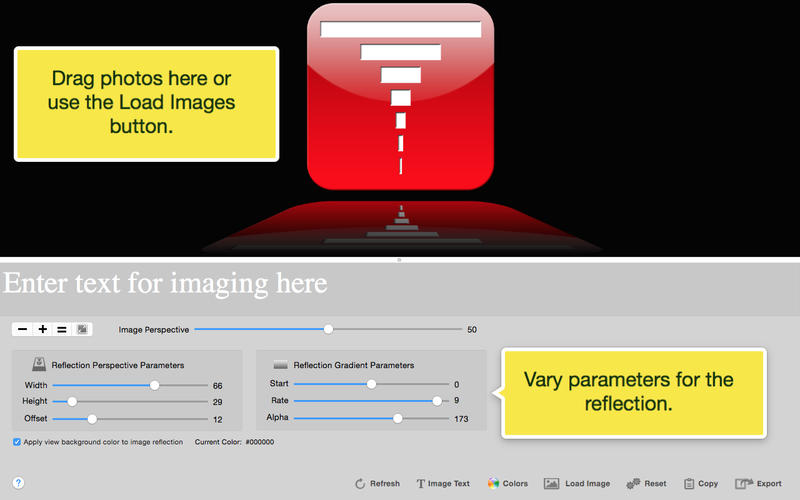
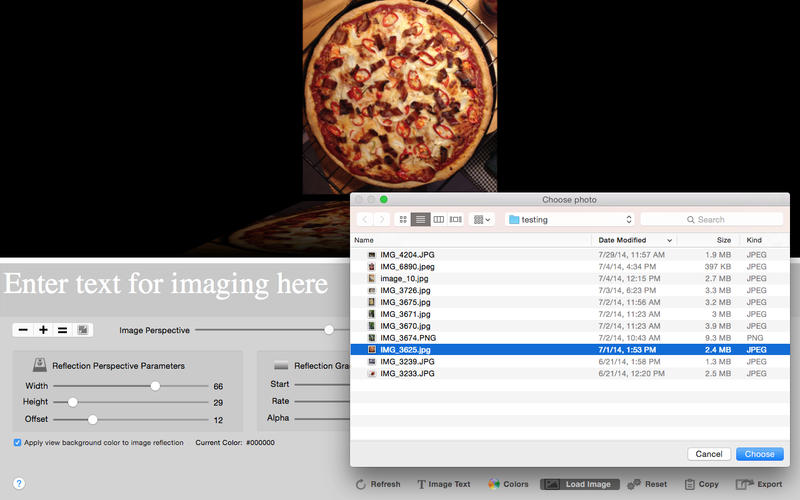

Easily add reflections to your photos for depth and dimension enhancing their appearance.
What can Photo Reflect do for me?
- Reflect photos to simulate standing them on a mirrored surface in 3D.
- Edit photos to add Meme (titles) and more.
- Perspectively warp reflected photos to simulate viewing them sideways in 3D.
- Export your reflected photos to the pasteboard or camera roll in transparent PNG format.
- Email your reflected photos to contacts as transparent PNG image attachments.
- Customize the reflection by varying its height, width, offset, alpha and gradient parameters.
- Select parameters to edit from a tab bar, change their values with a slider.
- Vary reflection parameters to effectively create transparent copies of a photo using an alpha channel.
It's easy to use! Just follow the animated tips at the bottom of the screen.
Version 1.1.0
- New button to open reflection in Preview app.
Frequently asked questions
How do I install the app?
Mount the image, drag the app into the "Applications" folder and launch it. If the system blocks the launch, allow it in "System Settings → Privacy & Security".
The app is damaged or won't launch
Reinstalling from a fresh image usually helps. Make sure your macOS version matches the one listed in the compatibility specs.
How do I update?
Download the new version from the site and install it over the current one — your settings will be preserved.
The download link doesn't work
Try a mirror or a download manager. For large files the browser often drops the connection.
How do I completely remove the app?
Use an uninstaller utility — it cleans up the service files that remain after moving the app to the trash.


Choose a download source
PhotoReflector 1.1.0 · 4.37 MB