
WidsMob Image Viewer 2.15
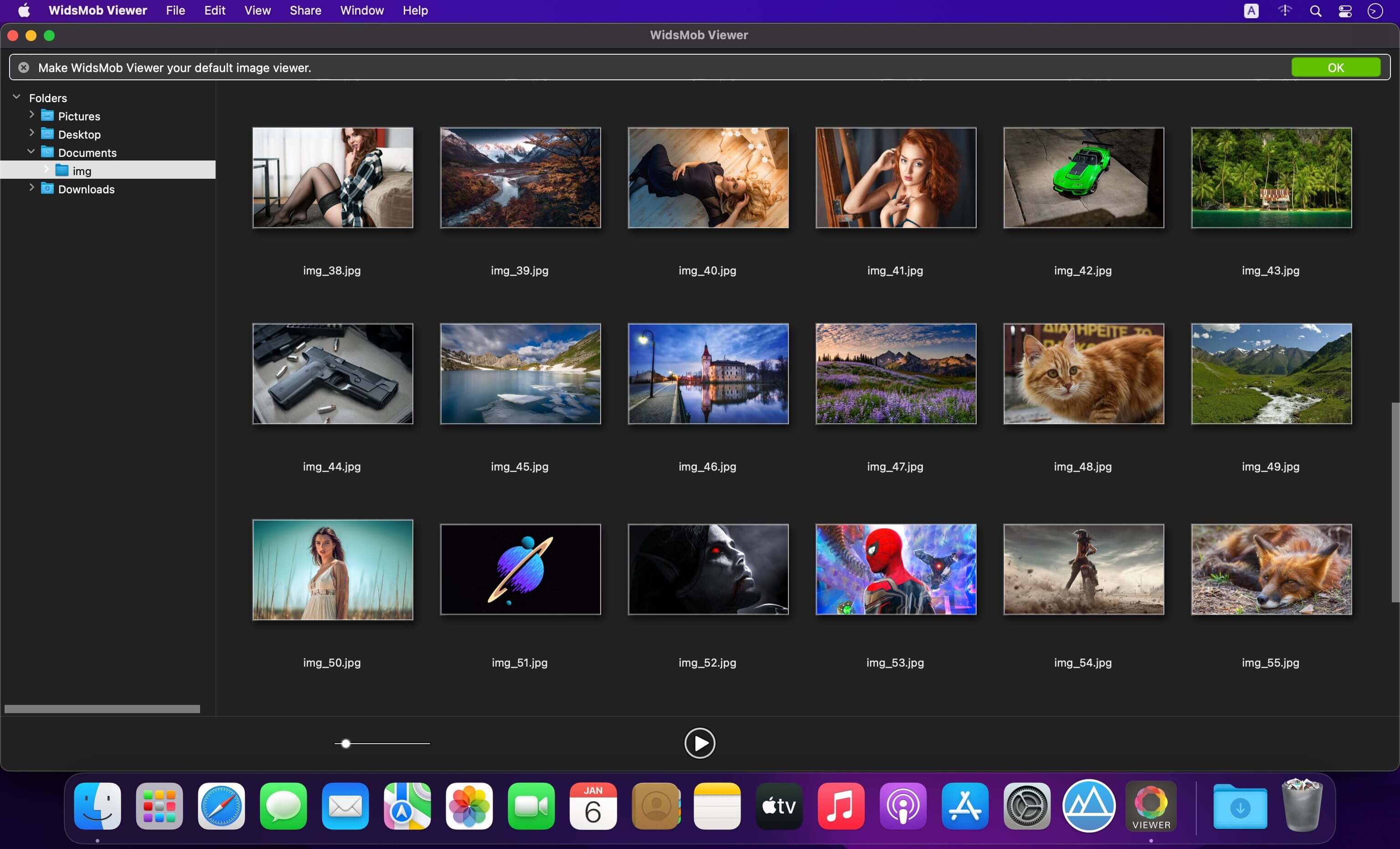


Is there any method to view all images in one folder on Mac? How to preview multiple photos in detail in a super fast speed? How to select and export the desired photos? In order to have a nice experience of photo viewing experience, WidsMob Viewer should be a solution you need to take into consideration.
Excellent Preview Experience
When you have hundreds of photos, you can only add one image or the whole folder to WidsMob Viewer to preview all images. Even if you need to view photos in different folders, you can use the library mode. It has advanced algorithm to view photos in a super fast speed.
Support RAW Formats
Besides the JPG, JPEG, TIFF, PNG, BMP and other photos format, WidsMob Viewer also supports most of the popular RAW formats. It is able to load RAW files from SD card or external drive. It also enables you to turn RAW files into JPG, PNG and other photo formats.
Different previewing mode
View all photos in one folder in Viewing mode; check photos from different folders in Library mode; enjoy photos in full screen with Slideshow mode; get desired photos in the Favorite mode. You can always find a method to view photos in different purpose.
Multiple editing features
Whether you need to adjust the parameters for photos, or apply photos effects, you can find multiple editing features available from the user interface. What is more, you can also crop, flip, rotate, delete, and even use batching process to edit photos with ease.
Manage pictures with ease
Press Control and drag the photo to desktop or any folder you want. If you are not satisfied with the pictures, you only need to delete the pictures to Trash. Besides you can also add to Favorite folder, which you can batch resize, convert or export to a destination folder.
Version 2.15:
- Release notes were unavailable when this listing was updated.
Frequently asked questions
How do I install the app?
Mount the image, drag the app into the "Applications" folder and launch it. If the system blocks the launch, allow it in "System Settings → Privacy & Security".
The app is damaged or won't launch
Reinstalling from a fresh image usually helps. Make sure your macOS version matches the one listed in the compatibility specs.
How do I update?
Download the new version from the site and install it over the current one — your settings will be preserved.
The download link doesn't work
Try a mirror or a download manager. For large files the browser often drops the connection.
How do I completely remove the app?
Use an uninstaller utility — it cleans up the service files that remain after moving the app to the trash.



Choose a download source
WidsMob Image Viewer 2.15 · 7.33 MB