
EasyPing 2.6.1

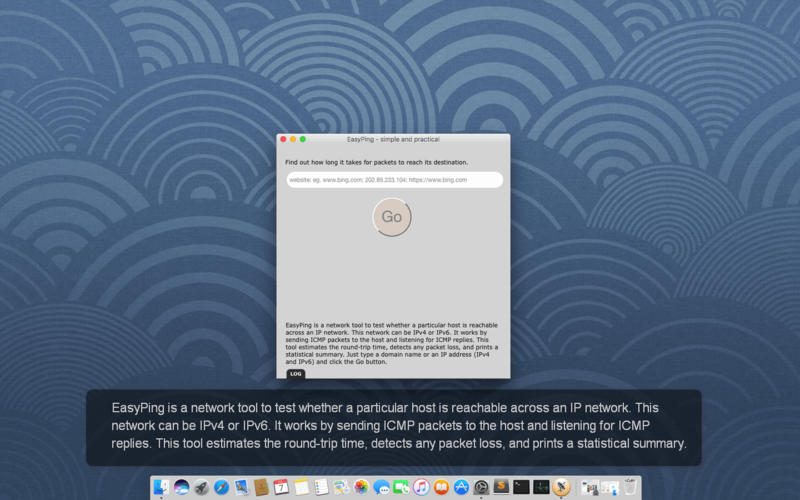
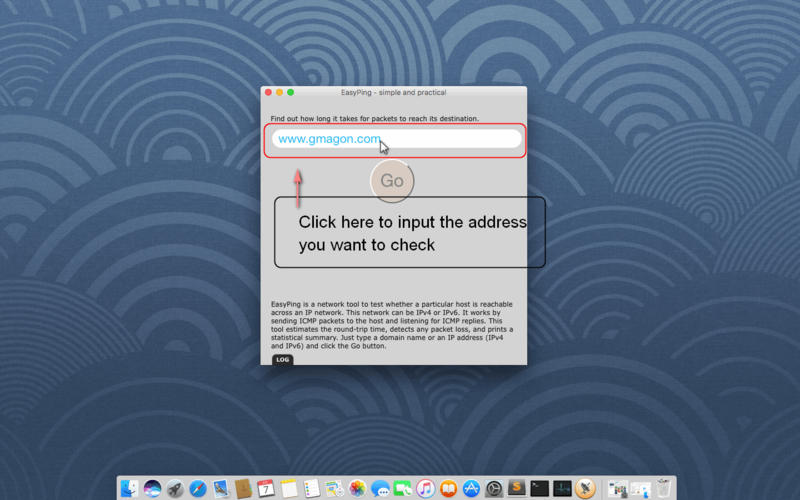
EasyPing is a network tool to test whether a particular host is reachable across an IP network. This network can be IPv4 or IPv6. It works by sending ICMP packets to the host and listening for ICMP replies. This tool estimates the round-trip time, detects any packet loss, and prints a statistical summary. Just type a domain name or an IP address (IPv4 and IPv6) and click the Go button. Try the EasyPing now and see how it can make your life easier. Everything you need is contained in one simple installer, no additional downloads or plug-ins are required. We make it simple for you, now and later!
- Built for Mac users only
- Fool-style operation
- Perform DNS Lookup of websites
- Traceroute your website and network devices
- Website Responsetime Monitoring
- Tool monitors your network 24/7
- After-sale services
- Minimum and streamlined interface.
- No ads and plug-ins
- No registration and log in.
Version 2.6.1:
- Updates to the latest plaform sdk
- Additional bug fixes and stability improvements
Frequently asked questions
How do I install the app?
Mount the image, drag the app into the "Applications" folder and launch it. If the system blocks the launch, allow it in "System Settings → Privacy & Security".
The app is damaged or won't launch
Reinstalling from a fresh image usually helps. Make sure your macOS version matches the one listed in the compatibility specs.
How do I update?
Download the new version from the site and install it over the current one — your settings will be preserved.
The download link doesn't work
Try a mirror or a download manager. For large files the browser often drops the connection.
How do I completely remove the app?
Use an uninstaller utility — it cleans up the service files that remain after moving the app to the trash.
VersionEasyPing 2.6.1
DeveloperSUN ZHI FENG
CompatibilityOS X 10.7 or later, 64-bit processor
LanguageMultilingual
IncludesK'ed by TNT





Information
Visitors in the group Guests cannot leave comments on this publication.
Choose a download source
EasyPing 2.6.1 · 5.17 MB