
Quiver - take better notes 3.3.1
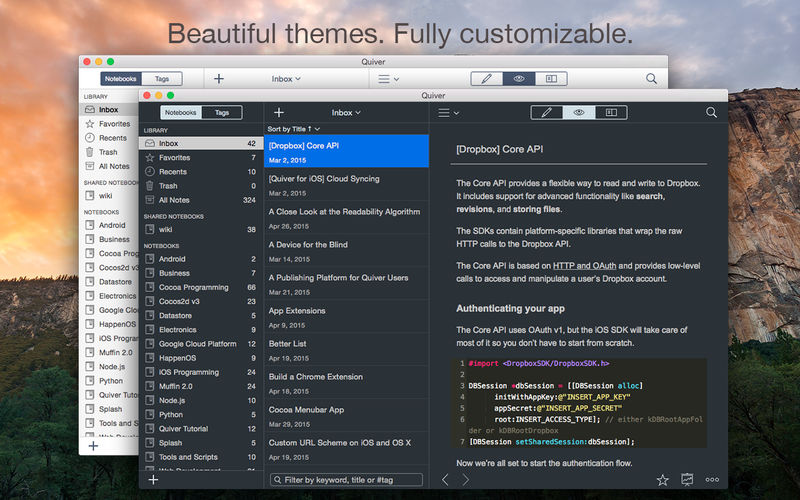
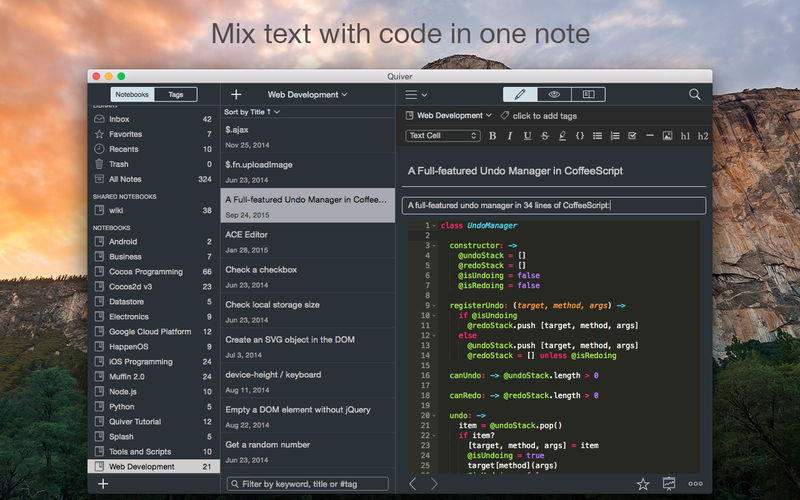
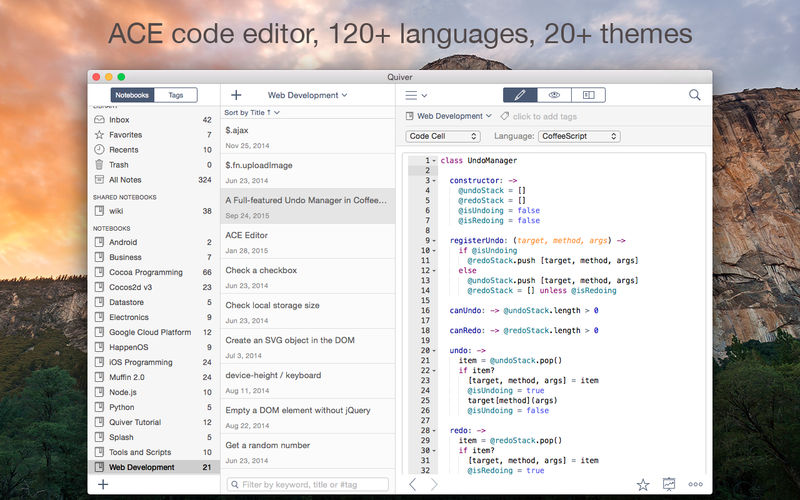
Quiver is a note-taking app built for programmers. Its unique cell-based design lets you easily mix text and code within one note, edit code with an awesome code editor, and find any note instantly via the full-text search.
Features
- Mix Text With Code - A note in Quiver is comprised of cells --- snippets of text or code. You can freely mix text cells with code cells, even setting different language modes for different code cells, all inside one note.
- Edit In Place - Whether you are writing code or changing text styles, edits are always made in-place. There is no mode switching in Quiver. You just click where you want to edit and start typing.
- An Awesome Code Editor - The programmer's notebook should make code editing effortless. Quiver packs the awesome ACE code editor in code cells, which supports syntax highlighting for most languages, over 20 themes, automatic indent and outdent, and much more.
- Lightning-Fast Full-Text Search - Notes are only useful if you can find them quickly. Quiver's full-text search is based on Search Kit, the same technology used to power Spotlight on your mac. That's how Quiver can search through thousands of notes in a blink of an eye.
- Tags - If organizing notes into notebooks isn't enough for you, Quiver also lets you assign tags to each note, so you can manage your notes any way you like.
- Autosave - Quiver automatically saves all your changes as you work, so you never need to worry about losing changes.
- Plain JSON - Quiver saves your notes in the plain JSON format, so you have full control over your content. You can export a note in the JSON or HTML format, or print it to PDF.
Version 3.3:
- Updated for Apple Silicon
- New app icon
Frequently asked questions
How do I install the app?
Mount the image, drag the app into the "Applications" folder and launch it. If the system blocks the launch, allow it in "System Settings → Privacy & Security".
The app is damaged or won't launch
Reinstalling from a fresh image usually helps. Make sure your macOS version matches the one listed in the compatibility specs.
How do I update?
Download the new version from the site and install it over the current one — your settings will be preserved.
The download link doesn't work
Try a mirror or a download manager. For large files the browser often drops the connection.
How do I completely remove the app?
Use an uninstaller utility — it cleans up the service files that remain after moving the app to the trash.

Choose a download source
Quiver - take better notes 3.3.1 · 10.96 MB