CodeRunner 2.3
CodeRunner lets you edit and run code in 10 different programming languages; it's the essential editor for any programmer. With CodeRunner, it has never been easier to write and test code, run scripts, work with algorithms, or simply experiment with a new coding or scripting language.
Features:
- Edit and run code in AppleScript, C, C++, Java, Objective-C, Perl, PHP, Python, Ruby or Shell
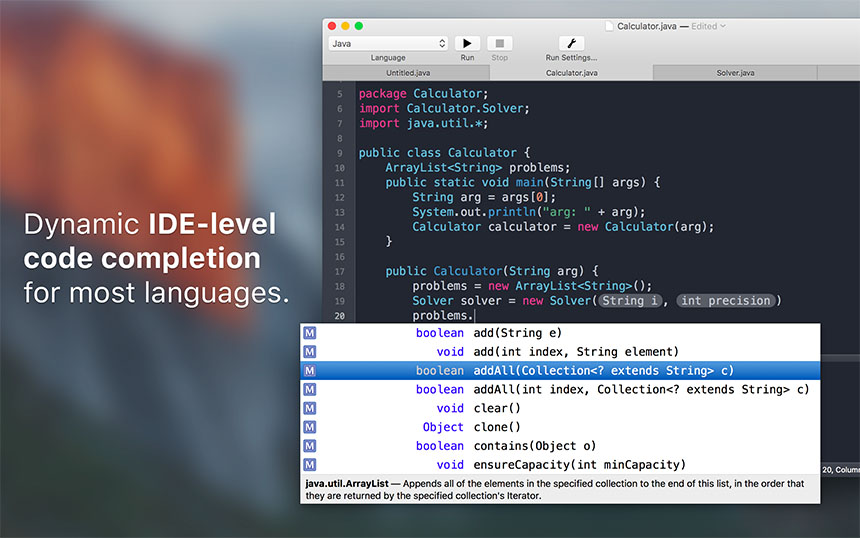
- Fully-featured editor with syntax highlighting, code completion, color themes, intelligent bracket matching and more
- Editable code presets for new documents eliminates the need to keep writing main methods etc.
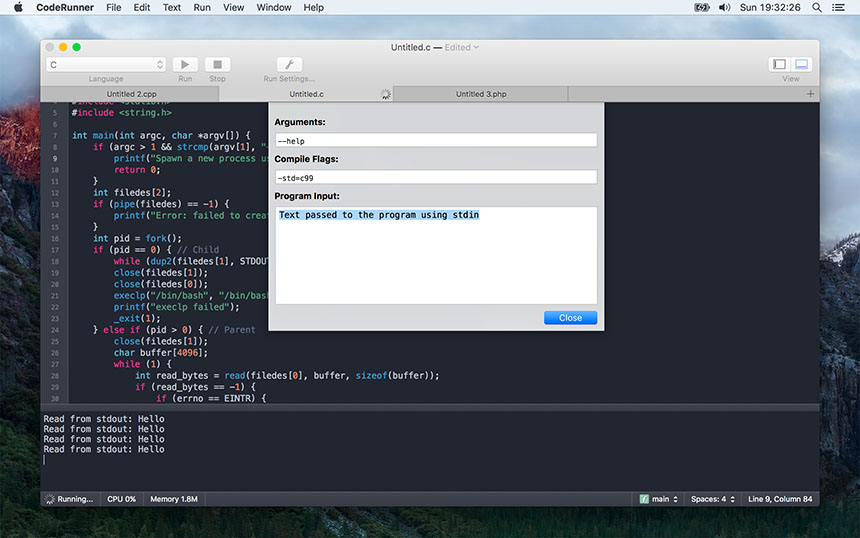
- Full encoding support, custom run/compiler flags and more
Note: Running Java code requires Java runtime to be installed on your system. Running C, C++, or Objective-C code requires you to have gcc installed.
Language
- AppleScript
- C / C# / C++
- HTML
- Objective-C / Objective-C++
- Perl
- PHP
- Java
- javascript
- jQuery
- LaTeX
- Node.js
- Lua
- Perl
- PHP
- Python / Python 3
- Ruby
- Shell script
- Swift
WHAT’S NEW
Version 2.3:
- Support for the Touch Bar on the new MacBook Pro
- Improved state restoration; previously open windows, documents, and associated states are now fully restored between app launches
- New indentation preference makes it easy to set a preferred indentation without modifying each language configuration separately
- Smarter behavior of the tab and backspace keys when dealing with spaces-indentation
- Expanded support for character encodings, and improved automatic detection of encoding when opening documents
- Indentation of wrapped lines in the editor to reduce clutter
- Fixed an issue with debugging using GDB on macOS 10.12 Sierra
- Print now includes syntax highlighting and line numbers
- More neatly organized list of open documents under the Window menu and when right-clicking the Dock icon
- Ability to initiate running of code when right-clicking a tab
- Text find shows the number of occurrences and highlights all results
- Wrap lines preference affects the console in addition to the editor
- Lots of minor improvements and bug fixes
Screenshots

Frequently asked questions
How do I install the app?
Mount the image, drag the app into the "Applications" folder and launch it. If the system blocks the launch, allow it in "System Settings → Privacy & Security".
The app is damaged or won't launch
Reinstalling from a fresh image usually helps. Make sure your macOS version matches the one listed in the compatibility specs.
How do I update?
Download the new version from the site and install it over the current one — your settings will be preserved.
The download link doesn't work
Try a mirror or a download manager. For large files the browser often drops the connection.
How do I completely remove the app?
Use an uninstaller utility — it cleans up the service files that remain after moving the app to the trash.
VersionCodeRunner 2.3
DeveloperNikolai Krill
CompatibilityOS X 10.7 or later, 64-bit processor
LanguageEnglish
IncludesK

Information
Visitors in the group Guests cannot leave comments on this publication.
Choose a download source
CodeRunner 2.3 · 57.22 MB