AudioSwitcher 3.08
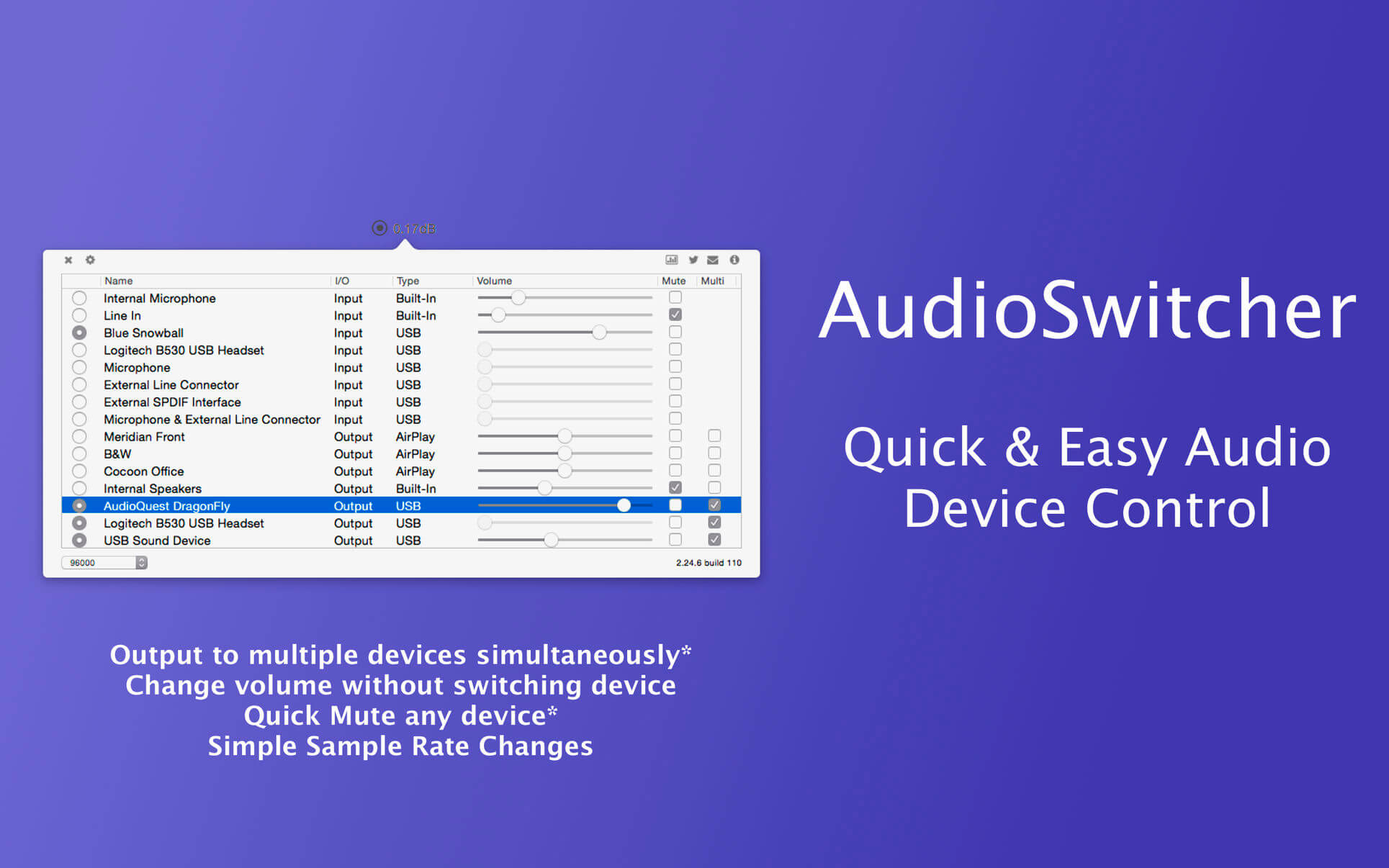

AudioSwitcher is a menu bar that allows you to switch quickly between all available input and output devices. In addition you can change the volume of any device without having to change your current input / output.
You can quickly change the sample rate or output to multiple devices at the same time.
Using the preferences screen you can choose to ignore certain devices, set a default start-up input or output device as well as it’s volume.
AudioSwitcher supports any device available to the system: AirPlay, USB, HDMI, Thunderbolt, Bluetooth etc.
AudioSwitcher is ideal if you have multiple sound devices attached to your Mac and want to be able to switch between them without having to use System Preferences.
It’s great for a home theatre set-up allowing selection of default devices (and their volumes) on start-up as well as allowing you to quickly route output to AirPlay devices in one click.
Version 3.0.8
- Fixes to the priority screen to stop priorities being lower than 0
- Fixes to the priority screen to stop devices automatically sorting based on priority
Frequently asked questions
How do I install the app?
Mount the image, drag the app into the "Applications" folder and launch it. If the system blocks the launch, allow it in "System Settings → Privacy & Security".
The app is damaged or won't launch
Reinstalling from a fresh image usually helps. Make sure your macOS version matches the one listed in the compatibility specs.
How do I update?
Download the new version from the site and install it over the current one — your settings will be preserved.
The download link doesn't work
Try a mirror or a download manager. For large files the browser often drops the connection.
How do I completely remove the app?
Use an uninstaller utility — it cleans up the service files that remain after moving the app to the trash.
VersionAudioSwitcher 3.08
DeveloperBill Falconer
CompatibilitymacOS 11.0 or later 64-bit
LanguageEnglish
IncludesK'ed by TNT


Information
Visitors in the group Guests cannot leave comments on this publication.
Choose a download source
AudioSwitcher 3.08 · 4.49 MB
Previous versions
AudioSwitcher 3.08
Previous versions are available to registered users.